IATEFL 2016 Materials Writing SIG PCE – Print VS. Digital; is it really a competition? (2)

Katherine Bilsborough kicked off after the break, and she is talking about Writing for Primary. 2 years ago, she spoke about ‘Becoming a digital writer‘. Since then, she has realised that we are not digital writers, we are materials writers who are writing for a digital age. This is something that came out of the recent MaW SIG conference. As Ceri said, it’s not black or white, it’s grey. Katherine, though, says it’s more like a chess board. Some is black, some is white, you move in different ways and sometimes you win and sometimes…!

If you are talking about primary, you are talking about 6 years of a child’s life. There is a big difference between year 1 and year 6. We need to be aware of their cognitive skills. E.g. they may  not be able to read yet. We need to think about their world view. They are very me me me oriented, so pair work doesn’t always work! If you make something in class, then everybody needs one to take home! With VYL, attention span is 5, 6, maybe 10 minutes max. It is also, or can be, a lot of fun.

5 key areas that Katherine identified for primary writing are:

Primary –

  • content
  • illustration
  • appropriateness
  • rubrics
  • key ingredients

She has picked out these 5 areas but some others may crop up as well.

Primary Content

When you start off writing a primary course book, need to take into account several things.

  • The syllabus (be involved in writing or received from a publisher; might be one level of a 5 level course for e.g.)
  • Young Learner Exams (publishers want to include materials that help to prepare learners for these e.g. Starters, Movers, Flyers)
  • Policy (local or national – e.g. in Spain the education law was in place for many years but has just been voted out so everything is in limbo)
  • Key competences (trying to develop the whole child e.g. citizenship, keeping clean and tidy etc as well)

Katherine finds the Cambridge YLE page useful to refer to as it has lots of wordlists for each level, of what words children of each age group/exam group are expected to know at that level. This is useful if you don’t have the syllabus etc. all worked out in advance. It’s also helpful to look at Key stages on BBC Bitesize site, to see the kind of things that children are learning and doing at different ages, to get an idea of what you can have them do with your materials.

21st Century skills – creativity, communication, collaboration, critical thinking. These are crucial. Our job, to think of a primary learner activity that encompasses these… Easy. Been doing it since the beginning. Just that now it has a label that needs to go in the book! Now of course there are digital elements that can be brought in to do things in a different way, but the point is it’s NOT new even if it’s the newest buzzword.

Illustration

Vitally important. The first thing that gets looked at. There are a few things to take into account. What should we consider when we decide between photos and artwork? model’s age/characteristics? supportive or decorative?

Publishers think for youngest learners, mostly illustration, as they get older, introduce more photographs. However, photos are coming in younger and younger. Nowadays in the ‘digital world’, younger children have more access to photographs so it makes sense? More and more kids watch stuff like discovery and educational style programmes marketed for kids (be it on youtube or TV) while cartoons/comics are seen as Saturday morning break material. Re model’s age and characteristics, Katherine usually told that they are presented as the same age but look a little bit older. If you are 9 you want to read about 10 year olds not 7 year olds! In terms of physical characteristics, it’s changing – more variety now, becoming more inclusive. Illustrations are usually supportive but can be decorative. In an artwork brief, it should be one picture including all the items of vocabulary rather than a set of different pictures one for each word. Katherine’s no. 1 digital aid for working is: Scanners. As, with primary, you draw everything as it should look on the page (sketches, sometimes quite detailed as very important), that scanned scrap of paper goes off to the publishers and then the illustrator turns it into what you see on the page. We rarely see them at conferences but they are very important! We are all invited to write our favourite tool on the flipchart at some point during the day.

Appropriateness

We all know about PARSNIPS but for primary there are things you might not have considered…

  • An escaped tiger with a happy ending – too traumatic
  • A chant about a witches brew – market including Turkey and Egypt, no witch craft
  • Kate and Joe talking about their homework – can’t have them because they might be sitting in a bedroom, so it had to be Kate and Cloe, much more difficult for listening!
  • Film review of Australian film Red Dog – there are dogs and somebody’s arms on the film picture, which is dirty
  • Anne of Green Gables – no, because boys won’t like it (!!!)
  • A story about a little boy who shrinks after drinking a potion – too druggy!!

If in doubt, leave it out! (Or at least run it by the editor!) It’s not worth it. Having an argument isn’t going to win you any points.

Rubrics

We saw three rubrics for the same activity.

  • Picture of an ear and a scribbling pencil
  • Listen and colour
  • Listen to the dialogue and colour the objects
  • Listen to the dialogue and colour the items that Leo and Fatima mention.

The simpler the better! Applies to all ages!!

Key Ingredients

  • Stories – genre? ongoing/one-off? language? word count? no. of frames? Katherine does this kind of work away from the computer, sits down with language and bits of paper. In the beginning there were print stories of various kinds, then along came audio, then dvds with videos (sometimes pictures moving one to the next), IWB (replicating print, animated visuals), devices (with interactive elements) and finally augmented reality. In Katherine’s last project, she wrote stories for a 12 level BBC English course for children and this included augmented reality for one out of three stories per year. You have to start layering, it’s almost like writing a script for a film. It’s very interactive and brilliant fun, but it takes a lot of writing. You have to write the story and work out how it’s going to appear and then present that to the publisher so that they/the team can understand it! Lots of role-play/gamey/decision-making elements involved. Katherine finds Puzzlemaker and Word Scramble for making puzzles to cut down on time.
  • cross curricular – used to be CLIL but then it wasn’t really CLIL so became cross-curricular. “These lessons give kids the opportunity to do something a bit different and they learn different skills – skills that aren’t normally taught in the English lesson. They’re a nice change for the teacher too.” – a quote from a teacher, Ma Carmen Losa. For the writer, means more research. Just because we are adults doesn’t mean we know everything! Katherine likes Fun Science and Technology website and NASA kids club website, as well as, again, BBC Bitesize. Lots of art gallerys around the world have kids sections. National Geographic also has one. Using websites designed for children means we have the right kind of language to use. Katherine still looking for an online children’s dictionary. It would be useful for obvious reasons!
  • culture – need to make it relateable to children e.g. what do people have for breakfast in different places like Jamaica? What hours do children go to school in New Zealand? Easy to find out on Facebook! Crowd-sourcing on Facebook is a very useful tool as you can get a load of answers/responses.  Time for Kids “Around the World” – a day in the life (hour by hour) of children around the world. Shortcut keys on a Mac are very handy for “I want something that looks like this:”
  • literacy – Vocab kitchen is useful: put in a text and you can see what the CEFR levels are and change the words in red (too hard) until they come out green (easy)! And use the synonym list in Word.
  • rhymes, chants songs – Vocaroo is really useful for recording and sending sound clips as emails.

Writing materials for the Play Station generation

Fiona Mauchline is a teacher, teacher trainer, materials writer and blog curator. She is focusing her talk on the people we are writing for in secondary materials writing rather than the materials themselves. 11-19. Born between 1996 and 2005: A significant period in the history of digital entertainment! Nintendos, Wii, Playstation with headphones and kids speaking. Fiona’s son speaks four languages a day, only 2 of which she taught him, picking it up this way. There is a huge generational gap between teacher/writer brains and their brains. This is something that needs to feed into the materials.

‘Umbrella topics’ from typical course books for lower secondary/lower levels. How many can you think of? Recycling, hobbies, clothes, music, food, films, sports, shopping, holidays, town/going out, school.

Beware the Twilight Zone – the shady area that teens don’t like going into. Also, it’s about what they want to talk about with whom! (Or not!) E.g. with parents, siblings, other family members, teachers, pals, closest friends, other classmates, ‘others’… Some topics may be better for writing than speaking as writing to the teacher rather than having to share with people in the room. Some they may not want to talk about with anybody. Anything where you might be judged. In the world of the migrant, ‘family’ and ‘home’ – might be judged. Holidays – not everyone can afford to have holidays. If you live in the Canary Islands, “talk about your holiday” doesn’t work as there is a huge gap between rich (off to New York) and poor (never left the island). So when aiming at teens, think about the sensitive areas.

Fiona got her older teens to make a list of topics they would like to see in course books. They made a long list. Can you identify the 7 no’s?

IMG_1554-1

3 groups of No:

  • History – e.g. Mandela
  • Music – Madonna, ABBA etc

Boring: old-fashioned, dusty, been done too many times. Not for 15 year olds.

  • Video games
  • Fashion

We do it, we don’t talk about it. Too personal. It is divisive and leads to judgement.

  • YouTubers who do crazy things
  • Travel to far away places, exotic destinations
  • Food we’ll never eat e.g. insects

Irrelevant, remote from their reality and always will be. Travelling to countries near your own, you might do one day. Far off super-exotic places, not so much.

The Stress Factor

Everybody feels different and wanted to be the same, all felt like outsiders in some way. 99% of teenagers think it. All feel inadequate. Learning a foreign language means saying stuff in another language in front of your classmates: not a comfortable/happy thing!

12% of teenagers (Young Minds and Mind) in the UK today between 11 and 15 with diagnosable mental health issues. A huge portion of that is stress-related or stress-triggered. Slightly higher in boys than girls. Keep the stress down!

Screens

The screen generation. Research done in Sweden and Florida.

Mental overload: scrolling, navigating, clicking, eye ‘flicker’, light quality > less ‘mind’ space for processing/comprehension than with text on paper. Not harder to learn, harder to know – tends to stay in shorter term memory rather than long term memory. Difference between remembering something and knowing it. However, kids have developed the capcity to ignore the buzzes, bells etc in life, i.e. dealing with distraction.

For certain things, screen will better, for other things, paper is still better. For example, reading longer texts is more efficient from the learning point of view on paper. The topography of a page – 8 corners (double spread), margins, visual clues that aid memory. Screens don’t really have that. The paper course book shows how far you have got as the year goes by. Big books and little books weigh the same on a kindle. Paper is good for weightier, more serious text work. With Digital, use short texts and exploit the scroll function/other features. E.g. the capacity for predictions – much more effective on screen with scrolling and keeping things hidden.

It doesn’t particularly matter what we think. The bottom line is the attitude and habits of the people who are going to use them. 52% prefer screens, 48% prefer books. Not everywhere allows for screens. Books smell better… (according to the teens Fiona questioned).

Fiona’s email: fhmauchline@gmail.com


IATEFL 2016 Materials Writing SIG PCE – Print VS. Digital; is it really a competition? (1)

Having got up at 05.15, got a train at 07.18, negotiated Birmimgham New Street station (I’m going to walk – I’m already lost – right, where are the taxis?!), registered, been rescued by Sandy Millin (as ever!) I am now ready for MaWSIG PCE part 1. For those who don’t know about MaW SIG:

IMG_20160412_214454

Rachael Roberts explains that the speakers are going to be look at creating both print and digital and the interface between the two and that the day will culminate with a panel discussion. We are asked to write questions for the panel on the post-its floating around the room. She then goes on to the flight attendant thing (safety announcements) in record time and reminds us of the SIG day which is on Friday  and includes the Open Forum at 12.30 followed by a ‘MaWSIG Meet-up’

Ceri Jones – Same but different

Ceri started teaching in Italy in the 1990s and enjoyed creating materials from the beginning, and soon also for publication! Since then she has published just about everything you can think of!

Ceri opens with a question based on her experience over the last few years – are print and digital so different? Is it print VS digital, so black and white? She asks us to decide if we think they are the same or different. Humans learn by finding similarities or differences, and what we find depends on our mood also. She showed us a book called the Pointless Book, written by a ‘YouTube couple’. The book is blank pages throughout, lots of tasks, a blindfold drawing challenge. The App for the book shows Alfie (of the couple) doing the tasks, so bringing it to life. Then she shows us something called ‘Google Cardboard’ – $10 and comes in an Amazon flatpack, and you blend it with an App…

Ceri will look at a very specific learning outcome and look at different manifestations through material to ‘get at’ that outcome. Print only, blended, digital only scenarios, all working with the same very small learning outcome. We were asked to identify with one of a list of scenarios. I picked ‘blended 2 – ftf coursebook plus platform‘ for my current context. We are going to look at various scenarios along the cline.

“Describe a Memorable day in the past”

IMG_1550

First we imagine an elementary group – keen to talk, missing some language, this linguistic need is identified. Ceri tells us about what happened with her students in class. She chose a video from Vimeo and shared it with the class: https://vimeo.com/15304152  Goes from day time to night time, a load of activities patched together in the video. We were asked how we would scaffold that f2f.

  • brainstorm ingredients of a perfect day
  • categorise them under places, activities, people
  • prediction re video
  • view and check
  • discuss how the video measures up with their idea of a perfect day

How do you take what works for you in class initially and put it on paper as materials? Does it translate? What about limitations: print only (no video link-up); budget allows for 3 or 4 stock images; half to two thirds of a page max; need to engage with topic and introduce a vocabulary set plus the brief (see pic above).

  • stock images
  • vocabulary box
  • gap-fill exercise
  • personalised discussion

IMG_1551

What about the learning experience? Moving to a new scenario: how does this become a digital lesson? How do we convert the print product into digital?

  • video file
  • interactive activities (i.e. on the screen, with the computer!)
  • multiple screens
  • engage in topic
  • intro vocabulary set

Budget? Way beyond any project currently in existence!

How would the digital material be used? Very important question – is it just the student + screen? Something to use in class? In a virtual classroom? The answer is yes to all these things. To work, it has to be as free as possible, blending all situations.

Next Ceri shows us some printed grammar material. Dialogue, noticing questions, extra practice. What happens if we do this digitally? Ceri shows us an example and asks us to look for the similarities and the differences. There are limitations on both sides. She suggested the sample might suit slower students at home. What is the best way to handle something like this? E.g. student working on their own might need more structure added e.g. a table to complete through drag and drop.

IMG_1552 IMG_1553

Finally, we look at the communicative task. How would it be structured in the various scenarios? What would be the differences? What would be the advantages for ftf and digital?

Ceri says she reckons she has posed a lot of questions and given no answers but we will be thinking about this kind of thing all day so it’s ok. We’ve seen some examples from both sides of the fence and seen limitations/disadvantages of each but also the advantages which exist for both.

She suggests that if the digital is moderated then the potential is very exciting! But…very often it isn’t!

Ceri’s blog: http://cerij.wordpress.com

Genevieve White – Adapting  ELT Materials: how to digitise a print course

Genevieve is based in Shetland, thinks she may be the only one! She tells us this will be quite a practical session with loads to pack in. Looking at the skills needed, the challenges faced and a hands-on adaptation task. There will be a prize!

A quick introduction to her own writing experience: a mixture of the concrete process of adapting materials but a personal process of adapting mentally in terms of beliefs about how languages are learned. She wrote a bunch of lessons on Word and then had to put them onto a platform when it was ready. It didn’t really work and she had to do a lot of adapting. She has also adapted student print books into digital format. More recently she has been adapting workbooks to go online. Different projects make different demands on your skills. Sometimes demands are technical, sometimes they are demands on your creativity, it all depends.

Are the skills needed any different from those needed for print. What skills do ELT writers need? Time management, reliability, ability to stick to a brief, awareness of market, creativity. For digital?

Skills

Creativity within tight constraints. Important for all types but particularly important with adapting print to digital. E.g. a small pool of words (beginners book) to create multiple screens of engaging activities.

Good communication skills. For all, but v important for print-digital because you receive huge amounts of information – student book, teacher book, answer keys, link to platform, audio and sound files – so much information, more than usual, so good communication skills essential. You need to be able to look at all that is sent, be in touch with the project manager and organise your questions (there will be lots!). A good project manager will be delighted to help, even over Skype etc.

Up-to-date tech knowledge. Obviously. But…a lot of projects that Genevieve has worked on involved fiddly platforms to navigate. To save time, it is a good idea to spend a bit of time familiarising yourself with things you are expected to know about BEFORE you are in the middle of a project. E.g. dropbox, being able to edit a pdf, being familiar with tracking changes and responding to comments.

An awareness of how digital material is experienced by learners. If you haven’t tried to learn a language online, have a shot. E.g. Memrise.com (check!), Livemocha.com, fsi-languages.yojik.eu, http://www.busuu.com/enc (need to visit the latter 3!)

Challenges

Need to think very carefully about the support and interaction. For digital learners who are using the materials for self-study purposes, need to think about what is missing i.e. the teacher and replicate that role. When we adapt a print page to a digital format, need to think about the teacher’s role and include certain lesson routines within a digital sequence. Need to think about how the lesson will flow – warmers, intros, practice, feedback etc. A good teacher can make a dull lesson come alive, how can digital replicate that? I.e. engage learners. Could be pictures, questions, short video clips with gist questions. You can use a clip for a warmer and then the same clip for a language activity later on.

A successful print lesson has a nice flow, how can this be carried over into digital? Put yourself into the shoes of a learner and sequence the activities so that the learner can do them step by step with opportunities for reflection, repetition, practice and revision. We need to think about how to build into complexity into tasks vis a vis print material. With online materials, the complexity needs to be built in more gradually. As, with print material there is the teacher who is aware of all the students needs and can tailor things if students aren’t getting things as quickly as they should etc. Need to balance cognitive complexity, linguistic complexity and task complexity. Digital material can provide support via hints, useful language boxes and global tools e.g. a dictionary. Scaffolding and sequencing activities properly ensures that students can take control.

Sensitivity to cultural differences needs to be ensured. Publishers will have a list of things to avoid! Genevieve tells us about a prepositions of place unit with items of furniture in a bedroom. Students had to record their voices describing where items were in their room. She had a limited list of items and prepositions. She was getting bored and so did an artists brief with a messy room and things all over the place. It got sent back because in some cultures messy rooms are a no-no! In one brief she put dvds on the bed. Thumbs down. Apparently putting dvds on the bed is dodgy….! Being aware of these issues can save time.
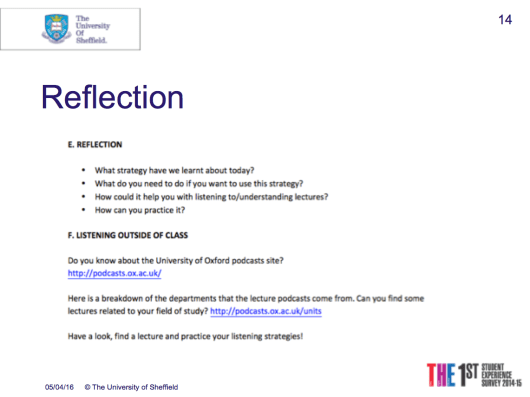
A checklist from Scott Thornbury all about how SLA research can inform edtech.

  • Adaptivity
  • Complexity
  • Input
  • Focus on form
  • FB
  • Interaction
  • Chunks
  • Personalisation
  • Investment
  • Output

Works as a checklist for adapting materials to digital. See Scott’s blog post for detailed explanation. E.g. input should be rich and engaging. Need chunks not just single words. Personalisation is hugely important to bring into digital materials. She says it is not prevalent enough in digital materials.

Task time! Outcomes Pre-Int Unit 2 ‘Shops’ p16-17

We have 8 minutes to look at the activities, identify lang focus, theme etc, and say how we would adapt this digitally for self-study. We need to create a sample which we will be pitching to the rest of the audience. No publishing contract but a prize to be won! It was fun discussing it and then hearing others’ ideas, and it brought us right up to the end of a very interesting session, as well as the first tea break!


New horizons, challenges and professional development

I’ve been on holiday for the last two weeks! And guess what? I didn’t do any work. At ALL! It was bliss. Days and days of spending time with my gorgeous horse – isn’t she lovely?!

IMG_1480

Now, however, it may be the weekend (by the time this blog post is finished, nearly the end of it!) but the holiday is distinctly over and I am hard at work in preparation mode:

On Monday I will be starting full-time work in the University of Sheffield International College‘s English department, which is staffed by the University’s ELTC (English Language Teaching Centre) where I have been working (on a summer school and then on part-time evening classes) since last June. I actually did two weeks’ worth of cover work at USIC last term, so the set-up isn’t brand new to me, which is nice! Not only do I know the building a little (including how best to get there on my bike – no small bonus given that I am directionally challenged!), and how the teaching works, but also a fair number of my colleagues I know from summer schools and from doing the cover work. The type of teaching (EAP skills-based) is also familiar from summer schools. The result? I can look forward to the challenges without worrying too much about the ‘being new overload’ that usually goes with starting a new job!

Since September, while working at the ELTC part-time, I have been milking the ELTC teacher development programme for all I’m worth – attending scholarship circles and workshops, delivering workshops and so on. Now, I’m also getting excited about the developmental opportunities that lie in the challenges I will face in my new job.

For example:

  • apparently getting students to do their independent learning work is an issue. This self-study works on the basis that for every hour of class time, students need to do an hour in their own time. In this time, they have to complete various tasks which relate to the work done in class. They often need to have done certain tasks before a class in order to gain the most benefit from it. Being the learner autonomy geek that I am, this automatically looks like just the kind of challenge that is right up my street! We’ve been sent a journal article on Flipped Learning/Team-Based Learning which suggests a seven-step procedure to prepare learners for this kind of approach, so I plan to adapt that and then, in addition, apply my own principles for enabling the kind of independence the approach requires.
  • WAS, or the Writing Advisory Service, is a one-to-one service offered by the ELTC which gives students the opportunity to bring a sample of writing to show to a tutor and receive guidance on how to improve it – in terms of structure, organisation, vocabulary, referencing etc – as well as signposting to useful resources that they can use to continue this improvement beyond the end of the appointment. It is not a proof-reading service. A small number of these WAS appointments will be included in my timetabled hours. I have completed an online induction for this, which involved watching a sample annotated session, with annotations focused on what the tutor was doing throughout the session, and then a second longer sample, with no annotations, with accompanying questions to answer. While time-consuming, it was very useful to watch these samples as I feel I now have a much better idea of how to negotiate a WAS appointment as a tutor! The challenge here is to implement what I have learnt from the induction hours! This one-to-one writing coaching is something that I haven’t done before but I do have some experience helping students with academic writing from my two summer schools, so that should help. Equally, doing these WAS appointments and getting better at them will hopefully help me come summer school time.
  • EAP! On the plus side, I have two summers of EAP under my belt now (and of course the two weeks of cover work I did at USIC last term) so I’m not starting from scratch by any means. Nevertheless, I’ve also just had two terms of General English courses so I need to get back into the swing of EAP. A change is as good as a rest, so I’m looking forward to getting stuck in to this form of teaching again.
  • Dare I say it, work-life balance… I’ve enjoyed having one of those for the last 10 months, since starting at Sheffield University with the summer school and continuing from there, and I hope this will continue to be the case. I plan to keep up my ultra-running training (am currently preparing for a 30 mile event in August!), get out on my bike as much as I can, try and play my clarinet from time to time (!), keep the garden in hand and – who knows – do some language study (Italian, French, German, Polish) once in a while too…? Not to mention some relaxation occasionally! At least the days are now getting longer and brighter, always helps. Hurrah for Spring! 🙂
  • IATEFL – I’m speaking at IATEFL again this year, on the topic of learner autonomy and academic listening, and look forward to all the learning that will take place there too. I think my attention will mainly be divided between EAP-focused sessions, teacher training-focused sessions and materials development-focused sessions.

Exciting times ahead – watch this space!

British Council Webinar: Learner Autonomy – Tools and Tips

Today I had the pleasure of doing a webinar for the British Council TeachingEnglish folk, the topic and title of which was: Learner Autonomy – Tools and Tips. A whopping 97 people participated! (I mention this because it properly surprised me…!) What lovely attendees they were, though, which made for lots of great discussion.

This is my write-up of the session but if you want to watch the recording of the webinar, you can find that here.

Screen Shot 2016-03-15 at 16.18.21

The outline of my session was as follows:

Screen Shot 2016-03-15 at 16.18.41

In the event, due to my internet briefly conking out about 3/4s of the way through, the end discussion became questions to take away and think about, BUT there was a lot of discussion and interaction throughout, fortunately, so there was no missing out in that respect.

We started with this key question:

Screen Shot 2016-03-15 at 16.18.47

The participants came up with some great definitions. Then I changed the focus slightly to:

Screen Shot 2016-03-15 at 16.18.53

Getting the participants to speak about what learner autonomy looks like to them immediately brought us onto something more tangible. Again, they had plenty to say, lots of which I was able to refer back to in the course of the webinar.

Next we looked at a seminal definition from the literature:

Screen Shot 2016-03-15 at 16.19.00

Having doffed our hats to Holec, we looked at different approaches to learner autonomy, as illustrated by Benson (2011):

Screen Shot 2016-03-15 at 16.19.08

When we talk about learner autonomy, it is my opinion that interwoven through the discussion should be the following two concepts:

Screen Shot 2016-03-15 at 16.19.15

Screen Shot 2016-03-15 at 16.19.21

I think it’s safe to say you can’t get very far in autonomous learning without them!

Having looked at the key concepts under consideration, we moved onto the question of methodology:

Screen Shot 2016-03-15 at 16.19.28

Smith (2003) identifies a strong and a weak methodology for learner autonomy. The former starts from what the learners bring to the table – their existent capabilities – and aims to build on and develop these, while the weak methodology is a deficit model where the teacher aims to transfer a set of skills that she or he associates with the “good language learner” (you know, that ideal person who studies for hours and hours every day outside class and has no other commitments to worry about, the perfect person…yeah, the one that mostly doesn’t exist). So, the strong methodology places the teacher more in the role of facilitator or enabler rather than transferrer of knowledge.

Moving away from the image of the “ideal language learner”, we were able to consider the constraints that teachers and learners face in the real world:

Screen Shot 2016-03-15 at 16.19.35

The real world is often far from ideal. However, in being aware of the potential issues, we are better equipped to negotiate them.

Of course at this point it was time to talk about the practical side, in this case how I have negotiated the issues, which is encapsulated in my top 7 tips. We did this as a guessing game, where I displayed the pictures and had the participants guess what they thought the tip would be, based on the image. They did not disappoint – lots of great ideas consistently throughout the game!

My top 7 tips

1.

Screen Shot 2016-03-15 at 16.19.47

Tip 1

What I mean by this is, find out as much as you can, as soon as you can, about what your students do and don’t do already. Encourage them to find out as much as they can about what their peers are doing. This is your starting point. How: For example, at the beginning of the course, you could use a Find Someone Who activity (they find out about each other, you listen in and find out about them), followed by writing you a letter (you find out some more). They aren’t empty vessels.

Here is an example FSW I made and used with some of my classes.

2.

Screen Shot 2016-03-15 at 16.19.53

Tip 2

In a nutshell, provide ideas. E.g. my experimentation with English handout.

Screen Shot 2016-03-15 at 16.20.00

With higher levels, encourage them to add and share ideas of their own. There is no such thing as an exhaustive list. (For more information about this, look at my previous related posts! )

3.

Screen Shot 2016-03-15 at 16.20.14

Tip 3

Nothing happens overnight…

In fact, the question of time works on many levels. Firstly, give them time to talk about their outside class activities in class. Doesn’t have to be heaps of time. Little and often is good. This provides opportunities to bolster each others’ motivation, spark interest in untried ideas, share victories or issues, celebrate, troubleshoot and so on. It also motivates them to keep going. Secondly, in terms of take up: Don’t worry if they aren’t all enamoured with the project from the get-go. Give them time to get used to it, and to start to recognise the benefits. Encourage discussion of the benefits. Thirdly, emphasise to the learners that whatever little they are able to do is better than nothing. Learners often have the impression that if they don’t have a good hour to dedicate to studying then it’s not worthwhile even starting. Whereas ten minutes here or there is not only more likely to be the case, given peoples’ busy lives, but done regularly is really beneficial! Learners need to know that.

4.

Screen Shot 2016-03-15 at 16.20.20

Tip 4

This links to my previous tip, in terms of discussion of benefits. Helping students develop meta-awareness of the learning process is important, as understanding the why behind activities will help them be better able to select suitable activities themselves, independently. This makes them less teacher-reliant in the long run. This contrasts with just blindly doing what teacher tells them. I showed an example of a handout I used with my learners to facilitate discussion with regards to reading outside class:

Screen Shot 2016-03-15 at 16.20.32

The handout encourages learners to discuss their experience thus far, and to question it (so not only ‘what do you do/have you done?’ but ‘why?’). In raising their awareness of different resources, approaches and the benefits and drawbacks of each, we equip learners to make more successful decisions with regards to what they will do next.

For ideas of how to engage student metacognition, I suggest reading/using:

Vandergrift and Goh (2012)

Vandergrift and Goh (2012)

Note the free samples also!

Note the free samples also!


5.

Screen Shot 2016-03-15 at 16.20.37

Tip 5

Having realistic goals to aim towards helps to break down the mammoth task of learning a language into achievable steps in the right direction. This helps students not to lose motivation and to be more aware of their own progress. Making effective goals is not simple, and it is worth bearing the following principles in mind:

Screen Shot 2016-03-15 at 16.20.45

6.

Screen Shot 2016-03-15 at 16.20.51

Tip 6 – Forget-me-not!

It’s important not to set everything up and then forget about it. Keep being interested in what the learners are doing. Give them that bit of time regularly, as mentioned before. If you forget about it, chances are they will too. Let them show off! Keep bringing it back into the classroom.

7.

Screen Shot 2016-03-15 at 16.20.56

Tip 7

Using some kind of platform that allows them to share and communicate outside class, e.g.Edmodo or a class blog or wiki, immediately increases the scope and variety of what learners can do outside class. More activities become possible. (For ideas of how to useEdmodo or class blogs/wikis in this way, see the posts I have written in relation to this!)

Feedback

Having shared my 7 tips and so brought the guessing game to its end, I shared a bit of feedback from students:

Screen Shot 2016-03-15 at 16.21.02

To conclude the webinar, I shared a final quote with the participants:

Screen Shot 2016-03-15 at 16.21.09

I also reminded them that learner autonomy is…

Screen Shot 2016-03-15 at 16.21.14

It’s not all going to go perfectly straight away, but we should persevere and remember that it is an organic process.

To reiterate the books whose virtues I extolled earlier:

Screen Shot 2016-03-15 at 16.21.20

Here are the references from my webinar:

Benson, P. (2003)  Learner autonomy in the classroom in in Nunan, D. [ed] Practical English language teaching. PRC: Higher education press/McGraw Hill.

Benson, P. (2011) Teaching and Researching Autonomy (2nd Edition) Harlow: Pearson Education.

Dornyei and Ushioda (2012) Teaching and Researching Motivation (Kindle Edition)Harlow: Pearson Education.

Holec, H. (1981) Autonomy and foreign language learning. Oxford: Pergamon. (First published 1979, Strasbourg: Council of Europe.)

Morrison, B. and Navarro, D. (2014) The Autonomy Approach: Language learning in the classroom and beyond. Delta Publishing.

Oxford, R. (2003) Towards a more Systematic Model of L2 Learner Autonomy in Palfreyman, D and Smith, R. [Ed] Learner Autonomy Across Cultures. Basingstoke: Palsgrave Macmillan.

Smith, R. (2003) Pedgagogy for Autonomy as (Becoming) Appropriate Methodology in Palfreyman, D and Smith, R. [Ed] Learner Autonomy Across Cultures. Basingstoke: Palsgrave Macmillan.

Vandergrift, L. and Goh, C. (2012) Teaching and Learning Second Language Listening: Metacognition in Action. Oxon: Routledge.

And here are the discussion questions that became questions to take away and reflect on:

Screen Shot 2016-03-15 at 17.03.31

Thanks again to the British Council for this opportunity, I very much enjoyed it and the participants seemed to as well! 🙂

Leeds Beckett Multimedia and Independent Learning module session 2: The Learner Autonomy Maze

Yesterday (7.2.16) I did my second session for the Leeds Beckett M.A. ELT’s Multimedia and Independent Learning. This time, it was an online session, conducted using Adobe Connect software, and its title was “The Learner Autonomy Maze”. It was the longest online session I’ve delivered to date, and the extra length was actually rather nice because it meant I could spend plenty of time on all the interactive elements and respond to what was coming up in the chat without feeling panicky about getting through all the content. (This probably means that when I plan my 1hr webinars, I really need to include less content so that I still have plenty of time for all the interaction!) Having met the students in the face to face session I did with them several weeks ago, I felt very relaxed right from the start, which was also nice. It gave me a taste of what online teaching might be like, which made me think back to the session about this that I attended at the ELTC recently and, I believe, still need to write up!

I started by outlining the session, which was to be a combination of theory and practical ideas, and then briefly elicited student definitions of learner autonomy. Before turning to definitions from the literature, I also asked them to think back to a drawing activity that they had done at the start of the module, in which they had to draw what learner autonomy looks like, and consider whether their perceptions had changed since then, courtesy of the lessons and/or their reading. The general feeling was that their perception of it had expanded beyond the image of a lone learner sitting in front of a computer, to include such things as other resources, other learners (collaboration), decision-making and knowing how to learn.

I then went on to highlight that definitions of learner autonomy tend to depend on the context, beliefs and past experiences of the person doing the defining. Indeed, we all talk about learner autonomy, which is somewhat of a “buzzword” in ELT, but often we are talking about different things. Sometimes defining exactly what you mean can be a useful starting point! Of course the literature can be helpful for this.

From there, we looked at some of the theory around learner autonomy in the literature, starting with Holec (of course!)’s (1981) both oft-quoted and less frequently referred to ideas:

Screen Shot 2016-03-08 at 08.33.17

We also considered different perspectives of learner autonomy (as described in Oxford (2003):

Screen Shot 2016-03-08 at 08.34.50Firstly, there is the technical perspective, in which autonomy consists of the successful acquisition and implementation of a set of skills and techniques enabling learning outside of a classroom context. This is a deficit model, where the learner is a blank slate and the teacher’s role is to transfer a set of skills the possession of which, in the teacher’s view, makes an autonomous learner. Secondly, there is the psychological perspective, where the focus moves to what is going on inside the learner’s head, in which autonomy is defined as a capacity consisting of both attitudes and abilities. Then there are two socio-cultural perspectives, which emphasise social interaction and participation in a community of practice, with the belief that learning is mediated by a more experienced other. This can be the teacher but it can also be other learners, as all learners bring differing experiences and skills to the classroom. Finally, in the political version, the emphasis is on control over the learning process and content.

We looked at different approaches to learner autonomy (Benson, 2011):

Screen Shot 2016-03-08 at 08.41.42

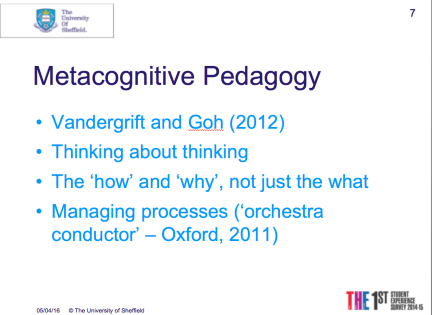
The role of motivation (see Dornyei and Ushioda, 2012) and metacognition (Vandergrift and Goh, 2012), and methodological possibilities (e.g. Smith 2003) were also considered. I believe that motivation and metacognition are both deeply entwined with learner autonomy and when we are thinking about how to foster autonomy, we need to consider these aspects too, in terms how to help learners develop the metacognitive thinking skills that will help them manage their learning better and how to help them stay motivated in the uphill struggle of learning a language and maintaining effort both in and outside the classroom.

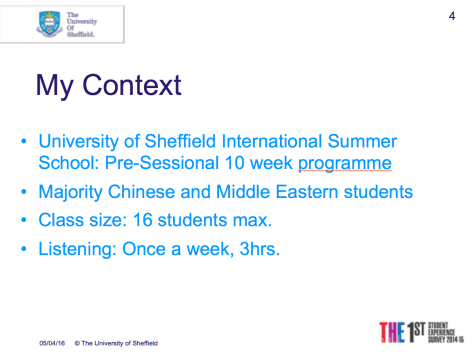
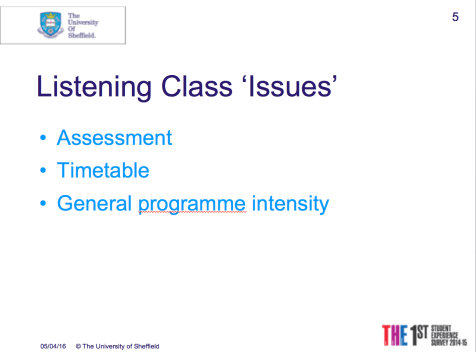
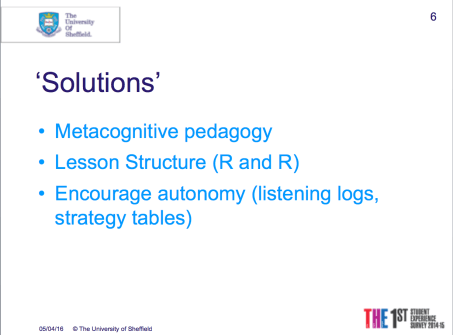
I then shared a little bit about how I get students reading and using English outside the classroom, highlighting the importance of effective goal setting (see Dornyei and Ushioda, 2012 – 6 main principles of goal setting) and motivational flow (see Egbert 2003 in Dornyei and Ushioda, 2012). Next I moved on to talking about my EAP experience (yep, all two summers of it!) and some of the tools I used with my learners in the listening component of the summer programme, such as listening logs, strategy tables and metacognitive pedagogy (see Vandergrift and Goh 2012). In talking about these projects, I tried to demonstrate how, in each of them, I had used the learner autonomy/metacognition/motivation- related literature to inform my practice as best I could.

To round off with, I used a few sound bites from the literature and strongly recommended Morrison and Navarro (2014) and Vandergrift and Goh (2012) as go to books for ideas of how to systematically bring autonomy into the classroom. For more learner autonomy and metacognition-related resources, I also pointed the students at this post  on my blog.

Hopefully the session was useful for the students. (Thank you, students, for being so talkative/responsive throughout the session!) Finally thank you to Heather for giving me the opportunity to do this session. 🙂

Here are some of the resources I used:

Here is a list of the references I used:

Benson, P. (2003)  Learner autonomy in the classroom in in Nunan, D. [ed] Practical English language teaching. PRC: Higher education press/McGraw Hill.

Benson, P. (2011) Teaching and Researching Autonomy (2nd Edition) Harlow: Pearson Education.

Borg and Al-Busaidi (2012) Learner Autonomy: English Language Teachers’ Beliefs and Practices London: British Council.

Dornyei and Ushioda (2012) Teaching and Researching Motivation (Kindle Edition)Harlow: Pearson Education.

Holec, H. (1981) Autonomy and foreign language learning. Oxford: Pergamon. (First published 1979, Strasbourg: Council of Europe.)

Holliday, A. (2005) The struggle to teach English as an International Language (Kindle Edition)Oxford: Oxford University Press.

McCarthy, T. (2013)  Redefining the learning space: Advising tools in the classroom in in Menegale, M [ed] Autonomy in Language Learning: Getting learners actively involved. (Kindle Edition) Canterbury: IATEFL.

Morrison, B. and Navarro, D. (2014) The Autonomy Approach: Language learning in the classroom and beyond. Delta Publishing.

Oxford, R. (2003) Towards a more Systematic Model of L2 Learner Autonomy in Palfreyman, D and Smith, R. [Ed] Learner Autonomy Across Cultures. Basingstoke: Palsgrave Macmillan.

Smith, R. and Ushioda, E. (2009) Under whose control? in  in Pemberton, Toogood and Barfield [Ed] Maintaining Control: Autonomy and Language Learning. Hong Kong: Hong Kong University Press. Hong Kong.

Smith, R. (2003) Pedgagogy for Autonomy as (Becoming) Appropriate Methodology in Palfreyman, D and Smith, R. [Ed] Learner Autonomy Across Cultures. Basingstoke: Palsgrave Macmillan.

Vandergrift, L. and Goh, C. (2012) Teaching and Learning Second Language Listening: Metacognition in Action. Oxon: Routledge.

#300

This is my 300th post.

A little under 5 years ago, on the 8th of May 2011, I took my first faltering step into the world of blogging with my response to the first goal in the 30 Goals Challenge for teachers Be a beam. It has been viewed by a staggering 44 people! 😉 Probably mostly the kindly souls I had discovered on Twitter not long before I started blogging (from where the idea came from, for me) taking pity on me haha! Opening it and reading it this morning wasn’t as cringeworthy as I had expected, in fact 5 years down the line, those beliefs remain intact, as do the ones I expressed in What do you believe about learning? (aka Goal no. 3) which has turned out to be my least-read post with a whole 15 views. I actually quite fancy writing another response to the ‘What do you believe about learning?‘ goal, to include everything I’ve learnt about learning since that time. (Yet another idea to join the backlog of 40 drafts including this one…)

At the other end of the spectrum, my most-viewed post, with 13,287 views, is My top ten resources for teaching IELTS – not the one I would have said if asked to guess! I would have guessed one that weighs in with around half that many, Thirty things to enhance your teaching, as that was the post that won me the British Council blog of the month award for the first time, in 2013 and it’s also older than the IELTS one, so has had longer to accrue views. Then again, the IELTS one is easier to stumble across when hunting for IELTS resources and I suppose there are enough teachers out there who are interested in finding IELTS resources for their classes!  

Here are my top 10:

Screen Shot 2016-02-25 at 08.35.13

There are more than ten links listed because some of them are pages…

Pages

My website pages (i.e. all the tabs apart from what are now “About Lizzie” and “Reflections” which is the actual blog element) only came into being mostly between April and June 2013, with a couple more added in early 2014. They were the result of learning a bit more about WordPress as a site builder in my Multimedia and Independent Learning module at Leeds Met/Beckett, which led to overhauling my little blog site into something more closely resembling what it is today. The most-viewed page other than the home page/landing page is my Materials page where I have collected examples of materials I have made, for other teachers to use. It’s definitely due an update! Again, not what I would have guessed! I would have guessed my M.A. ELT/Delta page, where all my Delta and M.A.-related posts are gathered and what my blog seems to be most strongly associated with! My favourite page, though, is my Learner Autonomy page, which is also well overdue an update! This is because it brings together all my posts relating to my learner autonomy projects, learner autonomy-related materials and to write-ups of learner autonomy-themed talks that I have delivered and attended.

One statistic that I stumbled across today was that of numbers of posts in each of my categories. It’s funny I hadn’t really noticed it before, given the numbers are displayed on my site alongside each category – I just hadn’t paid them much attention…  However, it’s the Conferences category that grabbed my attention this morning: 71 posts! Most recently added to last Saturday, at the Materials Writing SIG conference down in London. That means 71 conference sessions either attended or delivered (both are included in the same category). How lucky I am! 🙂

People

Last but not least, indeed most important I would say… what about the people? By people, I mean readers. You. There are currently 869 of you who receive an email every time I publish something (poor things… :-p ). Between you, you have made 1,523 comments! Thank you ! 🙂 This blog would be pretty pointless without you, you help make it what it is. Cheesy (vegan cheese, naturally :-p ) but true!

Screen Shot 2016-02-25 at 08.53.09

What comes next?

  • Other than clearing a stiff backlog of posts, which gets added to all the time, and updating the pages mentioned above, I think I want to add and backdate a Workshops category as I am doing a lot of workshops at the moment (both online and face to face) and it would be nice to group my write-ups of them in one place. In order to avoid overlap with the Conferences category, this new category would include only workshops that take place away from conferences.  I might include write-ups of workshops attended too, we’ll see.
  • You can also expect more posts relating to teacher development/education/training as this is an area of interest for me at the moment. (And there’s already a category ready for them to be filed into!)
  • Learner autonomy-related stuff goes without saying, of course!
  • A bunch more conference write-ups will, of course, be appearing during IATEFL in April.
  • Also, I would like to continue the conversation about the social side of language learning (see top ten list of blog posts above!) with David Petrie. We had planned to but haven’t quite got round to it yet. Must rectify that.

Aptly enough, given this milestone, this afternoon I am doing a session for my colleagues at the ELTC which is all about development and sharing ideas for developing as teachers. It is based on the online session I did for the TDSIG conference a few weeks ago and I think it could work really well as a face-to-face workshop – I guess this afternoon will tell! One thing for sure is that I will learn. From any participants who do attend and from the experience of delivering. (My workshop delivery goals have shifted from survival to refining and developing my technique – the same shift that happened in my teaching sometime after completing my CELTA, I suppose!)

Thank you all for visiting and reading posts on my blog over the years, it’s been great having you and I look forward to seeing more of you in time to come! 🙂


Materials Writing SIG Conference Session 5 – Emerging new pedagogies…

Our final session for today (whew…! I am already exhausted!!) is presented by Kirsten Holt and Thom Kiddle, with the title Emerging new pedagogies: should we change the way we design classroom activities?

We started with a pictorial trip through classrooms of the ages and their evolution:

image1

From rigid and inflexible, through a bit of paper appearing, a bit more paper and flip desks, breaking out of the set format, then in came computers, and tools, but it is all still very teacher led. How much evolution?

We continued with an evolution of tools:

image2

Cassettes, OHP, electronic pencil sharpener, VHS…. explosion of All The Technology.

We have gone from projection on a screen by teacher, or all students sitting in a lab individually or on a computer at home. The boundaries are all now more blurred. Physical location is much more flexible. Students carry immensely powerful devices with them all the time.

In Japan, for example, you can hover your phone over a page and the characters start talking to you. Blur between print and technology. Augmented reality.

Tension between “no mobile phones in class” and what they could do. What is best practice? Do we know? Or are we swimming wildly in a plethora of potential without really knowing what best practice is nor how to implement it? What do we have to hold on to in terms of principles?

We have principles and pedagogy. John Drury in the early 20th century advocated that student centred learning should be the way forward. He encouraged students to become independent, critical thinkers.

Kirsten suggests it should be learning in a digital world, education in a digital world, teachers in a digital world. Rather than “digital learning” or “digital education” or “digital teachers”.

Online offers potential interaction in a digital space outside the classroom either entirely or in a blend with classroom learning. Boundaries between physical and digital are being removed. There has also been the rise of the flipped classroom. The presentation phase is pushed outside the classroom space, accessed by learners in video or text form as preparation for the in-class follow up. SOLEs have emphasised that the teacher has to add value in the classroom, for it be worth the student coming into class! What does the teacher have to do to add that value to the space?

Thom told us about a project he worked on with teachers working alongside tech guys who said, tell us what you want to do and we will make it happen! It didn’t last. 4 out of 15 things were able to be done. He wanted the teacher trainers to think about what they wanted to do, how it would work in the classroom, and not worry about the tech but what ideally they would like to do, and a few things that came out:

  • Infinite canvas community board: scrolling was a good thing! The screen allows as many comments as necessary. Looks like Padlet. It allows in an online space a snapshot of answers to a particular question. In a flipped space it gives a teacher a snapshot of student opinion on a particular question and know what topics to focus on.  Can also be used to feedback and share group work outcomes with other groups by summarising it on such a screen.
  • Threaded forums based on video content. An initial video is uploaded and then students can reply with microphone or their own video or with text. This was used in a blended programme for students to make short videos of possibilities and limitations of their own teaching contexts.
  • Watching a video that pauses when you comment with a question and it tags the video, and the video continues once you have finished. Your comment then pops up when someone else watches the video and they can respond. This could be used by the teacher to “annotate” a video with questions for the student viewer.

It’s a tool not THE tool. Using technology to embrace learners’ output as input in the classroom.

Kirsten then talked about a model for pedagogy. She compared the usual balance in course books with the experiential model, and wondered if materials give enough opportunity for experimentation:

image4

Kirsten also mentioned Flipped Classrooms and how out of class work isn’t homework but preparation for maximising learning time and extending what they have done in class:

image5

She compared it with Task-Based Learning but more extended. And then went on to talk a little bit about how Macmillan English Campus could be used in this kind of Flipped Classroom way, giving as many choices as possible to the students – where students do preparatory activities and then in class the teacher builds on that by facilitating use of the language.

We finished by discussing questions:

image8

What do YOU think? 🙂

Kirsten also recommended that we have a look at “Tech tools for teachers” on Onestopenglish for tech tools that are not only for fabulous wifi connections!

It was a good session that managed what I thought was impossible: it engaged me enough to make me forget how tired me and my fingers were…

It also brought the MaW SIG conference day to a close. The wrapping up took the form of an open forum discussion, followed by a raffle (I won a book! Happy days!) and then drinks. I scooted off before the drinks because I had to trek back to Sheffield – just as well I did, as it was it was well after 9 by the time I got home!

Thank you to MaW SIG and sponsors Macmillan Education for a great day: am glad I bit the bullet and made the effort to get to London for it!


Materials Writing SIG Conference Session 4 – Writing Skills for Effective 21st Century Materials

After the lunch break, we reconvened with Heather and Julie’s talk on Writing Skills for Effective 21st Century writing.

Julie started by giving us a bit of background into their research over the last few years, explaining that the work informing today’s session continues to build on what they have talked about at past conferences e.g. IATEFL last year.

Materials development should be at the interface of theory and practice but actually it isn’t: it takes a long time before theoretical recommendations can become pedagogically recognised. Findings from conversation analysis could help us to write more natural sounding dialogues, research into pragmatics could help us teach politeness, so there is lots of potential but…

“ELT is not a matter of bridging the gap between theory and practice, but closing it” (Widdowoson, ELTons June 2016).

“With Web 2.0 came technologies that afforded online interaction and user created materials and these altered the authorship paradigm, as well as blurring the line between materials and the tools that produce them. (Mishan and Timmis, 2015, p.79)  – We put lots of things online, we see possibility for communicative interaction between students, but what are we going to do with all of that?

The study

When doing this research, for ‘digital materials’ they took a very broad definition – any materials that use technology in some way. Their methodology involved use of focus groups and individual interviews and spoke to 8 writers and 11 editors/publishers.

Research questions:

image4

These were used as a springboard for discussion with their participants rather than something rigid to be stuck to. The discussions were very interesting and yielded lots of rich data. We discussed some of the statements drawn out of the data:

image6

The findings fit into 5 main categories:

  1. Technical differences
  2. Pedagogy
  3. Management of process
  4. Possibilities of digital (this category had more positive things)
  5. Commercial considerations (business issues, marketing issues)

Technical Differences

image7

First of all, a lot of people talked about working within parameters. Writing to a particular template/brief. There are a limited number of activity types within digital – these tend to be closed activities: drag and drop, gap-fill, matching, YES/NO…  This is also because they tend to be self-study materials so need to be accessible to a student not mediated by a teacher. People also talked about mobile/tablet use and repurposing materials. You might not have long texts but three shorter texts, for example, in order to avoid too much scrolling on the smaller screen.

Mobile items can be quite bare and limited:

image8

Secondly, often print material is being converted to digital materials, rather than people writing directly for digital. Materials can look the same in the course book as on the screen. However, activities designed for use in the classroom need to be changed to work in a digital format. The issue of feedback provision: What will you say when they provide the right answer? “Yay! You got it right!” vs. “Correct.” and what about when it’s wrong? Are you going to tell them why? If yes, it’s going to be very expensive because all the possible answers and reasons together with feedback would need to be input. So feedback needs to be cost effective. Having a variety of different acceptable answers is great but very expensive. To get around these issues, more sophisticated authoring tools are needed and therefore a lot of investment. The level of the product is low, very basic stuff BECAUSE of the limitation to the closed style questions, for the reasons of cost effectiveness already discussed.

Thirdly, you need to think in great detail about how the student or teacher will use it, what will be there on the screen? What will they need to do? What will be on the screen at the same time? You need to be able to visualise it (which requires experience of using it?). Scrolling issues add to the difficulty of reading comprehension and text length.

Lots of scrolling:

image1-1

Finally, you need to think about layout issues. E.g. on a tablet when you tap for the keyboard and it takes up half the screen, will important things be obscured? When you offer the choice of answers, will the answer choices hide the question?!

Layout can be tricky:

image2-1

Rubrics also need to be extra clear so that students can access them alone. Fonts need to be sans serif Sego to make it informal in ESOL materials. Colour is also important. Standardisation between publishers in template use would be nice!

Pedagogy

Again, we discussed selected statements from the data:

image3-1

Before hearing about the findings:

People were debating the usefulness of digital and what value it adds. Is it just about practice? Receptive skills? But how rich is the input to learners from these materials? Obviously it depends on the particular material but these were some general concerns. It could be useful for lower levels to be able to click on a video and hear instructions again, or hear a recording in shorter chunks as scaffolding. Are the the tasks types and questions too repetitive or do learners like that?

Lesson flow was another issue. Two pages of a coursebook can demonstrate some flow and some understanding of where you are going but if it is divided into 20 screens what happens to that? Feedback is an issue if something is marked wrong but is actually right because there is a stray full-stop, for example. Productive skills can also be problematic, because it is difficult to enable practice speaking or writing through digital materials. Students can record themselves but what do they do with that? What happens to the social aspect of the activity? People learning together and collaborating? Will the cost be increased? There are possibilities such as forums, chat rooms, blogs but the question surrounding all of these activities is that they are quite open activities – is that a problem? Would the learner see it as developmental or be disappointed as not getting a score after spending half an hour in front of their screen? The context of use and how that impacts on pedagogy is important here.

Cognitive load can, it was perceived, make certain listening tasks more difficult. E.g. listen and match/type/tap a box. All the tapping and typing as well focusing on the actual language. Therefore it is important to make the activity cognitively engaging but not the technical aspect of doing the activity!

Tablets and classroom management also came up. If you haven’t taught in a classroom where tablets are being used, then it is difficult to visualise the issues around it. Classroom management is affected – you need to control when the tablets are used and when focus is on teacher. If everyone has a tablet, activities could be differentiated quite easily, according to level or learning style. With listening, will you play it from the front or have students listening individually with headphones. That makes a big difference in how the activity is going to work. There are lots of possibilities to consider – how are they being used but also how COULD they be used?

Student engagement/user experience is important to consider as with some digital materials, there is no teacher to draw students in and engage them. Students might need more changes of focus than in the classroom, where interaction with other students and the teacher helps.

Adaptive learning was also something that came up in the discussions. It needs more thought for it to work properly. Adaptive learning also loses the “flow” mentioned earlier with course-book pages.

Is there too much material? It could be overwhelming but it could be a good thing, differing opinions – also depends on how it is exploited and the quality of the materials. Converting print to digital expands material as you have to build in extra scaffolding. It means that you end up with a huge body of material that can become quite unwieldy to produce and manage. You also have to consider the teacher training element – teachers are not trained to use all tools effectively because they don’t exist everywhere so it can’t be a standard element of ITT.

Finally, how are students actually learning from these products? What are they learning? Is it the most effective way to learn? This needs to considered, both for digital and for print. Why don’t we know? Access to classrooms is difficult for researchers, teachers don’t have time to look at it in detail themselves. End user experience is as important as the content itself. But it also requires longitudinal studies, which have their issues of expense and time and resources.

Some of the criticisms are equally applicable to print materials, if we consider print self-study materials as well. So it’s not just about print vs. digital.

Management of Process

image4-1

Time started getting short at this point so we launched directly into hearing about the data:

Delivery – keep it simple, stick to the brief and be aware of the functionality of the software from the outset, as well as the style guidelines. (E.g. 24/7 in print but 24-7 in html). The template developer role is important. In an ideal world, the author would receive a sample unit of examples of activity types so that you could know exactly what you were aiming for and how it would work. It would also help if discussion was possible so you could check if things would work.

The scale of projects is ever more massive. The number of people and volume of material involved is greater than print which was already huge. Yet, schedules are tighter for digital as the student book is produced first but the digital package needs to launch with it on completion (!)

People expect digital to be quicker to produce but it is not so as there is more content required (videos, adaptive learning, assessment criteria). And, of course, the “editorial eye” is just as necessary, even if writers are writing directly into a template. Mistakes can happen and you need someone with an overview to pick up on those, which makes a huge number of screens to check.

In terms of self-publishing, you need to be thinking along the lines of detail required by a publisher’s book proposal form.

Possibilities of Digital

image5-1

There are lots of opportunities:

  • Plan Ceibal in Uruguay: Every student has a laptop, and there is the classroom teacher but also a remote teacher. This kind of thing impacts the materials developer role as you need materials for the remote teacher, support for the local teacher, materials that will go on the screens…
  • British Council Nexus Project: Getting lower level learners online. Helping them developing digital literacy, self-confidence and motivation.
  • Gamification – making things into games. Games in the classroom, apps outside the classroom, on laptops… Badges? Levels? Can be motivating.
  • Augmented reality – second life type things, but also writing stories, producing scripts for animation on students’ screens in class (half the class see one thing, half the other).
  • More writing opportunities for freelancers but… the downside is that some of the work is not particularly interesting or challenging, can be quite mechanical and set fees are becoming more common than royalties. Working just for a fee may impact motivation – what is your incentive to go off promoting the product in your time?
  • It can be career enhancing to create online resources. Putting your own things online for people to use can get your name known and lead to other things…

Commercial considerations

<Missed that picture! Going full steam now!>

When publishers talk to customers and do market research, the customer can’t tell them what they want in terms of digital because they don’t really know what’s possible, which makes it difficult for them to articulate what they want and so for publishers to provide. Then there is the issue of predicting the market when technology is always changing, it is difficult to ‘future proof’ digital products. And what if a new game-changer comes out, so your new product suddenly looks dated as it launches? The issues of payment also arose in this category – should authors get royalties? Should the author role be promoted? The community of practice adds value to project, e.g. through the author promoting the product etc.

Conclusions

There is a lot of scope for materials (print and digital) to be more research informed. More research needs to be done into user experience of materials (funnily enough I was reading about this issue a few days ago in the intro to a mats dev book I borrowed from the ELTC library…edit: English Language Teaching Textbooks – Content, Consumption, Production edited by Nigel Harwood and published by Palgrave Macmillan)

A better quality of materials in digital would be good to see, going beyond the ‘workbook feel’, something more satisfying. Perhaps by incorporating different kinds of technology, making use of new possibilities.

Teachers need to be encouraged to research their own classrooms in this area. Training is also needed for how to integrate digital and print in the classroom. It’s really difficult for busy teachers to explore all the digital stuff and work out what would work well together in the classroom in terms of blending the digital and the non-digital.

Heather and Julie recommended How to write for digital media and How to write ESOL materials, both published by ELT Teacher2Writer and finished by showing us their reference list for this talk:

image6-1

Another very interesting session with lots of discussion to get our teeth into! During this session I was sitting next to Antonia Clare, so it was really interesting, in the discussion elements, to hear about things from a long-time published author’s perspective.

Materials Writing SIG Session 3 – Looking after number one

Bev Alderson led the third session of the day. She tells us we will learn about the impact of too much sitting and take away tools/techniques to help counter this. Bev used to work in IT Management – 18 years – and learnt firsthand what it’s like to have a high-pressure desk-bound job. She pushed herself to the point of being very unwell and so life made her stop and learn how to work properly and look at wellness in a different way. She starts with the question “What do I want to achieve? What wellness techniques can I implement to help with that?”

Sitting burns 1 calorie where standing burns 3, sitting compresses digestion and breathing, so nutrients don’t travel so well. The average person spends 9.3hrs a day sitting – watching telly, drive, eat, work etc. This has an impact. Mind and body are in the same vessel, mind gets less oxygenated blood when sitting. It takes 90 seconds of standing for muscular and cellular systems to kick back in. They work purely by taking our bodyweight.

So, one thing we can do is interrupt our sitting. Stand up and move. Scientists reckon sitting for 6hrs a day = smoking a pack of cigarettes a day. However, there are three key things we can do to help:

  1. Ergonomics
  2. Preventing/alleviating symptoms of sitting
  3. Wellness plan

Ergonomics

The human body was designed to move not sit. We need to think about that and how our desk and chair work. Our spine was meant to be straight: Sit closer to your desk and you will sit up straighter. This will also line up shoulders and elbows. If people hunch over their desks for too long, the spine will curve permanently. The head weighs 5kgs. Hence the aches in the shoulders and upper back from incorrect carriage. Ideally have a chair that provides lumbar support to support the spine. A rolled up towel or cushion is an option. Don’t hold the mouse when you are not using it. It pulls your shoulder forward. Don’t cross your legs for too long as the alignment of your hips will go out and the spine will adjust to that and then will continue to do so.

*Being busy slows down pain receptors…

Your arm rests should be adjustable so that they support your arms. A wrist support is also useful. And for your eyes, every now and again look off into the distance then come back, to give your eyes a rest.

Preventing and alleviating symptoms

But even with a perfect sitting position, you still need to MOVE!! So interrupting your sitting is good. Bev showed us a series of exercises which it was very pleasant to do on a day that involved such a lot of sitting still! Below:

image1-2 image2-2

These help to alleviate the structural changes that sitting unfortunately pushes.

Wellness Plan

You decide what to do to recover. What are the few doses of wellness you can do on a regular basis to support body and mind so that it works optimally for us?

What will you do every day?

  • You need to look for ways to move more.
  • Need to be active in moving body position throughout the day.
  • Food is fuel or fun? 80% fuel, 20% fun.
  • 10 minute walks
  • Use a water glass. Keep going to refill it (especially when your room is up two flights of steps…). Keep going to empty your bladder!
  • Do you need to be sat down for all your activities? Can you stand instead? Standing all day is also no good but breaking it up is good.
  • Do something fun every day! A dose of daily wellness! (Hobbies, socialising…)
  • Rest: take breaks.
  • Use breathing exercises to reset nervous system

Materials Writing SIG Conference Session 1 – Working smarter not harder…

Today, 20th February 2016, is MaW SIG Conference day: New Ways of Working for New Ways of Learning. I have nipped down for the day and the venue is thankfully near to Kings Cross-St Pancras, meaning my train got in from Sheffield at 09.30 and I was in very good time to register before it was due to close at 09.55, having picked up a pot of vegan porridge at Pret for breakfast! (I won’t tell you what time I woke up this morning…)

Rachael Roberts kicked off the day with some introductory remarks. She feels the following quote sums up the push to digital: ‘provides a good sense of what the gold-rush must have felt like – people moving into frontier towns with little idea of what they were getting themselves into’. She went on to say that perhaps now the dust has settled, we can start to look at what is going on and the various impacts digital has had. The sessions today will do that from a variety of  perspectives.

Very quickly it was time for…

Working smarter, not harder: the nine characteristics of the Productivity Ninja (!)

The first session of the MaW SIG one day conference has an exciting title. Time to learn how to be a ninja!

@thinkproductive

#ProductivityNinja

Graham Alcott started his company, Think Productive in 2009. Says he is not a naturally organised kind of person. The inspiration for this business was going from having a very nice team of people around him to suddenly being freelance and being his own boss. You have to be your own boss and responsible for your own productivity and this forced him to ‘get good at it’! His background is in the charity sector but people were interested in the productivity stuff, which is how it all happened. Turns out quite a few people have been on time management courses, not something I could put my hand up for!

Apparently, a lot of time management books tell you to aim for perfection and everything will be fine. Graham says no one does it perfectly, not even the book writers, but we all have something to teach and something to learn with it. He thinks the idea of time management is dead, but attention management is its successor, and it is much more controllable. He has a book called Productivity Ninja.

The rest of the session was spent looking at the characteristics referred to in the session title.

1. “Zen-like calm”:

If you have a deadline, you know you have to focus on something and finish it by a particular time. You are present and in the moment, not thinking about dinner and social plans. Deadlines give you permission to focus. But what about having that sense of focus without having the stress of the deadline? Well, probably most of us don’t feel that way…

image1

Yet, the mind is for having ideas not holding them. So getting stuff out of your head is key. Hence why writing lists makes you feel better when you have a lot of things to do e.g. pre-going away! Information is raw material. We have moved from the industrial age to the information age. Putting cherries on buns is very predictable, and you know what success looks like. But when we are putting cherries on our own buns, we have to define how big the cake should be, how fast the conveyor belt should go, whether cakes are the way forward or cocktails would be better…

You are simultaneously boss and worker. Neglecting the boss or the worker too much isn’t good for productivity.

2. Ruthlessness

Sounds a bit scary but don’t worry. We are talking to-do lists: are you jumping on it or is it 4pm and you are winding down and you are not feeling capable of engaging with it? We probably have 2-3hrs a day of being able to give full attention to something. So we need to be ruthless with how we deal with those 2-3 hours. That time when you are really switched on. If you manage that time/your attention really well, then the rest of the time doesn’t matter so much. That 2-3 hrs done well means you don’t have to be ruthless about giving away an hour later on for a meeting etc. Not every hour is the same in terms of your resources of attention. Know your hours! Graham was ruthless with Facebook. Gave his password to his wife and got her to change it. This was in order to avoid procrastination. Be ruthless with yourself, know your foibles and temptations. Make it impossible to be distracted when it is your 2-3 productive hours.

3. Weapon-Savvy

Use the tools that are most useful to you, don’t be sucked in by coolness. Your thinking is more important. Psychology before technology. But, the Ninja needs a second brain. To download all the projects and actions we need to remember, that are “off the page” in terms of what we are doing/should be doing in the moment. There are many ways to do this!

image2

All these apps are cross-platform and you can download app versions on to your tablets etc.

But the task function in Microsoft Outlook works perfectly well too. Graham likes it. As does…pen and paper! Whatever you are comfortable with. It should be useful, not a distraction… A second brain that frees up your own brain to be creative and ‘add value to information’.

Email can be disproportionately stressful for what’s actually in there. You CAN get it to zero and then it’s easy to keep it there rather than let it build up again. It should give you a sense of completion and clarity, I hear. (I won’t tell Graham I have 24, 638 emails across my inboxes…) Apparently a much smaller number are actually “on the plate” or “critical”! (I guess that’s why I ignore the other 24, 630!)

4. Stealth and camouflage

Tactical hiding. The digital age is starting to become more culturally difficult/unacceptable to be unavailable. “Going dark” is the two days before a new piece of software is launched: developers make themselves deliberately unavailable in that period before the deadline. We need to create that. “Write book” on a to-do list won’t happen. You break it down. But it still needs a different level of focus from everything else. How do you get the space to write the book? Graham went to Sri Lanka…! A month of ‘stealth camouflage’. The idea of disconnection and focusing on stuff without the ‘white noise’ of distraction. (No notifications! No social media! No emails! No other people!) You don’t need to book tickets to Sri Lanka to do that. But you need to find your own Sri Lanka. A sense of complete disconnection even just for an hour (I guess ideally for your 2-3 productive hours of the day?!). Can be as simple as “A meeting for one” in the diary – protected time. Often seen as being a luxury, but it is important. Investing an hour off the grid will probably save you a few hours further down the line.

5. Unorthodoxy

Very easy, whether in the publishing world or in your car, to look at the competitors and try to copy them. Instead, try to take inspiration from unusual places. E.g. person who goes to the same set of cafes on a rotating basis, cuts down on making the decision of where to eat: recognising decision fatigue as a barrier to productivity. When you have a story to tell or a point to get across, try to view it through different lens e.g. 5 year old child, my mum etc.

Experiments – Graham did a bunch of productivity experiments. E.g. a month of email Fridays – only checking email on Fridays for a month. A month where any procrastination on decision-making was solved by a throw of the dice. Someone said you get a third of your decisions right, a third wrong and a third don’t matter. The dice-throwing gave momentum to the process. What all of the experiments came down to was playing around with the assumptions of how we work and day-to-day routine. Looking at what you do and flipping that. If you always have email etc. turned on, try having it off. If you walk to work a particular way, go a different way. If you look at email in the morning, do it in the evening. We are creatures of habit but messing with it can be a good thing! Doesn’t have to be as extreme as Graham’s experiments, even little things can have a big impact!

6. Agility

The two-minute rule: if anything can be done in less than two minutes, then when it comes in, do it straight away. You will spend more time putting it on lists etc. otherwise! And it also makes your to-do list more streamlined, so you can see the wood from the trees, if you don’t add every single little thing that you could have just done instead. The same applies to email: it’s very easy to delay responding if it is something a bit annoying but just do it quickly and then it’s done. Then if you have something big going on, when you come back to your to-do list afterwards, it’s easier to cope with, less unwieldy.

Context is king: Have different lists. A phone-calls list; a thinking list etc. Set up lists based on context – where you need to be, who needs to be there. So when you get interrupted, you can use the opportunity to tick things off the list that require that person. To-do lists app usually has “context” or “categories”. Use it! Or, different colours, different sections… (This I can do: I have used different colours on my sticky notes since our session at the ELTC on time savers! 🙂 )

7. Mindfulness

Came out of the time spent with the Buddhist monk in Sri Lanka. Graham asked a monk about mindfulness and how to do it, wanting some kind of app recommendation. The monk said “you just sit”. In 2011, Graham including mindfulness in his book was a risk. Nowadays it’s a buzz word. Graham asks, how often do we experience a sense of presence, of where we are, when we are sitting at work?

Lizard brain – the fight or flight part – is an important friend of ours but also a mortal enemy when it comes to productivity. You can have an amazing to-do list, be really organised and still be really scared of pitching your idea. Writing a book is 20% writing and 80% lizard brain management. Lizard brain wants to avoid risk and blend in, not let you put yourself in a place where you won’t survive. Lizard brain is also very critical, “no, that’s rubbish, don’t do that…”. Acknowledging that that is Lizard brain, not rational brain, is important. As, then you can access logical brain whispering away too…  It won’t go away but you can focus on your morning routines and be mindful about it. By starting your day on the email/FB etc, you are starting your day with everyone else’s priorities, not your own. Make space to think about YOUR day…

8. Preparedness

If you are not a naturally organised person, doing all the folders and colour-coding etc seems pointless. But, to be proactive (that New Year’s Resolution!) you need preparedness and mindfulness. “Preparedness is a service to me in the future” 🙂

You need a way of actively managing what you plan to do.

9. Human, not superhero

Recognise that some of this is difficult and you are human. But if you manage your productivity well, you can LOOK like a superhero. Although you are still a human being, no magical powers. There is no secret source or shortcut, you need to do simple things consistently and well. You’ll still screw up but that’s ok. Human beings and ninjas recognise that wrapped up in the culture that we have of need to succeed and be super-heros is failure and guilt about failure. Let it go.

Periodically, have a done list! Have a point to celebrate success. Lists are usually about the past (not done yet…) or the future (needs to be done by Friday, eek!). Looking at what is done is a way to be in the present moment.

The secret to success (according to somebody who’s name I lost!) is “Send thank you cards and book theatre tickets” – As a human being, recognising human connections is important. Say thank you. Book theatre tickets – gives you a constraint. If at 3 you know you are going to the theatre at 7.30, you have a constrained window to complete everything. Life deadlines help you manage the transition between work and life rather than letting work take over.

Graham finished by inviting us to choose one thing to change and do something physical with it (put it on a list…) so that you actually try and do it! I think for me it will be the “disconnect” one (‘Go dark’), to avoid the self-distraction undertaken to avoid having to think! (To quote one of the audience members who also wants to try the “disconnect” one.) I am self-distraction queen sometimes so this should be good. My proactive attention time is definitely first thing in the morning. I was good at using that when I was doing my M.A. – maybe it’s time to get it back! I also want to get back in the habit of starting the day with yoga rather than computer! (I did this morning 🙂 )

The most important gift you can give someone is not your time but your attention – thank you for yours: a lovely ending to the session. 🙂

Little question for my readers: Of all of these tips, which do you think you would want to implement or experiment with in YOUR life?