IATEFL 2015 An Engaged Tone: How ELT might handle the ‘EdTech revolution’ – Nick Robinson and Laurie Harrison

I can’t remember what the abstract for this one was, only that it roused my curiosity and I wanted to be here. In any case, with Nick Robinson (who until yesterday was the MaW SIG coordinator) speaking it’s bound to be good. This is also the last talk I’ll watch before my own which is in a couple of hours time. Gulp…

Laurie and Nick are from ELTJam (yes, *that* blog!). Today they will talk to us about how ELT will handle the EdTech revolution. Since its conception two years ago, the main focus of ELTJam has been looking at two different worlds – ELT and EdTech, which seemed to be something interesting springing up out of the high-tech start-up world. There’s lots of cool interesting stuff happening, and through the emergence of “EdTech”, that world is starting to get very interested in education and ELT. They want to explore how it might play out.

The ‘…’ around EdTech Revolution are deliberate. They don’t subscribe to it. BUT, over the last 15 years, a lot of change has happened and as a result there is and will be a big impact on education. We are not just talking about the fact that there is tech in ELT – that is nothing new – but that it has coalesced into a movement under the banner of EdTech.
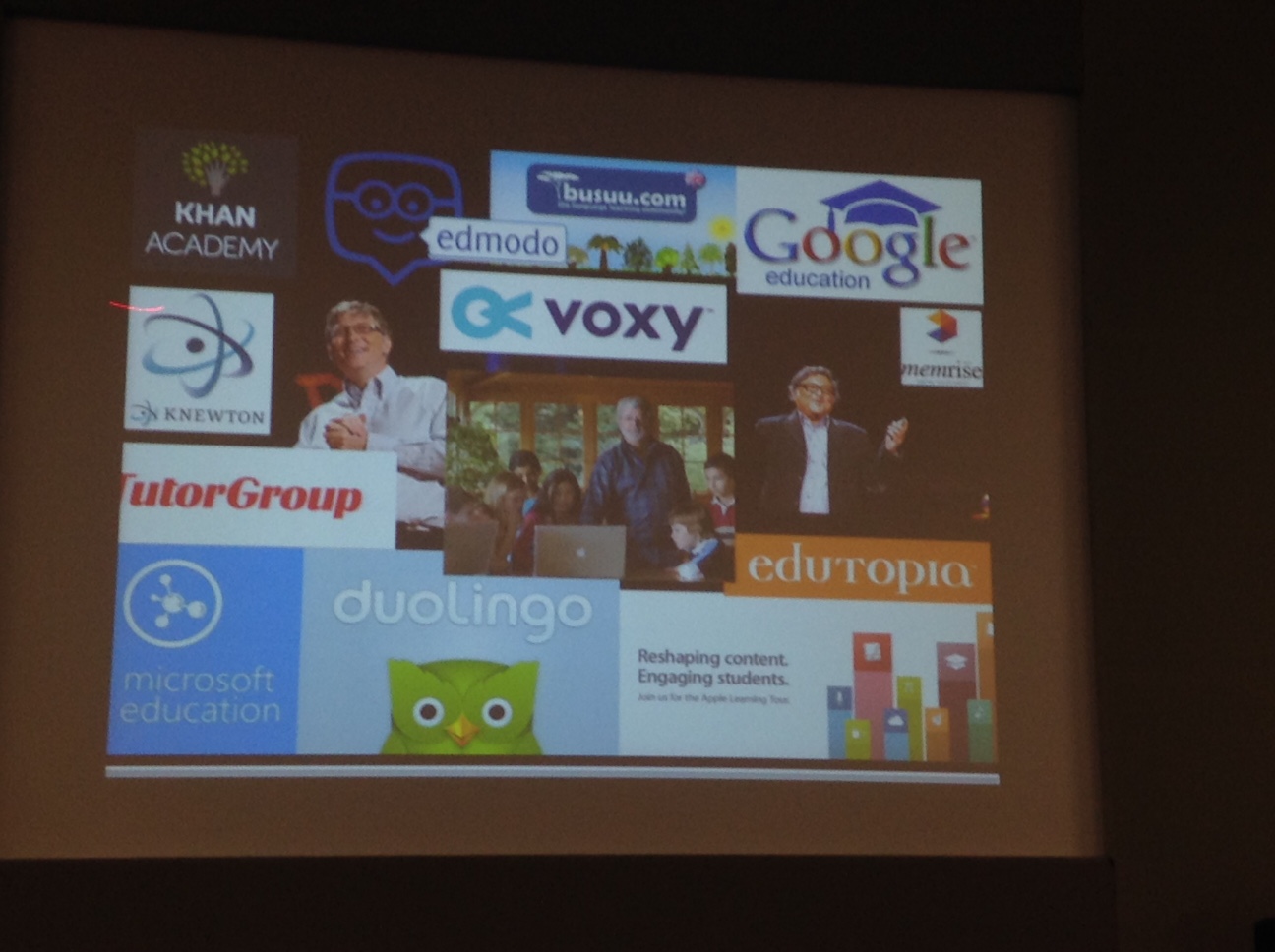
image4

Bill Gates is driven by evangelical zeal to transform the world of education. George Lucas is a leading figure in EdTech did you know that? 21st century learning etc. Sugata Mitra….! Google, Apple, Microsoft all moving into education in a big way. Duolingo. Voxy is also a well-funded EdTech start-up. EdTech is within ELT already, they are interested in it as a movement.

What are the characteristics of this revolution?

  • Money – there’s a lot of money pouring into education right now that wasn’t previously. Big corporations and companies are throwing money at it, specifically digital education. We have venture capitalists into a start-up, who are looking for at least 10 times return.
  • Disruption – education is seen, by a lot of people in the movement, as a sleepy, backward, old-fashioned place that is ripe for disruption.
  • Grassroots entrepreneurship – with the digital technology available now, it is easer than it ever has been before to create a digital education product and get it out into the world. We are seeing more and more teachers in ELT thinking “I can do this” – who think they have identified a need in the market and think they can do something about it.
  • Polarisation and controversy: On the one hand you have “EdTech is an amazingly wonderful thing. It is going to transform education. We are going to equip learners for the 21st Century” on the other, you have “EdTech is a conspiracy to take over the world” (or similar).

What about ELT?

Specifically, is there polarisation and controversy? Enter Sugata Mitra at IATEFL last year! A mixture of standing ovation and people walking out in protest. Standing ovation because he is doing something very interesting, trying to improve access to education etc and the converse, that he is saying teachers are redundant, not needed.

Not all EdTech in ELT is controversial. But some is. And some is more controversial than others. Controversial – Sugata Mitra, adaptive learning etc. Less controversial: there’s lots of cool free stuff out there we can use for learning. Some things will become more acceptable over time.

Let’s take a closer look at the Scale of controversy in ELT about EdTech. This is the SCREECH index!!! 😀

This is brand new, this is the first announcement of it. It’s early days.

At the top we have zero (uncontroversial) to 5 (most uncontroversial)
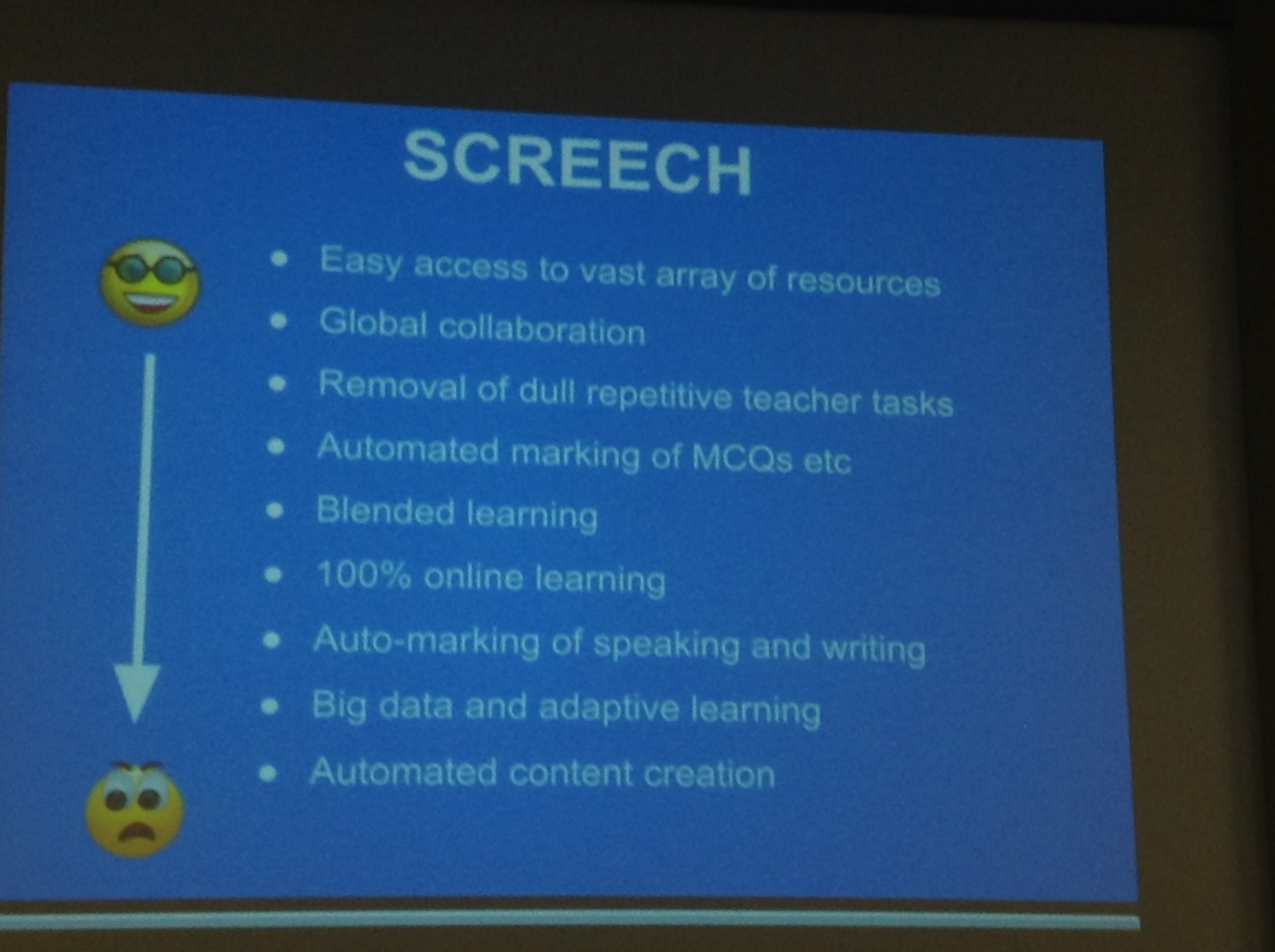
image5

Maybe things will move up the scale as they become less uncontroversial.

Meanwhile, ELT has three response choices: Resist! Surrender! Engage! i.e. refuse it completely, accept it blindly or engage with it and getting involved with it in order to change it for the better and…make it less screechy!

How might that happen?

We will look at publishers, language schools/institutions, teachers and writers

Publishers

Thinking back to the characteristics of the EdTech revolution, one of them was disruption. Our sector is ripe for disruption with new ideas and money. ELT publishing is a good target for this.

So publishers need to engage actively in order to be able to stand up to the massacre or ignore perspective of EdTech. ELT publishing needs to look outside itself: look at its competitors, who is out there in EdTech land? Yes they know to an extent, but not enough. DuoLingo is free and trying to market itself directly to language schools. How will publishers complete? How are they making this free product sustainable? How are these products developed so quickly? Understand how it all works. There is potential mutual benefit. This could be by working with established EdTech companies or interesting new start-ups who need help to get the next level with their really good ideas. Finally, most EdTech companies are terrible when it comes to the methodology behind the products, most ELT publishers are hot on that. Somewhere there is a marriage in heaven waiting to be made!

Within publishers there is stuff that can be done too. E.g. within the publishing company, create start-ups. In-house start-ups.
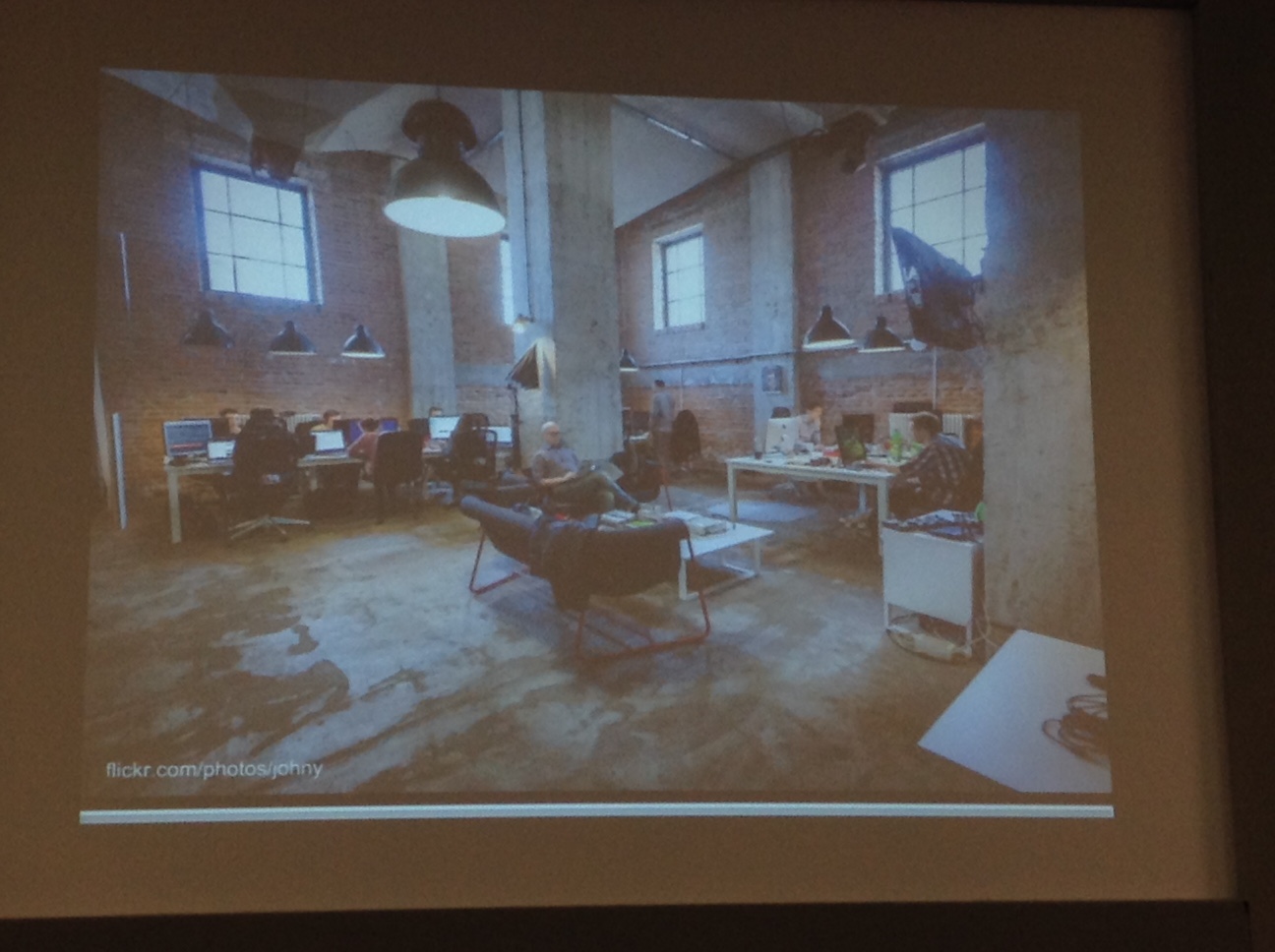
image7

Doesn’t need to look like this, but needs to be small, self-contained.

E.g. Newsmart: The Wall Street Journal. This was developed as an in-house start-up at News Corp (?). The question was can we create an interesting product using content from the Wall Street Journal? The answer was yes.

“If it isn’t digital, we don’t do it”

This was said by the head of the English programme in a big chain of language schools.

The first thing we are seeing a lot of is expansion beyond the four walls of the school. An illustrative example of the scope of ambition a school can have. EF London has Englishtown, completely online programme that has had 2 million students.

British Council – lots of apps, podcasts etc. They have an app portfolio of these things, they are not just a language school chain anymore. They also have the MOOC. ELT’s first MOOC didn’t come from a publisher but a language school chain. The lines between language school and publisher are more blurred now. Language schools are saying, we can build these courses for ourselves, we don’t need publishers. And now they are selling these to other schools. So customers become competitors.

DuoLingo and Voxy started by selling direct to learners, now want to sell direct to language schools. So language schools have power to influence the product and make it better via feedback. They could do with some improvement, time to feed into that.

Teachers and Writers

We’ve seen teachers starting to solve some real problems in their classrooms. Meanwhile – problem – in EdTech high-up people don’t have active recent classroom experience. In start-up weekends, people get together to come up with ideas for new products. Only 5% came from ELT and only one active teacher showed up. Marie Goodwin. And she won. With a reading device that helps children struggling with reading. Her idea came from the classroom.
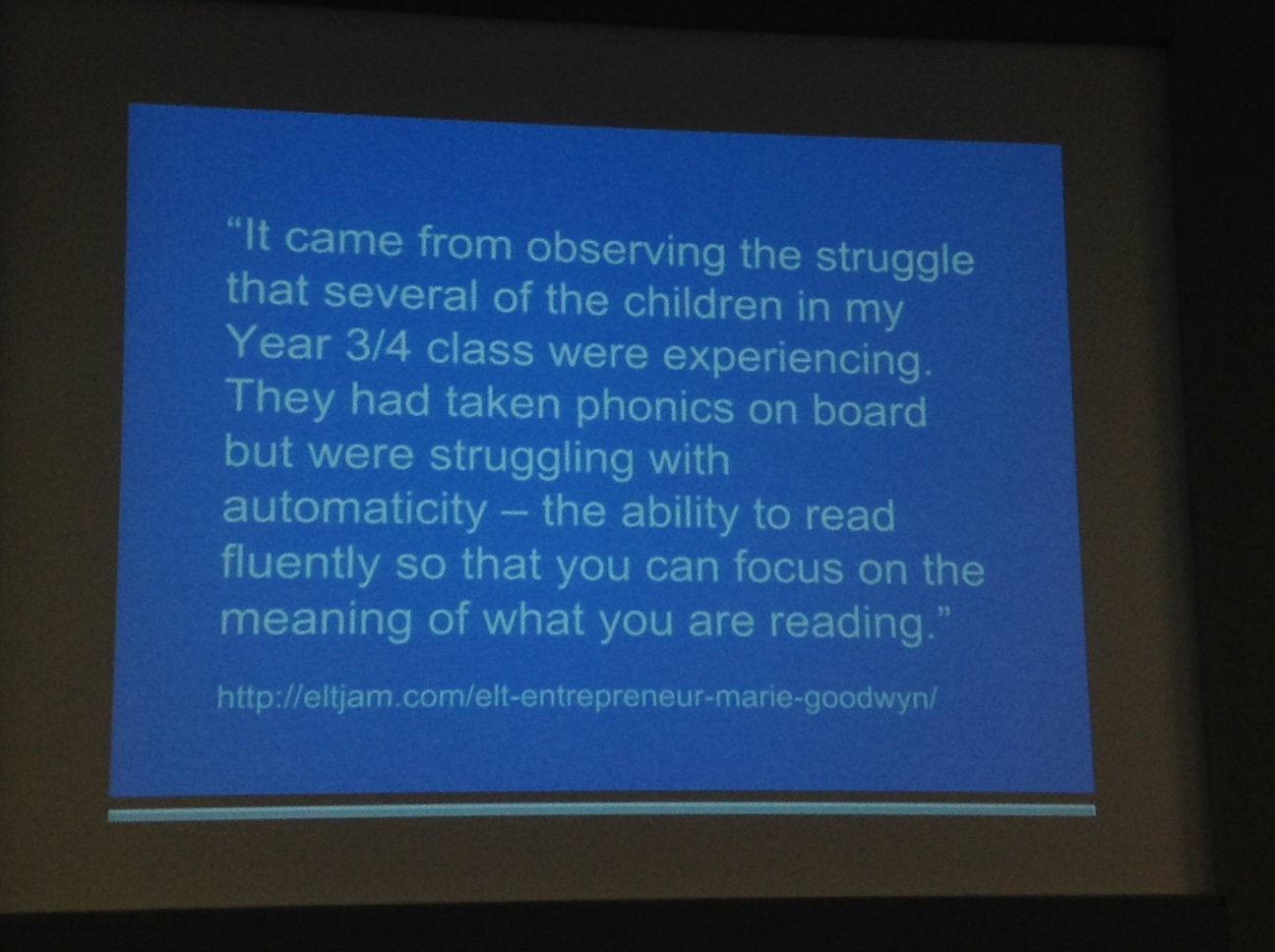
image8

We are starting to see teachers talking to learners about EdTech. #ELTyak is a hashtag for learners and teachers to address.

Why do it? You get insights, you get your assumptions challenged.

Teachers or writers – 3 things you might want to learn to engage with EdTech:

  • Read “The Lean Start-Up” by Eric Ries.
  • Figure out how to get some cash
  • Look at Easy Tweets – you need to learn coding (you can do it in 3 months)

Don’t let EdTech just happen to you. As whoever we are, we can get involved and do cool stuff!
image10

Contact details


Another really interesting talk! 🙂

 

IATEFL 2015 Plenary Day 2 – Joy Egbert

IATEFL Day 2 Plenary session time!

Screen Shot 2015-04-12 at 09.54.29

Before coming to IATEFL, Joy tried to learning British as a Foreign Language (BAFL – baffle!) with Doctor Who:

  • No social interaction,
  • No fb or support,
  • Challenge too great,
  • Loss of interest,
  • Lack of engagement/learning

Leads on to topic:

Engagement and practice in classroom learning, language and technology

Why are we talking about it? In high school, she took 4 years of Spanish, in university she took two years of Spanish, but never really learnt how to speak. There has to be something better? A better way to learn? 4 years of Russian at university. Used PLATO – a system that gives no feedback and you have to sit in front of it till you give the right answer. Has been around the world and seen a lot of people trying to use technology to learn language. Her children have very different teachers – her son gets to sing songs and play games, her daughter has to learn lists of words including a car part that I can’t spell (carburator?).

But a teacher’s goal is to provide an environment where students will succeed and learn effectively. One of the ways to think about how to engage our students is to think about how languages are learnt. What opportunities do your students have for using language? We know that activities need to be engaging – the more engaged students are, the better their language achievement will be (in their terms – their goals). Students become disengaged when they do things that don’t make sense to them, that aren’t relevant to them. What we want is students participating, focusing, leaning in etc.

Engagement deals with the relationship between the learner and the task. The teacher can set it up, but then the learner has to carry it out. If the task is engaging, the learner wants to carry it out.

Engagement can occur with opportunities that:

  • include authentic tasks (as perceived by students)
  • integrates connections with students’ lives
  • provide social interaction or deep individual focus
  • offer practice and feedback of an appropriate kind
  • offer connections to authentic audiences and materials.

And technology use can help teachers meet these engagement principles. However, there are issues with it. So, perhaps people don’t use technology, or pedagogy doesn’t change to use the affordances offered by technology, or people use it atheoretically i.e. use is unprincipled.

Today we will discuss a principled and effective use of technology.

The first step is getting to know your students. <Joy had us complete a questionnaire about our students at this point> These are the kinds of things we need to know about our students, but in general knowing about our student is important.

Thinking about authenticity: what can I do that can help my students be involved in this task? You can use different materials for different students, which help them achieve the same goal in different ways.

Connections:

Three things to frame a lesson:

  • “Yesterday we… and today we’ll…”
  • “You’ve said you like to learn by…..so we’re going to try that today”
  • “This makes a difference in your life/connects to your life outside of class in this way..”

Social interaction/deep focus:

How to make group-work successful?

  • Need to encourage cooperation/collaboration
  • Structure roles: put students in charge of different things (typist, artist, etc.)
  • Let students answer their own/others’ questions
  • Students need a reason to listen

Think about what students are going to do with the information they are listening to. Take notes BECAUSE…. <e.g. they are going to do a project>.

Feedback and support:

We need to think of ways that students can use the feedback/support in other activities. For example, in MS word, you can use text comments or voice comments – depends which your students prefer.

Challenge/skills balance:

You need the students to be in the flow channel, where there isn’t anxiety of it being too difficult or boredom of it being too easy. Students can learn something and teach other people, choose their own materials, create tasks, get feedback from peers. So you allow students to learn and to teach. E.g. expert groups and jigsaws.

Important:

  • We need to work from students’ strengths but also help them work on their weaknesses. All students will rarely be engaged all at the same time, all the time; BUT all students can be engaged most of the time.
  • There are many technologies that can work across contexts e.g. storyjumper, googledocs, MS Word, Open Office, TikaTok
  • There is a wide variety of uses for these technologies. E.g. Popplet – a brainstorming software – could be used for word walls, timelines…
  • Can’t use all the new technologies all the time, but simple things can be so effective e.g. email.
  • We need to think about what we are getting out technology use. We need to evaluate it. What does it work for? With whom? What kinds of technologies, integrated how, into what kind of syllabi, at what level of learning, for what kind of learners? etc
  • If it helps you to meet your goals better, use it; if it doesn’t, don’t use it!

It’s about devising engaging tasks that are going to lead to language learning. Use or not of technology depends on how it fits in with this.

If you want to know more, you can contact Joy on jegbert@wsu.edu

….common sense? 😉

IATEFL 2015 Through the looking-glass: creating a video-ready classroom – David Read and Will Nash

As I shall be working at the University of Sheffield over the summer, naturally I am curious as to what they are getting up to over there at the ELTC… 

It turns out this talk is part of the Learning Technologies SIG day.

At some point last year, Will and David started thinking about how they could use video for CPD and teacher training. They came up with a project and… <Insert here a very clever use of videos of them speaking, which they spoke to! Brilliant!>

Rationale

Started with 30 teachers 10 years ago in one main site, now up to 100 across many sites. Multiple sites, multiple teachers, different contracts, how do we get them together for CPD? And what about CELTA and Delta? Peer observations? PO relies on giving up own time to observe others. Workshops? Getting teachers together is difficult. How can we create a classroom with video and audio enhancements that can be booked specifically for these things.

What systems could be used?

Looked at off the shelf bespoke systems to creating own system, buying software and hardware for this. There are many. David looked at 3 in particular, when he went to London.

  • Panopto

Purely software-based system. You  buy all the cameras separately. Panopto provides a service where you can upload everything. Like a youtube service for your school. A content platform. Anyone in the institute could access. Good because you can access the content easily, can be integrated with a VLE, and it is searchable as well as trackable. However, no hardware. Panopto costs £12000 per year only for the software and hardware would have to be purchased on top of this.

  • Sony Anycast

This is a hardware based solution. You purchase a laptop like device and cameras. With this you can live edit what is happening in the classroom. You can have cameras and mics in the classroom and someone can switch between cameras and audio mikes using the laptop. Very high quality again, streaming available again, and the content was accessible. Also mobile, can pick it up and take it and record someone else. BUT relies on live-editing. This isn’t practical for ELTC purposes. Again, very expensive.

  • Iris Connect

A mixture of both. Commonly used in state schools, also for ITT. Combination of hardware – cameras – and a mobile element e.g. iPads. There is also a software package that goes with it. Video is uploaded to IRIS servers, where it can be viewed and commented on etc. The equipment is very high quality, there is the ability to stream, there is the ability to share and comment (useful for CELTA/Delta). Being a ready-made system was good too. The big issue was that the content is locked down. Only the teacher who uploads it can access it by password. This didn’t fit the ELTC purposes. It’s also quite expensive – in the tens of thousands of pounds.

In the research for these bigger solutions, they found some smaller solutions:

  • Swivl 

A small, robotic device. Not too expensive (£350). It is basically a tracking device. The teacher wears a device round their neck (one comes with the Swivl when you buy it and you can also buy additional ones) and the tracker (in which you can put a mobile phone or iPad) follows this. It does not need an operator, which is useful. It can sit on a table, or a tripod. It can also be used (with an add-on) with other types of cameras. There is a microphone attached to the device that the tracker follows. Very high sound quality (where low quality is often a problem with recording in classrooms). It uses the camera and memory from the phone and the swivel system is directing where it is recording and providing the audio from the device worn by the teacher. Connect it to a computer, download the footage, upload it to youtube BUT !! unlisted. So it is not available to the public. Just as a storage system.

For peer observations, you can make it available for peers to see. The person doesn’t have to be in the classroom. David has also used it to observe a teacher for example teaching a class of muslim women who didn’t want a male in the classroom but was willing for a camera to be in there.

  • Google Glass

A pair of glasses. Enable showing the classroom from a teacher’s perspective. So you see what the teacher is seeing. (We saw an example of giving instructions, and of monitoring) Delta teachers have given them to the students to wear to see the class from a student’s perspective.

What about Web Tools?

After the video has been created, then what? They investigated tools that could be used for doing things with video.

– Video Ant: A tool for commenting on video. It allows you to annotate it and have markers where the annotations are. And you get “New annotation at ‘5.68” for example. Could be a comment or a question for the person to respond to. These annotations are shareable – for view only or for annotation as well, so people can respond.

– eduCanon: You can create different types of questions which are linked to a video. So you can add in questions at different points, that the viewer has to respond to as they watch. So the recording pauses and the questions appear and then the video continues again.

– Video in Google Forms: An additional feature where you can insert a video into a google form. E.g. with students who do presentations. You could insert the video and get them to self or peer assess it going through the questions on the form while watching. Or with CELTA trainees etc in a similar way.

-Youtube editor: Good for stitching bits of video together freely and quickly, if you want to make one video using bits of several.

Challenges

Balancing out the needs of the hardware systems and the software systems. E.g. IRIS you get ease of use and quality, but no ownership. Or excellent quality vs. too high price.

Swivl and Google glass cost a lot less but the quality is sufficient for the moment.

Future plans

David and Will want to continue investigating it and use it for in-house training development. They also want to look into creating production quality video for commercial sale. There may be a gap in the market there. (Think the IH Observation DVDS etc.) They want to use this system also for standardisation of internal observations – a bank of two or three lessons to carry out standardisation for tutors who are going to go in and observe other teachers. Of course also it is bookable for self-development, teachers can privately film themselves for their own development.

To discover and understand is the university motto, this is one way for them to do this within the ELTC…

Screen Shot 2015-04-11 at 21.59.37

Here  is the link to the presentation.

Wow! Again with the technology presentations where I learn all about things I didn’t know existed! 🙂


MATSDA 2014 – What about the other 165 hours a week?

Today I was lucky enough to do a 45 minute presentation at the MATSDA conference in Liverpool. This was held at Liverpool University and the usual lovely crowd of people attended. Thank you to all who attended my talk – one of four that took place at 12.0o.

My presentation focused on ways of helping learners increase their exposure to English, and their use of it, outside of class time. I feel this is essential for learning and acquisition to take place, as the limited quantity of time available in class is insufficient, and beset with course-book related issues.

I discussed obstacles to acquisition and then looked at the various projects I’ve been working on with learners,  for the last 8 or 9 months: my reading project, my experimentation with English project, my use of collaborative tools project (which is linked with the aforementioned experimentation project), my efforts to help my learners become language researchers. I also briefly discussed the materials I made for my dissertation project, whose goal was also to help learners make use of the language in the out-of-class environment.

For further information about these projects and to access all the references made during the talk and that I’ve used during the course of all the projects, please visit my learner autonomy page and look in the section entitled Learner autonomy-related projects. For information about my dissertation materials, scroll down further on the same page and see the third link in the Presentations section.

Finally, here are the slides I used during the presentation.

Thank you to MATSDA, and especially Brian and Hitome, for allowing me to speak and making me feel very welcome.

How do we help out learners to bridge that gap... Copyright: Lizzie Pinard 2014 (between Palermo and Cefalu, Sicily)

How do we help out learners to bridge that gap… Copyright: Lizzie Pinard 2014 (between Palermo and Cefalu, Sicily)

Top ten resources for teachers (part 2!)

“The internet is a great place for English language teachers, if you know to where to look!” …thus began part 1  – a post that was written to bring a group of internet-based gems together, to make it easier for all English language teachers to find and benefit from them. It has turned out to be a popular idea, even gaining a nomination for the  Teaching English British Council blog of the month award, BUT it also ruffled a few feathers: In making the list, I left off some brilliant resources!

So here is part 2 – another top ten resources for teachers to try out… This time, including the websites/resources that YOU wanted to see included! (Plus some more of my own…)

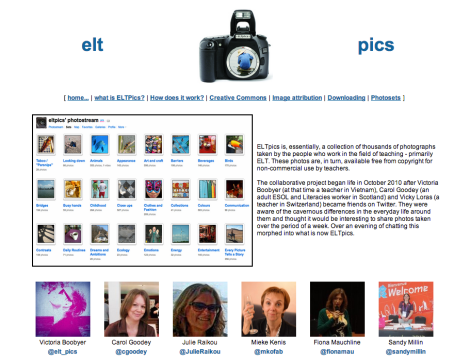
1. ELTpics


Screenshot of ELTpics home page

Screenshot of ELTpics home page


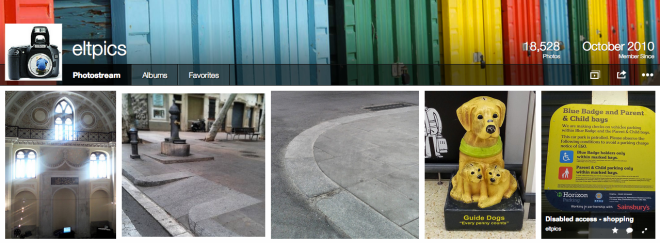
This collaborative project has made it possible for teachers to easily source creative commons – licensed photos for use in their classrooms. The above website has links to explanations about creative commons licensing, as well as how to download and accredit images. The images themselves are stored on flickr:

Screenshot of ELTpics Flickr site

Screenshot of the ELTpics photo-stream home

If you click on “albums”, then you can see, at a glance, all the different categories that are in use on ELTpics e.g. predictions, phrasal verbs, adjectives…  The project leaders set a new category on a regular basis, inviting everybody to send them pictures to upload into that category. You can also submit photos to be included in older categories. It is important that the photos you upload are your own and that if there are people in the photos (e.g. a picture of students doing an activity), that you have their permission to share those photos too.

2. Take a photo and…

Screenshot of Take a photo and...

Screenshot of Take a photo and…

Linked with the ELTpics initiative above, this blog contains ideas for how you can use photos – taken from the ELTpics stream or otherwise – in your classroom to great effect. Worth a look if you are after some inspiration!

3. (a) Teachit ELT

Screenshot of Teachit ELT

Screenshot of Teachit ELT

This is a website I hadn’t come across before – to the surprise of one of the readers of the original post. Free members have access to the above-pictured resources (nicely indexed in various ways – by level, skill, specialism etc) but can only download  .pdf files. If you want access, for example, to an audio track, you’d have to upgrade your membership. It looks as though you can get plenty of mileage out of .pdf access only, though, so worth a look.

Because you have to pay to enjoy the full benefits of this site, I will offer an alternative no. 3:

3. (b) Breaking News English

Screenshot of Breaking News English

Screenshot of Breaking News English

A 2014 ELTon nominee, this site offers freely available lesson plans and activities based on simplified news articles written by the site owner. Resources are divided up by level and as well as providing written text, there are also recordings of the articles being read aloud. These can be accessed at different speeds. There is also a dictation facility, which you can use with learners, allowing them to listen and type what they hear into a box (containing clues in the form of the dictation text written in asterisks, one for each letter of a word with space between words), and find out if thy are right or wrong.

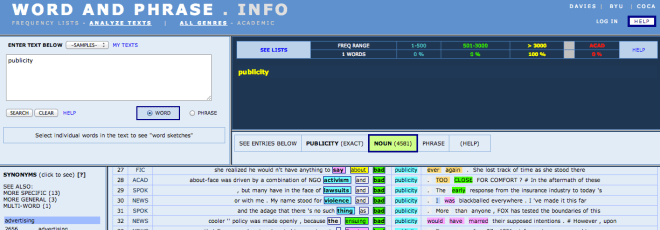
4. Wordandphrase.info

A screenshot of wordandphrase.info

A screenshot of wordandphrase.info

Time for one of my own favourites! This wonderful site allows you to find out about words and chunks of language, through corpus data analysis. You can input a chunk of text and see which words fall into the top 500, the top 3000 and which words are outside of the top 3000, according to frequency of use. You get definitions, synonyms, common collocates divided up by word type. You can also see which register(s) words/chunks are used in and see examples of use, either filtered by register or all registers mixed together. As teachers, we are often faced by student questions regarding usage or student work containing language that doesn’t seem quite right to us, though there is no grammatical reason why it couldn’t be. Wordandphrase.info is great for answering all these queries. Going a step further, it’s a great resource to get students using themselves, as a tool to help them answer their own language-related queries. If you want to know more, or want help using the site, I’ve written a series of posts about the site, including self-access materials to guide students (or teachers!) through use of it.

5. Science Direct

Screenshot of Science Direct

Screenshot of Science Direct

This is another one of my favourites. I hear you wondering, though, if I’ve got the name wrong – what’s science got to do with ELT? Well in fact, this is a site that allows you to search for articles from (as you can see) a range of disciplines. There are no small number related to different facets of ELT too. E.g. this search I did relates to learner autonomy and metacognition. You can search by journal title, author name etc. or browse by broader categories. One good thing about this site is that if you access a particular article, it will then offer you links to another set of articles based on the subject matter of the initial one you looked at. Of course there are the usual quantity of articles that are not freely available BUT, equally, there are plenty that are, and you can download these as .pdf files. So this is a handy way to access ELT-related literature.

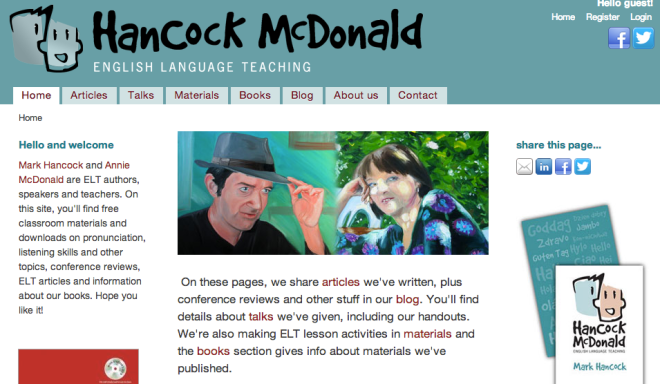
6. Hancock McDonald English Language Teaching

Screenshot of Hancock McDonald English Language Teaching

Screenshot of Hancock McDonald English Language Teaching

This great site contains a mixture of classroom materials and other resources e.g. articles and reviews related to pronunciation and listening skills. The site owners, Mark Hancock and Annie McDonald, are successful published authors and materials writers, so the materials are of high quality and the blog content worth reading. Pronunciation and listening are often referred to as the Cinderella skills, those that get neglected, and that are difficult to teach. Well, this site provides the inspiration necessary to get to Cinderella to that ball!

7. Recipes for the EFL classroom

Screenshot of EFLrecipes.wordpress.com

Screenshot of Recipes for the EFL classroom

This handy little blog fills a niche: It doesn’t offer lesson plans or glossy materials, but what it does do (and well, if the stats I’ve heard about are anything to go by!) is offer a mixture of activities, techniques and ideas that you can very easily use in the classroom. Taking the metaphor of a lesson as a meal, this blog divides aspects of teaching up by course and provides “recipes” for doing things differently and perhaps that little bit better. As an added bonus, you get some actual food and drink-related recipes too! Well worth a visit and bookmark.

9. TEFL.net

Screenshot of TEFL.net

Screenshot of TEFL.net

This site has been around for donkeys years. As well as lesson plans and resources, it hosts some discussion forums, a plethora of articles on ELT-related topics, a site of the month award offered on a – you guessed it! – monthly basis to recognise quality ELT websites, and more. You can also sign up for a weekly email that will bring teaching tips right to your doorstep – or inbox – regularly.

10. Film English

Screenshot of Film English

Screenshot of Film English

This website is an ELTon award winner for Innovation in Teacher Resources, and rightfully so: It contains a wealth of lesson plans based on short films. As well as using these to teach language, the lesson plans deal with “cine literacy” and encourage critical thinking skills development, important in this day and age. All resources are freely available, with the option of offering a donation to support the site and maintain its current “ad-free” format.

Afterword

That brings me to the end of another Top 10! I hope you enjoyed it and will find it useful. To the person who recommended EFL Smart Blog , it seemed a good site (if an interesting colour scheme) but more directed at students than teachers. For my top ten resources for teachers list, there has to be a significant element of the site that is geared towards helping teachers in some way. As you can see by the range of sites listed, there is no fixed format for this help to take, the only stipulation is that utility for teachers, not only students. 

Keep the recommendations coming – there’s always the chance of a part 3!

Top ten resources for teachers

The internet is a great place for English language teachers, if you know to where to look! Here are my top ten resources (ok I cheated a bit by grouping some!) – have you used them all yet?

Conversely: What is your favourite resource?

– Have you used any resources that completely wowed you, that aren’t on this list?

Please comment and let me/everybody else know about them!

In no particular order then…

British Council Teaching English – website and Facebook page

Screen Shot 2014-05-11 at 20.40.15

http://www.teachingenglish.org: screenshot of the home page

The British Council Teaching English website and Facebook page are both very valuable resources for teachers with any level of experience.

The website contains a wealth of freely available content, such as:

  • teaching ideas
  • articles on methodology, skills etc.
  • webinar recordings
  • downloadable ELT-related research
  • links to the blogs that have been awarded the popular “blog of the month” award and associate blogger posts
  • information about professional development courses

…and much more besides!

Screen Shot 2014-05-11 at 20.40.44

Screenshot of the British Council Teaching English Facebook page


The Facebook page is where links are shared and people can be found discussing the ELT-related issues that those who run the page raise for this purpose on a regular basis. Both are well worth a visit!

Onestop English

Screen Shot 2014-05-11 at 20.39.23

http://www.onestopenglish.com: screenshot of the homepage

onestopenglish is another goldmine of ideas for lessons and articles about different aspects of teaching. Good things about this website include the breadth of its resources (which are regularly added to) – as well as general English (divided into Grammar and Skills, which in turn are sub-divided into numerous other categories) the site holds ideas for teaching:

  • Business English
  • CLIL
  • TKT
  • ESOL
  • Young learners and teens

– and the ease with which it is possible to find things due to clear categorisation. In addition to resources, they also have a handy jobs section. Some of the resources are freely available, while some are only available if you subscribe.

Academia.edu

Screen Shot 2014-05-11 at 20.39.39

Academic.edu: screenshot of homepage.

Academia.edu might seem less user-friendly than the above two websites, but is nevertheless a very valuable resource: as a researcher, you can register and upload .pdfs of articles that you have written, to share with the community, and as a teacher/reader, it gives you access to research for free, which is not something to be sniffed at!

English Teaching Professional magazine’s website

www.etp.com : a screenshot of the home page

http://www.etp.com : screenshot of the home page

You have most probably read, or at least heard of, the ETp magazine for teachers, which contains articles and activity ideas, book reviews and much more. Well, the ETp website is equally worthwhile and demonstrates commitment to professional development in the resources it provides to this end. Each of the different sections contain links to articles around various topics and the site also has its very own registered blogger, Chia Suan Chong, whose posts are always worth reading. Currently, EtP are also organising a one-day conference, which will be held on 21st June 2014 in Brighton.

Twitter

Screen Shot 2014-05-05 at 14.46.31

The ubiquitous Twitter bird via Google search for images licensed for commercial use with modification.

Naturally! By Twitter, I don’t mean the Twitter website, per se. What I mean is the wealth of links it can make available to you and the discussions you could participate in, if you use it professionally. As everything you need to know is in the afore-mentioned link, I’ll leave Twitter right here.

Teacher blogs

Many ELT professionals these days maintain a blog. It is considered to be a valuable form of professional development to do so. It is easy to follow these blogs and be notified each time a new post is added. Here are a few to get you started:

Screen Shot 2014-05-12 at 08.29.42

Sandy’s blog – a screen shot

  • Sandy Millin’s blogSandy is a DoS at IH Sevastopol and has been blogging for a number of years now. Her blog contains a wealth of teaching ideas that she has tried and tested, reflections, collations of useful links, for example relating to the Delta qualification that she recently completed and to Cambridge exams like FCE. You might also like to check out her (Almost) infinite ELT ideas blog too, if you require an injection of fresh inspiration! In this blog, which is all about collaboration, she publishes a potential resource and canvasses ideas for how to use it with students. Now that she has finished Delta and is settled in her post-Delta new job, this site has been resurrected so keep checking back.
Screen Shot 2014-05-12 at 08.30.45

Adam’s blog – a screenshot

  • Adam Simpson’s blog:Adam works at a Turkish university and is dedicated to his students and to his own professional development, as well as sharing these passions with others. His blog contains a wealth of interesting posts related to this.
Screen Shot 2014-05-12 at 08.34.35

Rachael’s blog – a screen shot

  • Rachael Roberts’s blog Rachael Roberts is a teacher, MaW SIG committee member and materials writer, and her blog contains lots of useful teaching resources and materials that she has developed, together with the rationales behind them, and tips for creating your own materials too.

Some of these blogs sport a “blog roll” of other blogs that the owner has found interesting and useful, so it would be worth checking these out too. Of course there are hundreds more I’d love to name, but this post would get awfully long if I did so!

Some of the “big names” in ELT  also maintain blogs:

Jim and Adrian’s Demand High ELT blog – a screen shot

  • Demand High ELT is a growing site, owned by Jim and Adrian, and devoted to Demand High ELT. There is discussion, links to relevant resources, materials for seminars and more.
Screen Shot 2014-05-12 at 08.39.42

Scott Thornbury’s blog: a screen shot

  • An A-Z of ELT is Scott Thornbury’s blog, containing a wealth of articles about a range of ELT-related topics and issues.
Screen Shot 2014-05-12 at 08.40.49

Adrian’s pron blog – a screen shot

Screen Shot 2014-05-12 at 08.29.24

Hugh’s multi-faceted blog – a screen shot

  • Hugh Dellar’s Blog is full of interesting discussion about various ELT-related topics and ideas that you could try out in your own classes, as well as recordings of talks he’s given at past events.

Of course, the kind of blogs you read will depend also on your own interests within the profession.

For example:

To see links to blogs which relate to ELT management, please click here.

To see links to blogs which relate to Delta please click here.

Why not start blogging yourself, too, if you don’t already? There are lots of good reasons to do so!

Free Webinars for Teachers

Free Webinars for Teachers

Free Webinars for Teachers

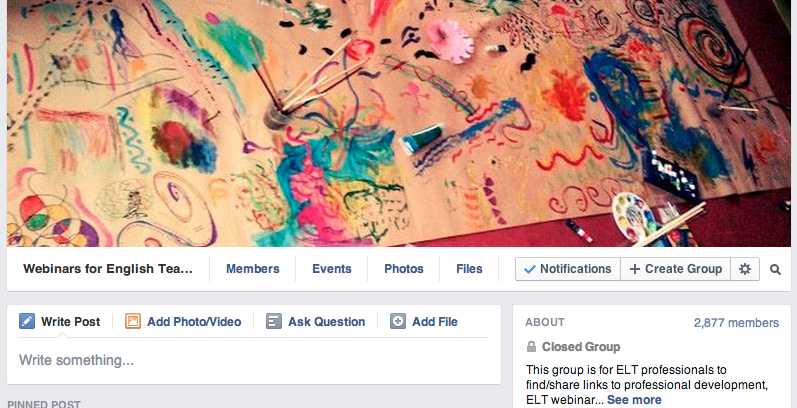
Free Webinars for Teachers is a Facebook group where people share information about free webinars that teachers can attend. This makes it a good way of keeping up with what is available in this area of online professional development. You need to make a request to join and posts are moderated so that content remains useful to members. You can choose whether or not to receive notifications when something new is posted.

Technology

There are three major players in the technology game, all of which are worth keeping an eye on in order to stay abreast of technological innovation:

Screen Shot 2014-05-12 at 08.49.11

Nik’s technology lover’s paradise – a screen shot

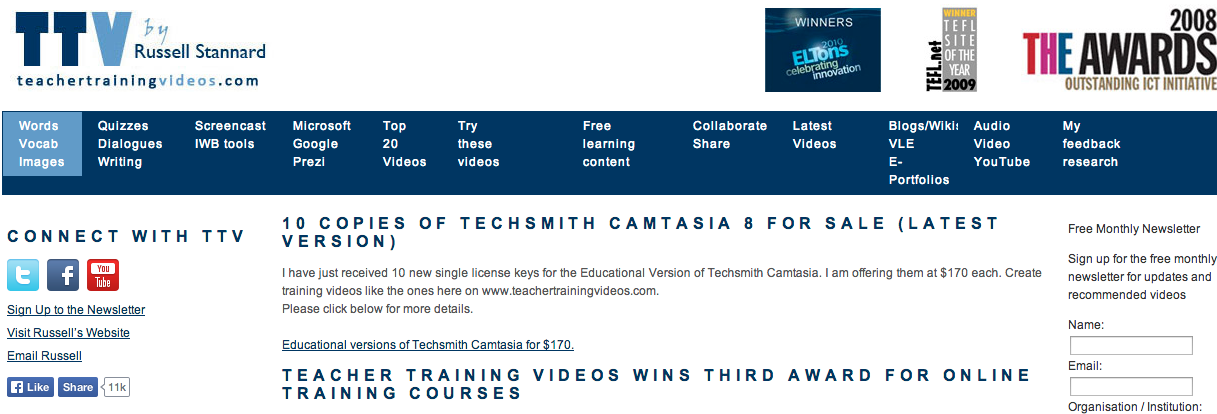
Russell Stannard's website which answers "How to..." for pretty much anything technology-related.

Russell Stannard’s site which answers “How to…” for pretty much all techy questions – a screen shot

The Consultants-E

The Consultants-E – a screen shot.

  • The Consultants-E : These guys offer training courses and consultancy services but also carry some freely available great resources relating to technology on their website. You can find these by clicking on “Resources” on their home page.

#ELTChat

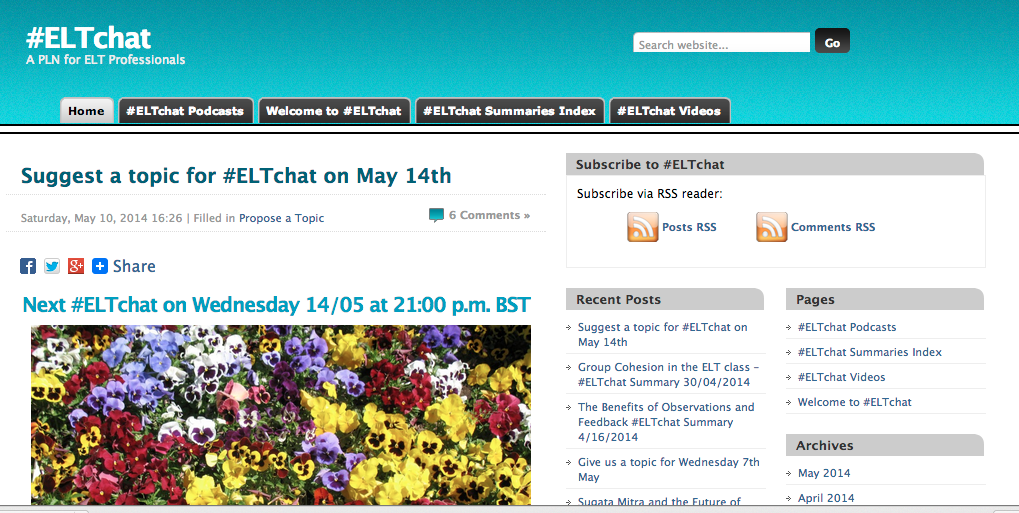
You could argue that this is part of Twitter, but these days #ELTchat exists beyond the bounds of Twitter too. There is the website, where you can find all the summaries carefully indexed by date, as well as links to podcasts and videos.

ELTchat - a PLN in the making: a screen shot.

ELTchat – a PLN in the making: a screen shot.

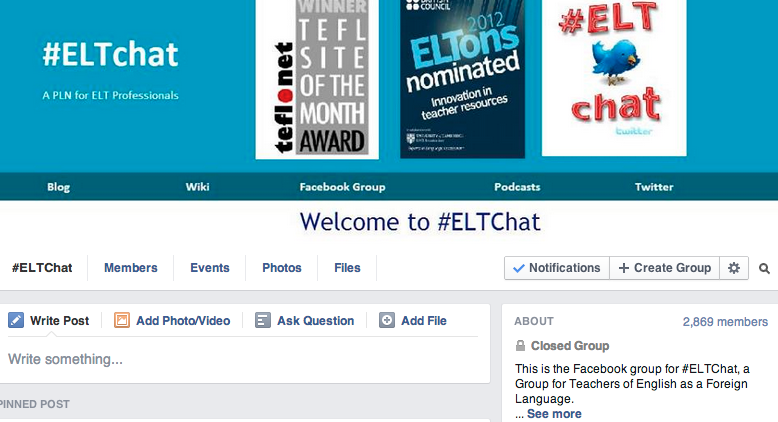
And there is also the Facebook group, where people share links to interesting sites they’ve found, to recent chat summaries and more.

Screen Shot 2014-05-12 at 09.14.01

…and the Facebook group page – a screen shot.

IATEFL

IATEFL is the International Association for Teachers of English as a Foreign Language. This organisation has a website , a Facebook group page , and lots of satellite pages run by various of the SIGs or Special Interest Groups.

IATEFL.org - a screen shot

IATEFL.org – a screen shot

The website contains information about forthcoming events, links to webinars that the association has put on (as well as information about those forthcoming), information about the afore-mentioned SIGS and of course its jobs pages where you can see job advertisements, especially in the run up to the annual IATEFL conference, due to the job market place that runs during this event.

IATEFL Facebook group page

IATEFL Facebook group page – a screen shot

The Facebook page is a space to discuss ELT-related issues and share links of interest to others in the profession. It is not a place for self-promotion and advertising (or spamming!).

In terms of SIG pages, here are a few that I know of:

  • MaW SIG Facebook page : For materials writing fans –  here you can find information about events run by MaW SIG, links to materials writing-related blog posts and sites, information about other materials writing-related events and connect with people who are also interested in materials writing.

Here is a list of all the SIGs currently in action, so if you find one in your area of interest, google it and you will doubtless find a Facebook page and/or a website that it maintains. You could also email the coordinator (name and contact details given in the list) for more information.

SIGs are a great way to connect with like-minded individuals and keep up with issues in your professional area of special interest.

You have to pay to join IATEFL, as well as any of the SIGs themselves (which is highly recommended, as you get plenty of membership benefits), but following their Facebook pages and Twitter handles is open to all.

image taken from openclipart.org via Google search licensed for commercial reuse with modification

Don’t forget: share your favourite resources too, by commenting on this post!  – image taken from openclipart.org via Google search licensed for commercial reuse with modification.

I hope this post gives you some new resources to look at and I look forward to hearing about the other resources you’ve tried…

Using Twitter for professional development

What?

Screen Shot 2014-05-05 at 14.46.31

Twitter! Image via google images search licensed for commercial use with modification

Wikipedia defines Twitter as:

an online social networking and micro-blogging service that enables users to send and read short 140-character text messages, called “tweets”

Of course, these days the content of this definition is fairly common knowledge. And people not only send messages but share photos and links too. (And that’s only the tip of the iceberg…)

Twitter distinguishes itself from other social media due to the above-mentioned need to be concise: 140 characters is not a lot.

Why?

Initial questions: 

The first question, once you know what Twitter is, might be, “But, why should I join? What will I gain from it?“, followed by “But… I don’t want to know what everybody has for breakfast…”. (Don’t worry: used professionally, it is easy avoid this genre of tweets! As you will see during this post, there is plenty that is of value on Twitter – if you know where to look.)

As an ELT professional, Twitter provides a platform for connecting with like-minded fellow professionals and sharing links to useful resources, as well as discussing ideas and issues.

Conferences often have hashtags (e.g. #IATEFL2014) which allow participants to share goings on with a wider community of teachers, those who are unable to attend. So next time there’s a conference you wanted to attend but couldn’t, you could look out for the conference hashtag, and join in that way?

If you’re still uncertain as to whether you’d get anything out of using Twitter, I suggest that you have a look at this link to a series of articles collected under the title “Why Twitter for teachers?”

For some more anecdotal evidence of why it’s worth joining:

I joined in 2011, because someone recommended it to me on an ELT forum. As well as this leading to me getting involved with #ELTchat (see below) and starting to blog, I happened to see someone post a link to the IATEFL conference scholarships. Prior to that time, I didn’t even know such scholarships existed. I applied for several and was lucky enough to win one, and as such was able to attend my first IATEFL conference in 2012, in Glasgow. At that conference, as well as well and truly getting the conference bug, I found the leaflet for Leeds Met University’s M.A. in ELT with Delta in my conference pack. As you can see from my blog site, the rest is history! So in my case, joining Twitter was literally life-changing!

How?

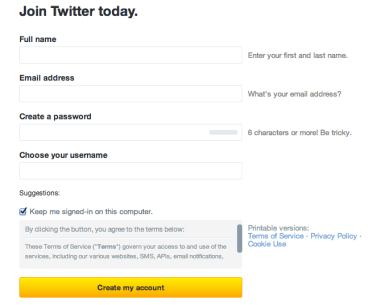
  • Create a Twitter handle:
    Screen Shot 2014-05-05 at 15.45.39

    Screen shot of Twitter registration form

    As you can see, it’s a quick, easily completable form. Once you have set up your account, you will be able to do the following:

  • Follow people:Many institutions, teachers, teacher trainers, DoS’s and other members of our profession have active  Twitter handles.As well as individuals, IATEFL SIG groups have them (e.g. @MaWSIG, @IATEFL_BeSIG), as does IATEFL itself (@iatefl).  If you follow them, their tweets will appear in your feed, when you log in. This can be a good way of keeping up with the online professional development opportunities that they organise e.g. webinars.

    Major publishers have them (e.g. @OUPELTGlobal, @CambridgeUPELT, @Pearson_ELT, @MacmillanELT, @Richmond_ELT) so you can keep up with what these influential players in the ELT field are up to.

    Professional magazines have them (e.g. @ETprofessional) and tweet a range of interesting, relevant links.

    Finally, some popular, useful ELT websites such as the British Council Teaching English website, have a Twitter handle (@TeachingEnglish) in addition to their Facebook page.

  • Retweet what you find helpful/useful/interesting:
    Screen Shot 2014-05-06 at 08.08.39

    To retweet a tweet, click on the retweet symbol – two little arrows that form a square.


    When you retweet somebody’s tweet, it appears in the feed of anybody who follows you and returns to the top of the tweets indexed to any hashtag mentioned in the retweeted tweet, meaning that more people are likely to see it.

    Retweeting somebody’s tweet indicates that you have found what they had to say interesting, or if the tweet includes a link, that you have followed the link and feel it is worth sharing with others. Therefore, it makes sense not to retweet any links that you haven’t looked at! If you want to tell the writer of the tweet that you think the content of it is really good, you could also “favourite” it. Once you have retweeted and/or favourited it, it will look like this:

    Screen Shot 2014-05-06 at 08.11.28

    I have retweeted and favourited this tweet!

  • Try new ideas:Part of professional development is finding new things to try and reflecting on the outcomes. Twitter can be a great source of new ideas and things to try, shared by fellow professionals via links and discussions. Many Twitter users also have blogs. You might like to start blogging as well – if you don’t already blog. There are lots of benefits to doing so! Summarising hashtag discussions (see below) can be a good way in to blogging.
  • Search for hashtags

    There are hundreds of hashtags in use by different groups of teachers and educators worldwide. A hashtag is a means of indexing tweets. If the author of a tweet includes a hashtag within their tweet, that tweet becomes searchable via the hashtag. Anybody who searches for a #hashtag will see all the tweets which include that hashtag, ordered from most to least recent.Some of the hashtags are defined by location (e.g. #AusELT) some by specialism (e.g. #EAPchat, #edtech). Some are more general (e.g. #elt and #tesol or #ELTchat) Finding a hashtag that relates to an area of the profession that you are interested in learning more about can be an easy way in to accessing a regularly updated range of resources related to that area.

    Many hashtags (e.g. #ELTchat, #EAPchat, #Edtechchat) run discussions at regular intervals, where people from all over the world – or a particular area of it – join to discuss a proposed topic, using the hashtag in question to gather the tweets. To find out about what hashtags are in use, you could look at this index of hashtags that was created by Chiew Pang and has been edited by people around the world since.

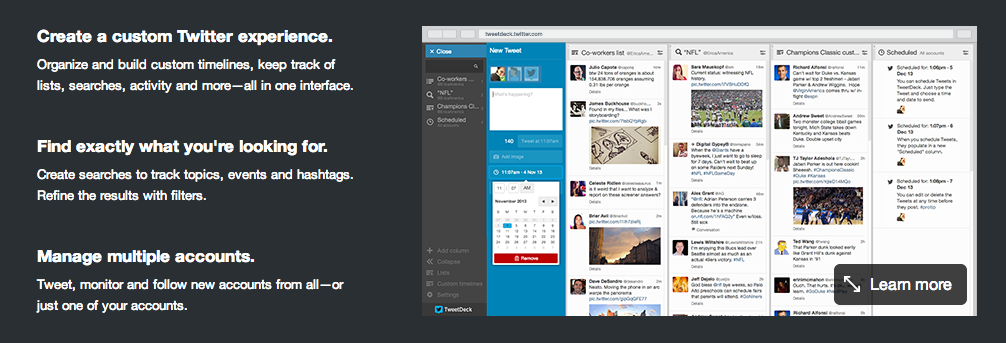
  • Use Tweetdeck:Tweetdeck is a platform for navigating Twitter. When you search for a hashtag, it generates a column for that hashtag, within which all the tweets indexed to it appear. It updates as tweets are added. You can keep columns open so that it is easy to open Tweetdeck, have a quick look at what’s new and close it again. You can also generate columns to display any notifications (you get a notification whenever somebody retweets a tweet you posted or mentions your twitter handle in a post) and private messages, known as “direct messages” (you can send a direct message – with the same length constraints as a tweet – to anybody you follow who also follows you). Thus, using Twitter doesn’t have to be hugely time-consuming.You can use Tweetdeck by logging in via a web-browser but you can also download a programme, which is a convenient way of using it, to avoid having more browser windows open than absolutely necessary! (NB: You don’t need to “manage multiple accounts” for it to be useful – I only have the one!)
Screen Shot 2014-05-05 at 14.26.36

Screen shot from the Tweetdeck website

Who?

I could go on forever, listing oodles of people that you could possibly choose to follow, in addition to the examples I picked above…

However, I would suggest that rather than following people because I, or anybody else, said so, you do the following:

  • Use the hashtags as a means of helping you find people to follow: Search for a hashtag, see who posts and what they post. If you are interested in hearing what they have to say and seeing the links they share, follow them!
  • When you find people of interest, have a look at who they follow, if anybody from their list stands out, have a look at that person’s past tweets and decide if you want to follow them too.
    Screen Shot 2014-05-06 at 08.32.49

    When you visit somebody’s “homepage”, you will see their total number of tweets (1,928 for me!), the number of people they are following (252 for me!) and the number of people who are following them (720 for me!) – if you click on any of these, more information will appear: i.e. recent tweets/retweets or a list of the people being followed or a list of followers.

    Screen Shot 2014-05-06 at 08.31.35

    This is an extract of what you get if you click on “252” in the first image. Of course, here, where it says “following” in the blue rectangles, it will say “follow” if you don’t already follow the person in question. When you “follow” someone by clicking the “follow” button, they get a notification telling them that you have followed them. 

  • As you become more active, retweeting others’ tweets and sharing your own ideas too, people will start to follow you too. When someone follows you, have a look at their past tweets and see if you want to follow them back.

When?

Now! Why not have a look! 🙂 You don’t have to tweet straight away, it is perfectly normal to start using Twitter by simply “lurking” – which means to look without participating and is definitely not as dodgy as it might sound!  – and learning how it works through observation. You can learn a lot by seeing how other people use it.

  • #ELTchat discussions take place once a week for one hour, on Wednesdays, at 12.00 BST (GMT in winter) or 21.00 BST (GMT in winter) on alternate weeks. During these hours, the hashtag is dedicated to the discussion, so you should refrain from using it to tweet links or ideas that are not related to the discussion taking place. It may seem completely chaotic the first time you watch or take part, but you’ll soon get used to it! For more information about how to propose and vote on topics and what the next topic will be, visit the associated website.

If you know about any other regular ELT-related Twitter discussions, please comment on this post with details and I will add the hashtag and discussion times to this post.

 Remember!

  • Be polite: as with any social media, it is advisable to use it courteously. This makes it more pleasant for everybody involved! If someone is abusive towards you, or spams you, you can both block them and report them to Twitter. A good post by Nathan Hall about manners on social media, as well as the importance of approaching it critically, can be read here .
  • Don’t use it purely for self-promotion: You may have lots of good ideas and links to share, but take time to look at others’ too, and retweet anything you think is of interest.
  • It’s like a massive staffroom with no walls: Treat it well (see first bullet point!) and you can connect with people all over the world – what better if you want an injection of fresh perspectives on the profession!
  • Don’t get overwhelmed: Yes, there is lots of information out there, but a) you don’t need to look at it all and b) the really good stuff will get retweeted so you’ll see it eventually anyway.
  • You don’t need hours a day: Which is good, because who has that kind of time?! As little as 5-10 minutes will mean you catch a lot of good stuff – even if you can’t immediately read all the links you end up bookmarking. Using Twitter doesn’t have to mean a massive time commitment. To help you, it might be advisable to streamline your curating system – do you use Diigo? Evernote? Whichever means of organising information you do use, it will come in useful when you uncover useful stuff during your Twitter travels.
  • If you use Tweetdeck: You can change the settings so that it doesn’t beep at you every time something happens (the default)! Each column you generate has the symbol you see highlighted on the right-hand side at the top. When you click on that, the options appear. Make sure “Alerts” is set to “None”!
    Screen Shot 2014-05-06 at 07.10.40

    Get rid of those beeps!


  • *Everybody* can read your tweets: Tweets are all publicly viewable. The only tweets that are private are direct messages. Your boss could follow you on Twitter. (E.g. my current DoS follows me!) A prospective employer could look at your tweet history. Therefore, it makes sense to only say things that you are comfortable with sharing publicly. Avoid saying anything you might later regret. As a rule of thumb, if it’s private or personal, it’s best off not being shared on Twitter!

If anybody with Twitter experience reads this and thinks I have missed anything vital/useful/interesting from this post, please comment and let me know so I can add it! And finally, I hope it is useful to those of you who aren’t yet using Twitter professionally.

In reply to David’s rebuttal: the future of language learning part 2

Firstly, I would like to thank David Petrie for this opportunity to debate and discuss that has arisen out of his thought-provoking post for the British Council Teaching English site and equally well-written rebuttal of my response to that post. For me this is one of the magic things about blogging: the opportunity to engage in critical, reflective discussion and debate on our teaching and learning beliefs, our pedagogies, our methodologies, with fellow members of the profession, so that much less of it becomes entrenched or gathers dust.

I will now respond to David’s rebuttal to my original points and weave in a few more points of my own along the way.

David explains that:

I certainly didn’t mean to imply that language is anything but social or used for anything other than a communicative purpose.  I don’t see, though, how this belief mitigates against learning in an online environment.  People do, after all, communicate quite effectively online. 

Absolutely. People do communicate very effectively online and language is used communicatively. Computer-mediated communication (CMC) tools are brilliant – I use Edmodo and blogs with my students regularly. However, does this use of language fully prepare learners for face-to-face encounters? I would argue that it doesn’t. Spoken communication and use of language involves so much more than words. Online communication recognises this: we try to bridge the gap between online and face-to-face communication by using emoticons ( 🙂 ) , abbreviations for paralinguistic devices (LOL! <sigh…>) [For more about this overlap between spoken and online communication, see my summary of Fiona Johnston’s talk at IATEFL this year: Write here, write now- developing written fluency ] and we manage most of the time – give or take a few arguments when tone is misread. However communicating in this way does not fully capture the diversity of spoken communication. For this reason, I feel that while online collaborative platforms are a valuable additional opportunity for meaningful language use, learning language exclusively through their use is insufficient. I think online learning may be better suited to content learning, which we are able to package in words and diagrams, rather than language learning, which is a lot more complex to package. (This perhaps being one of the reasons why technologically based language learning has seen lots of change and innovation, and is continually evolving, but has not taken over classroom-based language learning despite this kind of prediction.)

However, in addition to this, David argues that sites such as Vocaroo mean that speaking can be included in online learning too. Yes, again, absolutely. In response to this, though, I would like to highlight the difference between this form of speaking – making a voice recording, listening to someone else’s voice recording, responding to that voice recording in a further recording etc – and a face-to-face conversation. If you are not sure what I mean by this, record yourself and a few friends having a conversation. Now try and transcribe it. Can you capture the full meaning of what was said? How much code do you need to be able to do that? Do you notice how you pick up what your friends are saying, interrupt or overlap and complete their utterances? Do you notice the wide range of different tones used? What about non-verbal communication? How do you capture it all? Now how do you transfer that to online communication such as that done using Facebook messenger or similar? Spoken conversation is co-constructed and we have to co-construct differently online, mimicking spoken conversation but adapting to the different medium. Clearly it would not be possible to interact online using discourse analysis transcription coding to capture spoken communication – it would take far too long and be too complicated; beside which, until technology enables us to see what someone is typing as they type it, then mimicking interruptions and overlaps, as they happen in spoken conversation, are not possible in any case. So I would say tools such as Vocaroo are great for helping learners to practice speaking in terms of stringing words together fluidly and coherently over the piece of discourse as a whole, and certainly lend themselves to practicing presentations or other single-turn speaking, but they do not enable learners to practice genuinely conversing in real time in the target language. (And this, together with the social side of language learning, is why PSP Speaking and Thursday night English-speaking pub night are so popular with our students – they recognise that in order to use English more competently, as well as learning and developing skills, they need opportunities to converse in English.Skype and other similar video-conferencing software such as Adobe are another possibility, but even this is limited.

I would argue that since language began as caveman noises which in turn became utterances and developed into the complex form of spoken communication as we know it today, if learners want to learn language in order to be able to use it face-to-face, then they need opportunities to use it face-to-face in a supportive setting. If they don’t live in a situation/community/location that allows this, then the language classroom and, indeed, the language community of the language school, can provide such opportunities. Returning to the social side of language learning, I would also argue that online socialising is no replacement for face-to-face communication. As a friend of mine who is currently working in a small place, far away from friends and family put it, and I paraphrase, “I feel isolated. Having people on the end of a skype call is not the same as having them there with you.” To illustrate this further, would you prefer to spend the evening having a drink while talking with people in Second Life or similar and trawling Facebook, sat at your computer, or join those people for a drink in real life? Being able to communicate online is brilliant, and social media have helped bring like-minded people together from all four corners of the world, it is true (#ELTchat is one such shining example, as is the British Council Teaching English Facebook page); but think how excited we get at the prospect of attending a conference and talking to members of our online PLN in person! I believe there will be no small number of learners who feel the same way about their course mates. (I know I’d give anything to be back in a room with my fellow M.A. DELTA course mates of 2012-2013, for a good discussion, and our Facebook group just isn’t the same – as a small example!)

Well, despite the length of this blogpost, I’ve only scraped the surface of David’s second blogpost and there is so much more there to deal with. However, for now, work beckons and will be followed by a 3-day holiday from the computer, so you’ll have to wait a bit for the next instalment! 🙂
open clip art org

Computers are great but grrrr! 🙂 Photo taken from http://www.openclipart.org via Google image search labelled for commercial reuse with modification.

 

The Future of Language Teaching – a reply to my critics

David Petrie blogs again in response to my response (https://reflectiveteachingreflectivelearning.com/2014/04/26/what-about-the-social-side-of-language-learning-in-response-to-david-petries-the-future-of-language-teaching/) to his blog post (http://www.teachingenglish.org.uk/blogs/david-petrie/future-language-teaching-%E2%80%93-a-case-study-2034) for the Teaching English British Council website! Thank you to David for opening up a really interesting discussion – stay tuned for my next response! 😉

David Petrie's avatarteflgeek

divided brain

About a week ago, I wrote a piece on “The Future of Language Teaching” for the Teaching English blog.  It seems to have been slightly controversial.

In it, I tried to paint a picture of what language learning might look like in twenty years’ time, drawing largely on themes and ideas I had come across in various talks and presentations at the IATEFL conference, as well as my own experiences as a teacher and learner.  In short, I argued that students of the future won’t need to learn languages at a language school as they’ll be able to do it all online.

You can read the full piece here: “The Future of Language Teaching – a case study from 2034

It was a deliberatively provocative piece which I wrote with the intention of opening up a debate on where we think language teaching should be going…

View original post 1,307 more words

What about the social side of language learning? (In response to David Petrie’s “The Future of Language Teaching”)

In his post for the British Council Teaching English website, David gives us a futuristic language teaching case from 2034, study drawing on currently existent technologies and their potential uses. His closing question is,

“Do you think there’s a role for the language school? I’m not so sure.”

But what about the social side of language learning?

In the private language school where I currently work, adult learners jump at the opportunity to do things in addition to their classes e.g. Reading Group, where they read and discuss a given graded reader periodically, and PSP speaking (an hour of mixed-level English conversation) or English-speaking Thursday nights at the pub. Who do they attend with? For the latter two, it is open to any level, and learners often sign up to join with, or in the case of the pub, just turn up with, other members of their class. 

Their language classes are not only about language learning – though clearly this is key! – but also 2 hours and 40 mins to 4 hrs a week (depending on their course intensity) doing something with a group of friends, some of whom have been met in previous courses at the school, some of whom are classmates (for YL, teens, university students), with new friends made each course too, as new learners join, others leave and so the classes evolve. They enjoy being in each other’s company twice or three times a week, in the classroom, learning English together. Perhaps it should be no surprise: after all language evolved because humans are social creatures. The benefits of this in terms of language learning are, of course, the pair –  and group – work potential that is there to be mined, the collaboration, the opportunities to learn from one another, for a start.

Young learners, meanwhile, learn a lot more than language when in the classroom – they learn social skills, cognitive skills, motor skills and so on. And they have fun, too! Would they be there if their language learning at school were super effective? I’m not sure. But I do know that we don’t only have kids in need of remedial help in our YL classes. We have a mixture of brilliant kids/teens, average kids/teens and kids/teens who do need lots of extra help. To me this suggests that they don’t only attend because school language learning isn’t good enough. Some of them love English and learning, some of them doubtless are there because their parents think it is a Good Thing. The latter may start classes because of that and discover that they love learning too.

Perhaps for people who are learning English purely to get ahead in their job, David’s vision is a possible futuristic avenue. (Though I question if after working all day using a computer, as many might, they’d want their language learning to be purely computerised too?) Either way, for people who learn as a hobby, or as part of a holiday, or who combine it with socialising outside of work/school, for whom English is important but who want to use it to speak to people face to face (or on the phone!), technology is better off in a more ancillary role.

For me, the future of language learning still involves groups of people coming together to use and explore language. And the delicate in some ways, robust in others, ecosystem of the classroom, that “small culture” (Holliday, 1999), is part of this. The language school is another small culture, within which that classroom culture operates and by which it is influenced, as is the university language teaching centre, or the primary or secondary school and the languages department within it.

Does this make me a technophobe? Insecure about my future as a teacher? I hope not. I just think there is room for all. And perhaps technology, as used in David’s case study, will make language learning accessible to *additional* learners and become an additional option, rather than becoming a replacement. I think that as far as technology is concerned, as with language teaching and learning methodology, there’s no need to throw the baby out with the bathwater, as Michael Swan would say. I think we should build on what we have rather than lopping off entire aspects of it.

Don't throw the baby out with the bathwater! Image taken from google advanced image search licensed for commercial reuse with modification (source: www.wikipedia.org)

Don’t throw the baby out with the bathwater! Image taken from google advanced image search licensed for commercial reuse with modification (source: http://www.wikipedia.org)

What do you think?

References:

Holliday, A. (1999) Small Cultures in Applied Linguistics vol. 20/2 pp. 237-264. Oxford University Press. Oxford.