
Another university-wide training session relating to AI, which took place on Friday 22nd May!
Gemini Gems
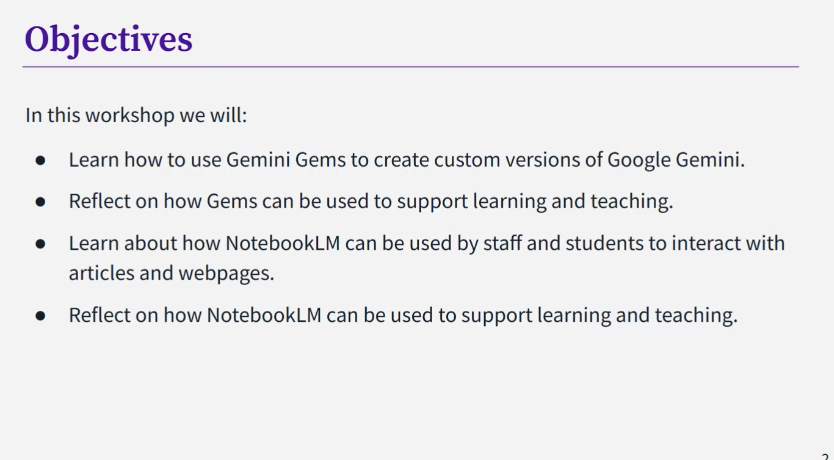
Gemini Gems can be used to create custom versions of Google Gemini. They are a custom AI assistant. Gems are able to provide a more tailored and relevant response than a standard Gemini chat. It is a way of training Gemini to produce output that is more tailored to your needs. It does take time to create them properly but it could be worth the time required for using/making if you are always giving the same instructions to Gemini. E.g. Students could use it to make a personalised study assistant. Gemini also has some ready-made ones that you can edit. To share a Gem, you do it in the same way as other Google products e.g. docs/sheets (but you have to enable” Smart features” to do so). Ensure you make it view only.
There are limitations: Gems draws from the whole internet. You can feed it information – knowledge – to draw on, but if you ask questions outside that remit, it will bring in outside information just like Gemini does. And just like Gemini, it may hallucinate. There are ethical concerns about power consumption, copyright and data protection. Don’t put any sensitive data into it. While at the moment the university version is closed, who knows what will happen in the future, how that information could be used. Where it asks you to put in information, it can only be a pdf or similar file. Not a webseite. It is very easy to create something that almost works but a lot harder to get it to work properly.
Of course, we do still need to critically evaluate the output. If you don’t use Gemini that much, you might not find Gems useful as it might not be worth the time input required to set up effectively.
Notebook LM:
Notebook LM is a virtual research assistant. Instead of being based on a large language model, it is a retrieval-augmented generation (RAG) tool. All responses are based on the sources you provide, rather than drawing on everything available online. It is a double-edged sword – it is really useful for looking at large quantities of text etc but it could quite easily do your work for you. So it is important to develop effective use of it.
You can upload sources, interact with them via a chat tool. It will ask you to upload your files/content. Click insert. You will see the documents appear that you upload. Without being asked, it will give you a summary of what is in the documents. Those documents are your knowledge base. Then, you can give it an instruction e.g. “I am an educator working in UKHE specialising in [digital education]. Draw out five key points from the sources relevant to me and present them in succinct bullet points.” and it will carry that out.
It is a little language model of your own that you can interrogate as you wish. E.g. find three areas of disagreement between these sources. So if you have a long document to explore, you can ask it anything you like about it. You can untick a source if you no longer wish it to be used in the responses. It will always keep trying to please you, ask you questions, engage you but it doesn’t hallucinate content that isn’t in the sources you have uploaded.
You can also do this: “I’m an undergraduate student writing an essay on ‘Identify the pros and cons of AI use in higher education’ – can you write me a 500 word literature review?” – obviously a danger here that you are offloading your work onto the AI and then if you use that information, it is ethically questionable in terms of false authorship. In “studio” you can ask for other outputs e.g. an audio file/pod cast. These can take a while to generate. You can get a 1 – 1.5 mins introductory piece or a 10 minute discussion between two voices. Students could put notes they have made into LM and get it to make audio out of it to help with revision. This could be useful for neurodivergent students. It can also turn it into a slide-based summary. All of this is entirely based on the texts you have inputted. A slide-based summary could be useful for a visual learner. What you can’t do is edit the output. It is what it is. You/the student can also generate quiz cards or mindmaps to help with revision. It gives you more options of ways to engage with the material other than reading huge bodies of text.
In terms of limitations: you need have knowledge of the information you upload in order to evaluate/trust the output. And just like other AI, there are the usual ethical concerns, copyright and data protection issues. You should avoid using it with unpublished draft papers or other confidential research materials, as well as any sensitive information.
Love it or hate, it is available to all students and staff here! It does things that we don’t want students to do but it does save time and we can’t stop people from using it. So, we need to try and help them engage critically. Hopefully our increased awareness helps us be better able to do this. Use with caution is probably the best description.

