
I am 8/10 weeks through the Instructional Design course (link) run by some of the good ELTC TEL team folk. Their site is called The Training Foundry and on it you can find information about the courses, but also webinar recordings and blog posts. It’s pretty cool. This is the subtitle for the Instructional Design course (IDC):
“Our Instructional Design for Language Teachers course can help experienced teachers design flipped and asynchronous materials.”
It is a 10 week course and I would quite happily recommend it to anyone who is interested in principles of online learning and learning to use a variety of tools to design asynchronous content. It has a weekly live online session (using Google Meet), and each week there are also a series of tasks to complete. There is interaction between students (sharing output, commenting on others’ output etc) via a forum.
Most of the tools that we’ve learnt the basics in were actually new to me (with the exception of Google Slides [Week 1] but even with that I learnt new things about it!):
- Wordwall

Wordwall (link) is a very user-friendly tool. It is subscription-based but I haven’t taken out a subscription, just using the limited free version for the purposes of the course. You can make the usual array of ELT activities. One I particularly like is called Word wheel. You input words and it creates a wheel in which each word is a segment of the wheel (looks sort of like a pie chart with equally sized segment). You can “spin” it and it will stop at random on one of the words you have input. You could then get students to define it (as we had to do in one of our online lessons, using vocabulary from an article we had read), for example.

Another online-based tool for making asynchronous content. Also requires a subscription but it offers a free trial which served the purposes of the course. It is pretty versatile. You input information into a form and it spits out an activity. You can also e.g. create a voice recording tool that you could embed into a page on your platform, or whatever asynchronous content tool you were using, for students to use for an activity, make interactive video activities, activities using pictures and much more.
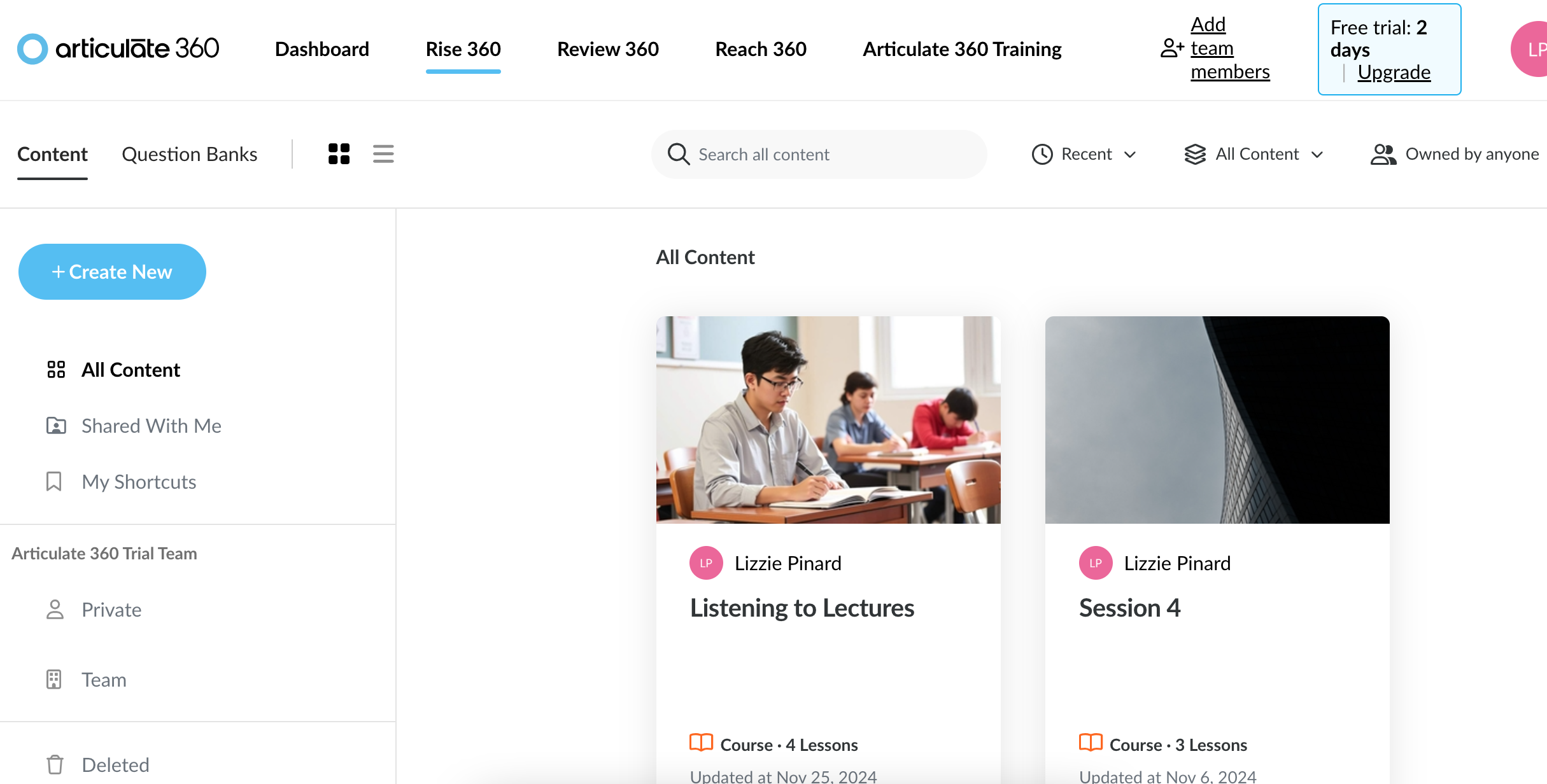
As you can see, my free trial is coming to an end. I’ve had a good play with it though and really like it. But it is EXPENSIVE! So it is something that a business/institution/self-employed person might invest in rather than an individual. Our TEL team has access via institutional subscription, for example. I find it really visually appealing and quite intuitive to use. Interactive elements are built in, if a little limited. But limitations are lifted because you can also embed interactive content from e.g. H5P, Quizlet or its sister tool Storyline (see below for more information about this one!).
- Storyline
This one, you have to download a programme onto your computer to do it rather than using it in a web browser. It is part of RISE so you can find it there. No screenshot because it only runs natively in Windows and I decided therefore to use an old spare Windows laptop (creak creak creak!) rather than subject my even older Macbook to “Parallels” which is required in order to run it. (Said macbook makes enough take-off noises for using Google meet, so! But for as long as it limps along, I shall use it!!) However, it effectively looks like powerpoint when you open the programme. The area you are working with is slide-shaped/screen-shaped. But unlike powerpoint it has a lot more power in the interactivity department. It has a timeline, it has “layers”, it has “triggers” and all sorts. The newest version also has AI stuff inbuilt. All of this stuff enables you to create a lot of interactivity in various ways. It gives you a 2 week free trial before kicking you out in the absence of a giant pile of moolah. We spent two weeks of the course on it because there is a lot to learn. You would use this if you were creating materials for a course that you were planning to run multiple times because it is a big time investment that is required to create stuff. At the ELTC it is used a lot for flipped content for the summer school and at the bit where I am (USIC) it is used as the basis of most if not all of the interactive content that we embed onto Blackboard for learners, to support the learning done live online and F2F.
In terms of using the interface, I struggled because using it on a computer that hasn’t got strong processing powers and hasn’t got a big screen, it made it even more time-consuming than it should be. Everything is tiny (the parts where you control the “layers”, the timeline and all that jazz) and you have to generate previews to check what you did works properly on a regular basis, and the computer had to strain really hard each time!
The rest of the course
This week we’ve been working on using video in online learning. Which, again, is very time-consuming and requires decent (probably fairly expensive) equipment to produce high quality stuff. We have learnt a bit about video editing (which I have done a little bit of myself in a hobbytastic kind of way!). Still to come in the final two weeks is zooming out to consider more about designing a whole course rather than sub-parts of it and then a final wrapping up and moving forwards week.
It’s been really nice to learn how to use all these different tools and challenge myself in this way. The final assessment was creating a storyboard and run of lessons in Articulate RISE and I am happy with what I have made for that (I have completed it early because of the whole free trial running out thing!). I based it on an AES listening exam lecture. It was also of course interesting to study some of the theory around online learning, as well as focus on making content accessible (which is a legal requirement!). Overall I think the course works really well, building each week on previous content and progressing logically, and the live online sessions definitely complemented the tasks and forum part.
Have you used any of these tools? Which ones do you favour? Do you use any other tools which I haven’t mentioned? There is a lot to keep abreast of, isn’t there!
 Lizzie Pinard
Pingback: Tracking Professional Development – Lizzie Pinard
Pingback: End of 2024-25! – Lizzie Pinard