IATEFL 2015 “EAP writing: teaching strategies for effective paraphrasing” – Tina Kuzic

My first non-plenary talk for the main IATEFL conference (plenty of PCE talks yesterday!) and it’s about EAP. Hopefully it will help me to help my students this summer…

Why paraphrasing?

Because it is such an important part of academic writing. Writing in general is the most challenging thing to teach nowadays, especially with learners who are part of the digital generation, and especially in terms of motivation. For academic integrity, paraphrasing is key.

Tina’s courses

EGAP and ESAP (for psychology) both are in-sessional and obligatory. The average level is B2 when it comes to speaking. However, for writing, the level is a bit lower; especially for formal writing. At secondary school, students only write essays so they don’t get any training in formal writing. The focus of Tina’s courses is study skills, strategies for reading, writing for academic purposes.

Plagiarism, and preventing it, is very important and one of the tasks that we as EAP teachers have to address. Students are often not aware that they have plagiarised, they lack training in this context.

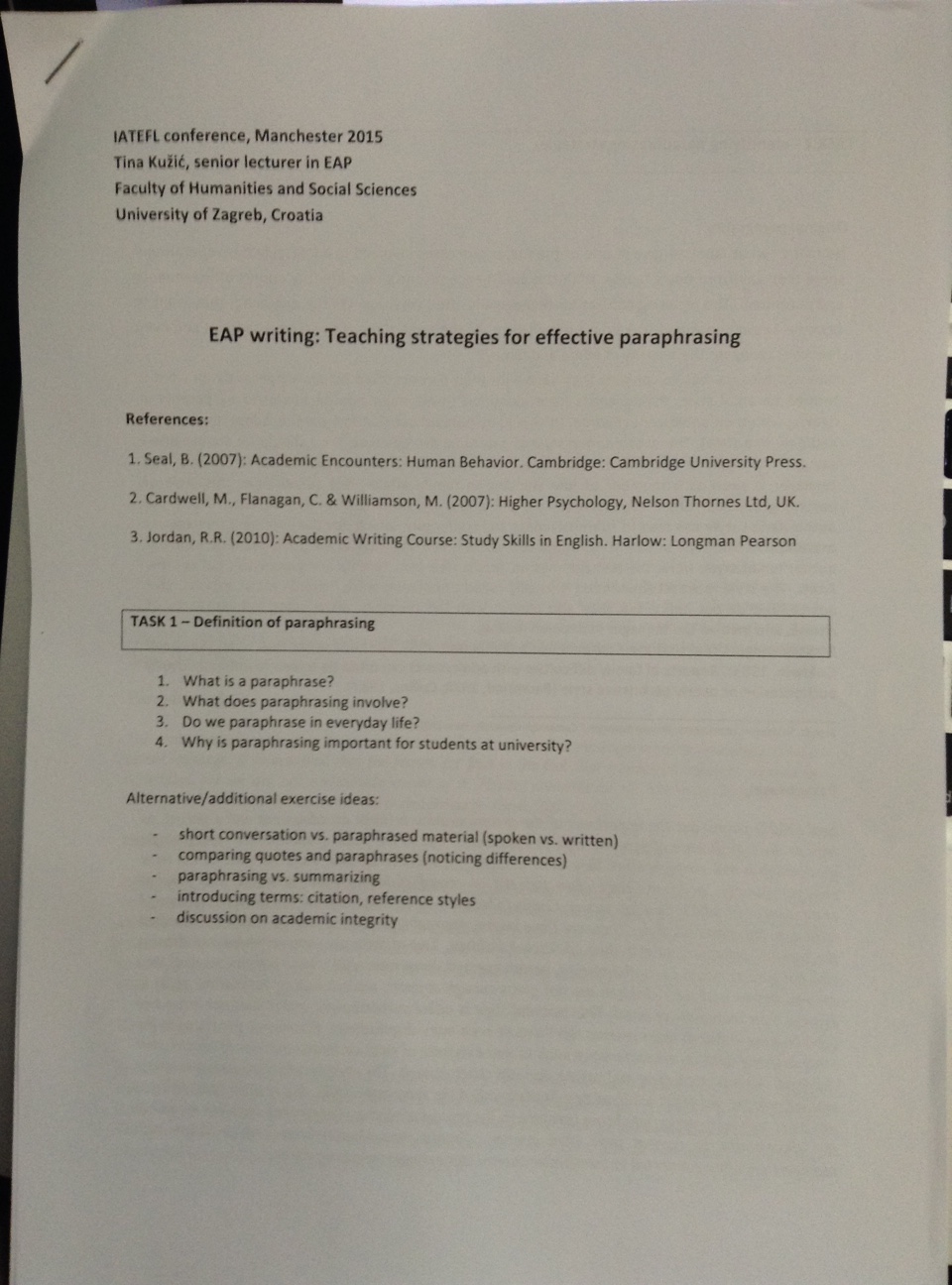
Task 1

For the introductory class, Tina refers to students’ previous knowledge – what they think or know about a given thing. Start with a set of questions.

So, for paraphrasing:

  • what is a paraphrase?
  • what does paraphrasing involve?
  • do we paraphrase in every day life?
  • why is paraphrasing important for students at university?

Extension: defining terms such as quoting, citing, summarising, referencing

Students may not be familiar with all the terminology.

You could also start with a conversation, a paraphrased conversation, a written summary paragraph of it and get them to notice the differences. Or, give them a quote and a paraphrase, get them to identify the differences.

image2

Task 2: Identifying paraphrasing strategies

An original and a paraphrased sentence is given to the students and they are given time to read each. Students asked to find examples of the rewriting and asked what happens in terms of grammar and vocabulary. Once more familiar, they could look at paragraphs, as per the task we were given.

  • The first sentence is a summary of the main idea of the text, used as a topic sentence.
  • Move from paraphrasing details to summarising main ideas.
  • Use different parts of speech
  • Use different structures e.g. active vs passive
  • Synonyms
  • changing the subject
  • moving parts of sentences
  • combining short sentences
  • dividing long sentences
  • synthesising sources

Paraphrasing uses a mixture of these.

Provide students with a list of these strategies, then go back to the sentence/paragraph and look for the strategies not previously identified.

Task 3:

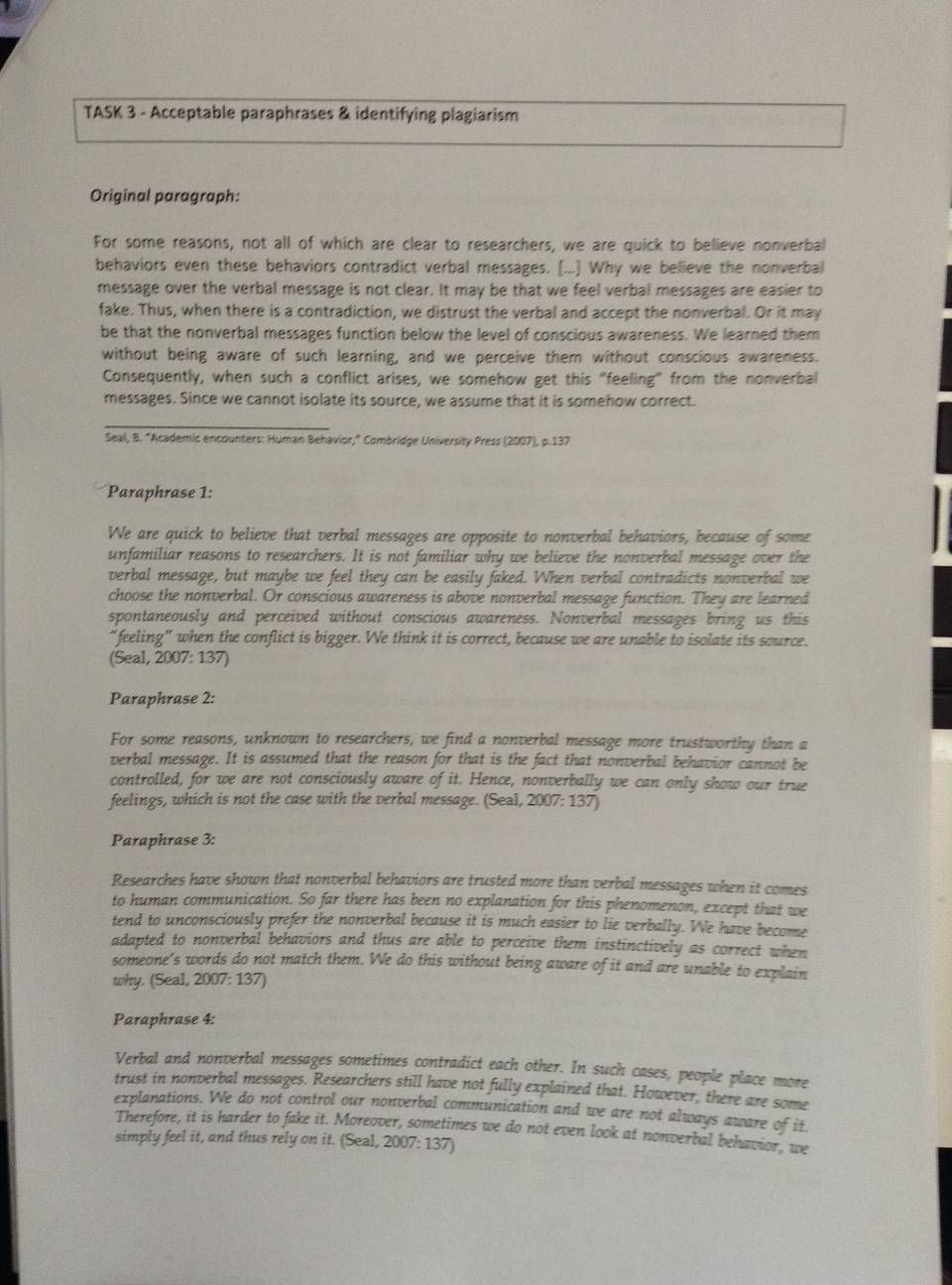
Give them one original paragraph and a few sample paraphrases of the paragraph. Read them and identify whether they are acceptable or not. Why/why not? (Using sample students’ writing – from beginning to end of a semester)

Paraphrases!

Paraphrases!

Paraphrase 1

  • Following the same pattern as the paragraph e.g. take the first sentence and change it slightly, then the second etc. is not acceptable
  • The main idea has been lost.
  • Too many identical chunks of language copied from the paragraph. Too much is directly lifted.

Paraphrase 2

  • A key term is ‘psychology’ for example – you can’t paraphrase it. But if it isn’t the keyword, you have to change it somehow. Or e.g. non-verbal behaviour, in this case.
  • Not plagiarised but not accurate either. Original: it may be that… Paraphrase: “it is assumed that…” not the same meaning. Need to keep the original message.
  • This person also follows the same pattern of the paragraph.
  • Parts of this have been paraphrased successfully but not acceptable over all.

Paraphrase 3

  • Acceptable

Paraphrase 4

  • The sentence lengths are too short.
  • Coherence and cohesion are also part of paraphrasing.
  • The language is not hedged enough.
  • Informality can be a problem.

Something to consider: What about where the source is acknowledged? At the end. But where does it start? We need to introduce also reporting verbs.

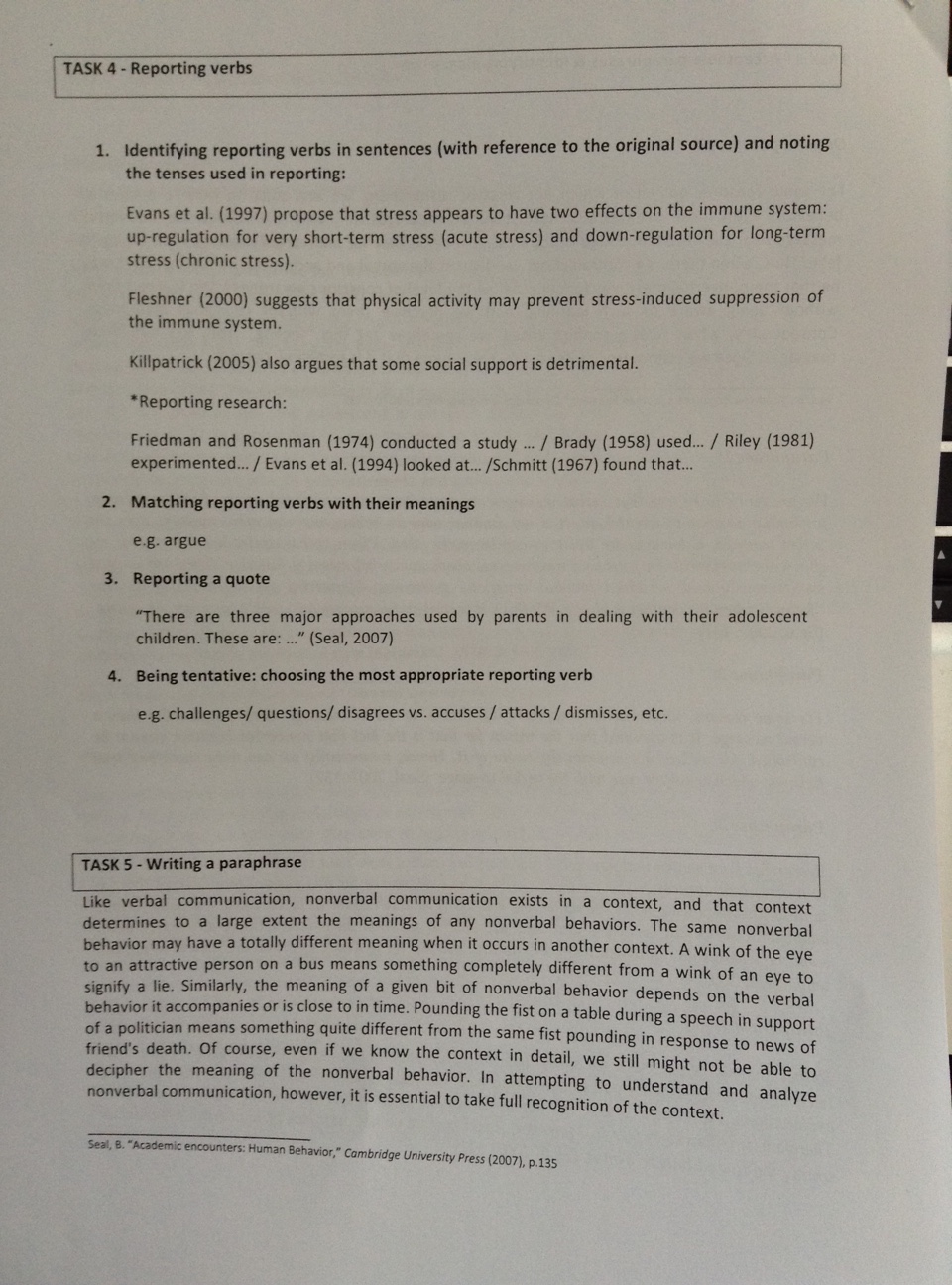
Task 4

  • Introducing paraphrases and quotes
  • The importance of reporting verbs
  • Tentativeness
  • Tenses

Start with a few sentences always with “write” e.g. the author wrote etc, ask ss to read the sentences, identify the verbs and think of other verbs that could be used instead of “wrote”/”has written”. There are many verbs we can use, some stronger, some more tentative.

Give ss sentences with such verbs used and get them to identify these and the tense. I.e. present simple. -> Present simple for current relevance. -> Referring to specific research may be past simple tense.

Get ss to match reporting verbs with their meaning. E.g. argue isn’t about fighting but about putting forward reasoning for your ideas.

Give ss sentences and get them to identify which reporting verbs could be used with each one. (E.g. no. 3 – Seal presents, Seal describes etc.)

Encourage students to use more tentative verbs e.g. challenges/questions/disagrees vs accuses/attacks/dismisses

image3

Task 5

Get students to write an acceptable paraphrase!

Encourage students to use mind-maps to organise the information visually. For identifying the key terms. From this they think about the who, what, why, make notes. They then use this when they write their paraphrase. So that they are not looking at the original and thus are not tempted to lift too much/pattern it the same way etc.

Great workshop – really useful for ideas for how to work with my ss on their paraphrasing over the summer. A most excellent start to the main conference, for me. 🙂


IATEFL 2015: Pre-conference Event Day – MaW SIG – Part 4

By now it’s been a long day and, truth be told, I’m getting tired! I did however manage to jot down a few things for each of the remaining talks, so for what they are worth (my notes, that is, clearly the talks are worth plenty!) here they are:

Tailor-making materials from an ESP author perspective – Evan Frendo

How are tailor-made materials in a corporate context different?

  • Very specific. PARSNIPS aren’t an issue e.g. PIG in industry usage.
  • Corporate culture – e.g. a training culture
  • Needs – corporation needs as well as the individual.
  • Learning centred not learner centred.
  • Training rather than education.

It’s all about finding the gap – the training gap – between where they are now and where they need to be. Very specific, focused on aspects of the job that needs to be done. You can use corpora to do this (very specific texts and wordsmith tools).

 However:

  • Vocabulary profilers don’t apply e.g. hose package is an “A1 word” if you work in the relevant trade.
  • Record a phonecall, discuss with participant. What does it tell me? Need to analyse…
Analysis

Analysis

  •  Company insider definition of good presentation may differ from ours but is according to their context and needs. We need to learn what those are.
  •  Materials need to be based on evidence not intuition.
  • Not “English for Engineers” – Engineers speak to other people too! Priorities and issues may not be obvious to whoever wrote English for Engineers.
  • Check your insights with other stakeholders.
  • Use experts to tell you what counts as “successful” communication. It can be wrong in one context but right in another i.e. if they get the contract, get the product delivered etc.
ELF

ELF


(Mis) Adventures in Self-Publishing – Christien Lee

 What should I self-publish?

An important question. Big sales, not much competition, in your comfort zone.

 Why should I self-publish? 

Traditional publishers give more cachet and better production values, no upfront costs, you get a commission or an advance.

But…no guarantee that a traditional ELT publisher will accept it, especially for niche market books; takes a long time before publication. (Self-publishing is quicker.) Less money and delayed payment from publishers.

 Benefits of self-publishing:

  • Guaranteed publication
  • short time to publication
  • potential return of up to 70%.
  • Regular and timely income

But:

  •  No guarantee of making money
  • Potential to lose time and money. Costs – e.g. paying freelance audio creators; setting up website; more work before publication (Editing, layout, formatting etc)
  • More work after publication – marketing, social media etc.

How should I handle editing, book layout, audio and so on?

  • DIY
  • Use crowdsourcing/freelancers
  • Friendsourcing

For audio there is for example Voice Bunny – post a project and people audition for it…

 Where should I publish it?

  •  Print on demand with CreateSpace (Amazon)
  • Book distribution service e.g. Draft2Digital or Smashwords
  • Wayzgoose Press – a cross between self-publishing and ELT publishers; 40% on print and 50% on e-books.
  • The Round – teacher development books

Ensuring quality content

 For test preparation materials, match for length, genre, register, difficulty, complexity, topic/subject, testing point, distractor patterns

 Tools to ensure material is at the right level:

  • Cambridge Vocabulary Profile (Profile a text and then use that as a template)
  • Academic Word List Highlighter
  • Lexile Analyzer – gives you a lexile score which is a number e.g. 1200 for a reading text. Put in the text and it’s 1300, then you need to simplify it to make it closer.

 Developing the online content 

  • Use a platform like WordPress with premium plugins e.g. shopping cart
  • Paying for a custom-designed site
  • DIY

Interactive service – Articulate Storyline, like powerpoint on steroids, can be used online and include quizzes etc.

Crclee+iatefl@gmail.com

My thoughts:

What a day! So much quality content, so much take away. And only my poor little brain to process it all, oh dear…! Thank you MaW SIG for a brilliant day. And to all presenters for their fantastic talks and best efforts to keep to time so that we actually stayed exactly on schedule all day – must be a first for any SIG?! 😉

IATEFL 2015: Pre-conference Event Day – MaW SIG – Part 3

Duly refreshed, it’s time for the afternoon sessions…

How to write ELT activities for authentic film and video – Kieran and Anna

Kieran and Anna also produced: “How to write film and video activities” – from the Teacher2writer training modules. (Yep, another module! Seems to be a trend today, for presenters to plug their Teacher2Writer module! 😀 )

 In today’s talk, they intend to consider:

  1. Role of video and film (more and more important)
  2. Sourcing video and film
  3. Exploiting video and film

Changing from video as an add-on (think glorified listening activities) to something more integral. Capturing and editing moving images has become much more accessible. This can be exploited in language learning. Kieran thinks there will be an increasing demands for writers of this type of activity.

 You need to think about:

  • Syllabus fit – a strict publisher’s brief fit or just integrating it into what you are teaching?
  • Music/soundtrack needs not to be overwhelming, so that voices can be heard. Language level is affected by this and other things such as accents, number of speakers etc. Keep a checklist of these handy.
  • Length – 2-5minute clips are optimal for attention/engagement. The shorter the clip, the more repeat viewings you can have, with different activities. This helps with comprehension too.
  • Relevance – of topic and content vs students’ context, background etc.
  • Task potential – visual is important. Less effective if activities are relying too heavily on the non-visual i.e. the audio.

 Established approach to writing for video

  • Pre-viewing tasks
  • While-viewing tasks
  • Post-viewing tasks

Publishers will break it down like this and include things like vocabulary lists for you to use too.

 Pre-viewing activities:

For language-based goals – matching, summary completion (pre-teaching vocabulary), stills from the video and a summary (for more challenging material)

For communicative goals – prediction, discussion. Take a still from the film or video, accompany it with some questions. Connecting this task with the viewing is of course to check their predictions.

 While viewing activities:

  •  Don’t overload: Activities and instructions should be concise.
  • We can use reading/listening type questions but shouldn’t rely too heavily on these.
  • Need to be activities that don’t demand too much attention so that ss can still focus on the film.

For more information: www.visualmanifesto.com

 My thoughts: 

Maybe lunch affected my brain adversely – clearly my notes from this talk don’t do it justice! The presenters ran out of time for getting beyond ‘While viewing’ but the slides are going to be available later, so keep an eye on MaW SIG channels for further information on this!

Does a corpus have the answer? Corpus tools for ELT writers by Julie Moore

I was looking forward to this talk! I really enjoyed Julie’s talk at last year’s IATEFL and I love corpora! 

 Focus:

  • What is a corpus, what are corpus tools?
  • How to use them to help you write materials – with examples
  • What a corpus isn-t very good for
  • Ways of accessing corpora
  • A few other nifty vocab tools

Corpus, corpora – a collection of texts, used to investigate language and how it works. We use corpus tools do this, software which allows this investigation.

When you look at a corpus, you get something called a concordance. That is, examples of language taken from the stored texts, with the searched word appearing down the middle, aka a key word in context (KWIC) search. You can then click on a sentence to get a little more context.

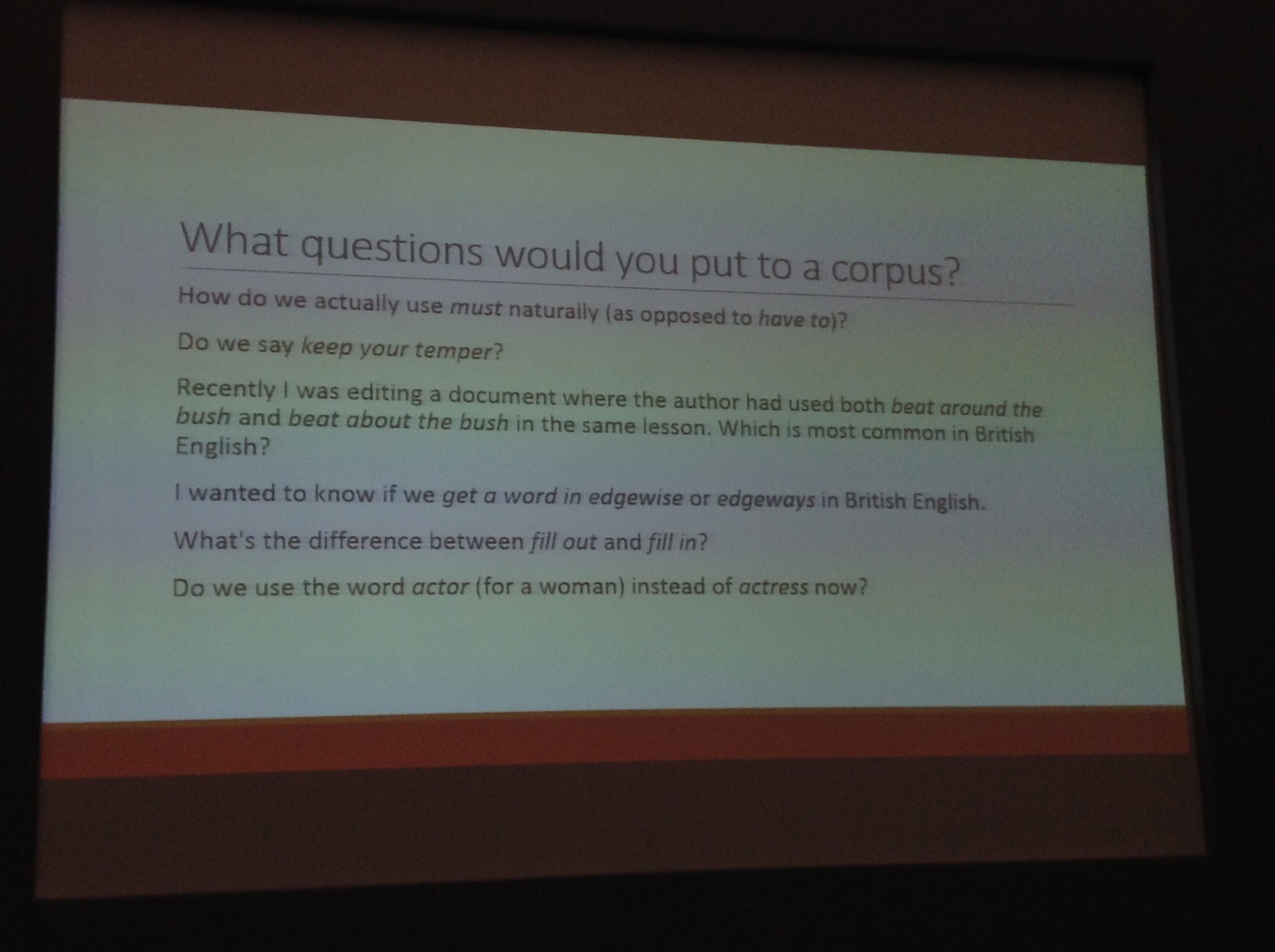
We can ask a corpus many things…

Questions!

Questions!

With a corpus we can:

  • search for authentic examples.

This can lead you to identify a nice context for a given language point. E.g. a film competition guideline set for “must”.

It is quite rare to find something ready for use straight away: you are more likely to adapt and abridge entries so that all language is level-appropriate.

You can also use it as a template to create your own example. It helps you to create something more natural-sounding.

  • do collocation searches

E.g. keep your temper, do frequency searches. Look at the example lines. Then you see it does exist but not on it’s own but rather for e.g. keep your temper under control/in check etc.

  • search for phrases and chunks

Sketch Engine: search “bush” to find more possibilities than “beat around the bush” So start with a wide search. Then search for the frequency of the collocate e.g. around/about. Then you can search for English type. Smaller difference between around and about for British English.

 What isn’t a corpus good at?

Corpus are good at vocabulary –oriented queries. If you don’t have a specific lexical item to search for, it is more difficult and requires a lot more time. E.g. present continuous for future plans. Even if you come up with a search of present continuous examples, you would have to manually identify the future plans ones.

They are also not so good for longer examples or complete texts: this is because of copyright and permissions rules. You can’t borrow enough sentences to illustrate ‘on the other hand’ for example.

 Important points to consider:

  • spoken vs written
  • genre mix
  • AmE vs BrE
  • Expert vs student

Otherwise put, it is important to know your corpus and what it contains.

For example, the British Academic Written Corpus (student writing, native and non native) so you aren’t going to search it to find out about general spoken English…

Don’t follow blindly:

You need to question the results if they are surprising e.g. with keep and temper.

You only get what you search for. Just because you find something doesn-t mean you have answered your question. Sometimes answers aren-t clear cut. Remember your audience and aims.

 How to access a corpus

  • Major publishers have their own corpus. E.g. Oxford. Ask if you can use it.
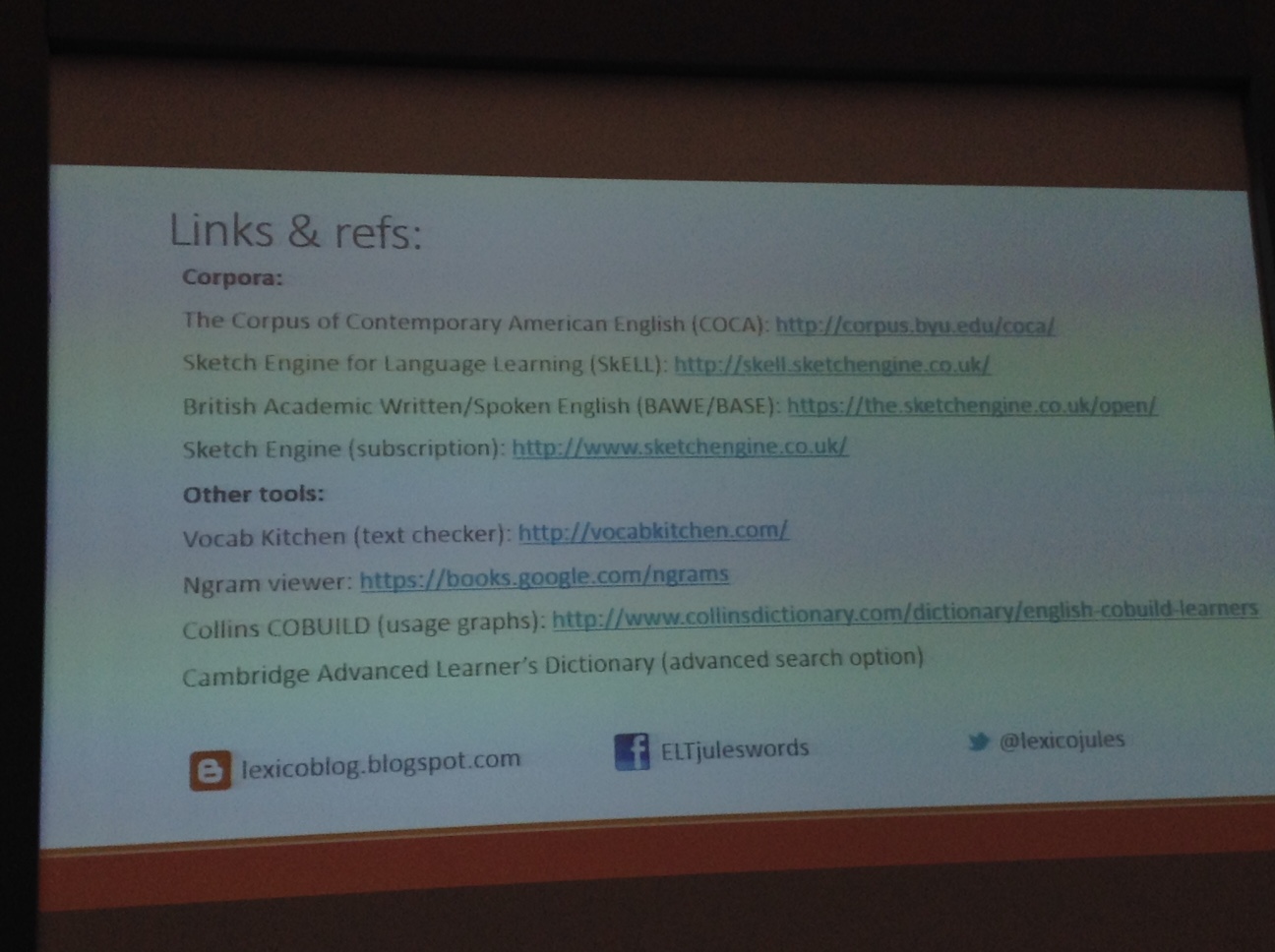
  • Free corpora: COCA SkELL (great data, limited search tools), BAWE/BASE
  • Subscription corpora: Sketch Engine, Collins Corpus (coming soon…)

A few other nifty tools      

  •  Textcheckers – input a text and compare it to a particular wordlist e.g. AWL, English Vocab Profile, Oxford 3000

E.g. VocabKitchen

Depends how good you think the lists are as to how much you rely on the tool.

  •  Usage trends

E.g. Cobuild online, Ngram – show a line graph of usage trends.

  •  Dictionaries

 Thesaurus facility, advanced searches – Macmillan Online is good for this.

More useful stuff!

More useful stuff!

Don’t worry – Julie is planning to write a blog post explaining a bit about these tools and what they do. Watch out for it on her blog.

My thoughts:

Another great session with lots to take away! And my note-taking brain appears to have woken up again too… 🙂 Corpora are great, as long as you are using them for what they are great at and not falling into the traps highlighted by Julie. 

IATEFL 2015: Pre-conference Event Day – MaW SIG – Part 2

Following the first break, we were treated to two more fantastic talks:

A technological toolkit for Writers – Nick 

Nick starts with a whistle-stop tour of technological history, also sharing the story of a very large internet-related phone bill with us. Apparently his parents weren’t so impressed…

The three key areas of focus are:

  • Useful hardware
  • Timesaving software
  • Avoiding internet-related distraction

 Useful hardware 

Computer – PC or Mac or… what suits you

Operating system – OSX, Windows, Linux or… what suits you

Word-processing software – Word, Open Office.. what suits you

Browser – Don’t use IE…try something else…please…

Screen-size – as big as you can; multiple monitors (less switching between applications e.g. What you’re writing and your source….avoid work and email or what you’re not writing and your distractor!) And use desktop arrangement/Fences – you  can draw a box on your desktop, give it a label and put your files in it.

 Keyboard and mouse – touching them all the time, make sure they are comfortable. Mechanical keyboard – clickety clackety; these days mainly used for gamers.

Timesaving software

60 seconds...starting now! Image taken from en.wikipedia.org, licensed for commercial re-use with modification

Time, precious time! Image taken from en.wikipedia.org, licensed for commercial re-use with modification

 Basic criteria:

  •  Must solve a problem: if I’m only doing it once a month, probably don’t need a fix…
  • Simplicity!
  • Integration – should talk to all devices, if relevant
  • Cost – should be reasonable

Nick’s ELT courses include:

  • Vocabulary presentations
  • Texts
  • Practice exercises

(grossly oversimplified)

 So how can technology help?

1. Images – these sometimes generate a long url (that you need to paste into the document). Fix: Use browser extensions (these extend functionality of your browser): URL shortener. One touch to shrink the URL. As a rule of thumb: If you do anything with your browser that requires 2 or more clicks, someone has designed something that will enable you to do it in one…

  • Taking a partial screenshot (easy on a mac! yay!)
  • Online dictionaries: CALD space word – searches Cambridge dictionaries online. Go to search field in the dictionary, go to add as search engine, change the keyword to something quick to remember, and bingo!  (I really have to set these up!)

2. Texts – Archiving for future reference. We have moved on from filing cabinets and from endless folders of unsearchable pdfs to…

 Evernote!! 

http://www.evernote.com – it’s brilliant. (At some point I should write a guide to using it…)

Screenshot of Evernote-s homepage: They clearly got this dude off Shutterstock or similar! ;-)

Screenshot of Evernote-s homepage: They clearly got this dude off Shutterstock or similar! 😉

 3. Practice exercises (grammar or vocab)

Use macros: automate a set of actions that you can repeat ad infinitum.

  • Teacher’s Pet: a massive collection of macros that you install and it creates a custom tool bar, which does all the boring jobs for you. Fabulous!

Distractions – Tough love techniques

  • Stayfocused: A toolbar extension limits time per day on certain sites – you define which sites distract you and how much time you can spend on them today. When you look at the website, it starts counting down.
  • Strict Workflow: – Page blocked until a break timer starts. Back to work!
  • Rescue time: A weekly report on how you use your time…

Your mileage may vary… you may get more out of this than others do.

 Tiny.cc/mawsig_techtools – link to a google doc for adding info to

Nick’s email: mail@nicholastims.info

 My thoughts:

What an incredibly useful half an hour! It flew by, was full of humour and we got to learn lots of great techie shortcuts to doing stuff that materials writers do. What more could you want?

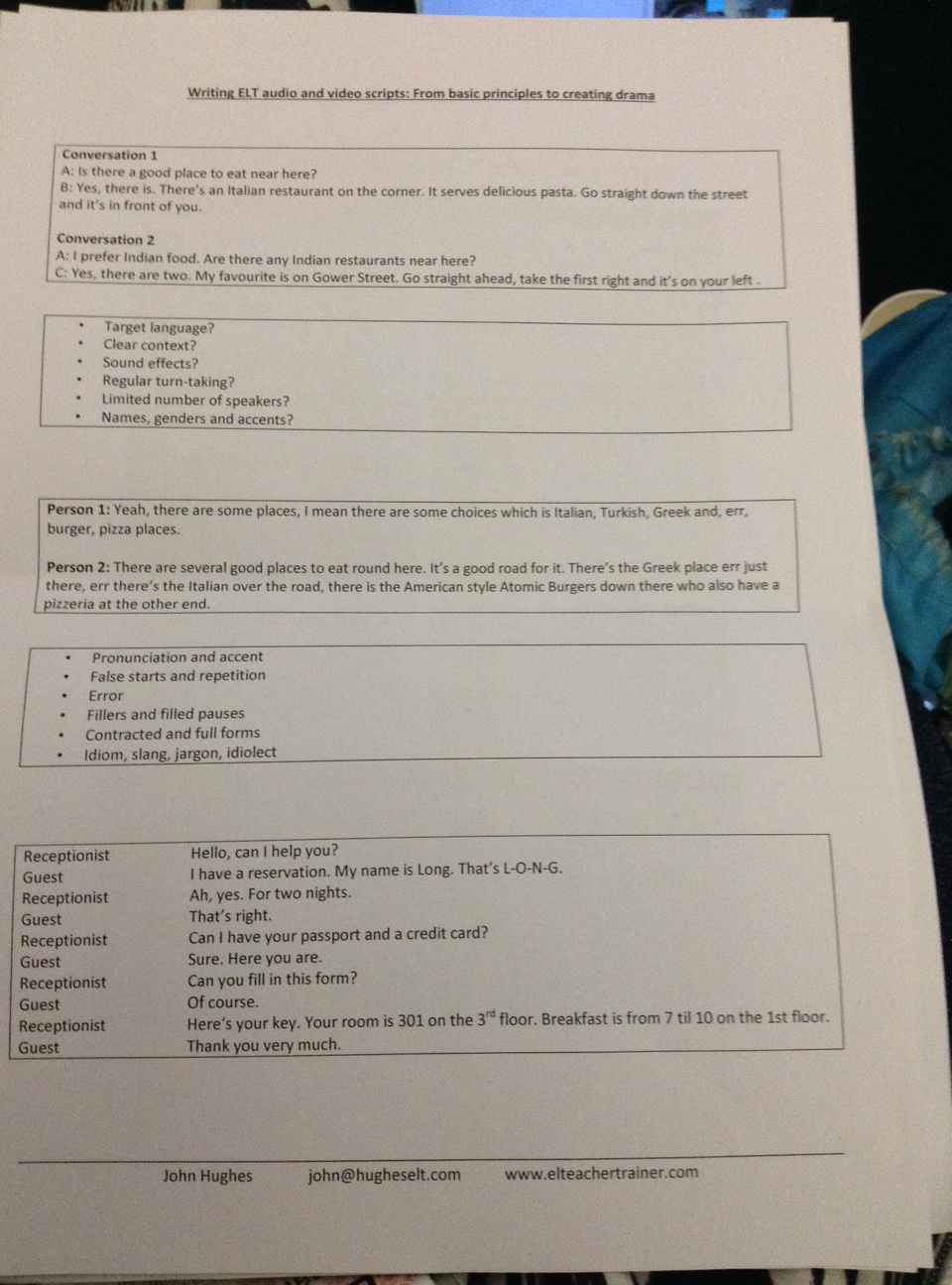
 Session 4: Writing ELT audio and video scripts. From basic principles to creating drama

 With the improvement in technology, going out into the street and recording is becoming more possible. You discover all sorts of interesting bits of language that you don’t discover if you script it all yourself cold.

 Need to consider:

  • Is there too much target language shoe-horned in?
  • Is the context clear? (Stated in rubric? A picture? Sound effects?)
  • Is there enough turn-taking? Breaking it down makes it easier for students to handle the language load, particularly at lower levels.
  • Is there a suitable number of speakers? More than 3 or 4 is too many. E.g. 4 people in a meeting is quite hard for the student to know who is speaking each time. Variety of names, genders and accents can help with this. (Must be stated in the script for the actors to be aware of…)
  • What about the lack of authenticity? How can we introduce more feelings of authentic speech into the writing and make it less stilted?

We had a go at considering:

image1

Our turn!


Features of authentic speech:

  • (Diverse) Pronunciation and accent
  • False starts and repetition
  • Error
  • Fillers and filled pauses
  • Contract and full forms
  • Idiom, slang, jargon, idiolect

Which of these should we be putting into our scripts? Depends on who is using the materials. Maybe not errors! The grammar of spoken English… Are they errors? Or are they just spoken English? And what will the editor remove? Ums and errs and I think are more likely to be kept? False starts often removed. It is important to start thinking about how to add some of these things in…

 Adding drama

You need a central character who wants something. Then you add some kind of conflict situation that makes things more difficult for them! “Try it 3 times” – the main character tries and fails twice and then third time lucky, within the script. 5 or 6 times, becomes more like Fawlty Towers…

Video producers say that ELT writers coming from an audio background tend to state the bloody obvious. Show don-t tell. Slightly in conflict with language teaching but… we need to come up with ways to make it more visual yet control the language.

John’s website, where these slides will appear…

My thoughts:

Well, by the end of talk no. 4, it’s easy to see why people say MaW SIG’s PCE is the one to come to! So far, the diversity in the topics has made me think just how diverse Materials Writing is, there are so many different elements that meet in this discipline. It’s really rather fascinating! Also, I’m really enjoying the opportunity of doing all the little tasks that the various presenters have conjured up, working alongside people who know their stuff – a great learning experience! 

Phew! After an action-packed morning, it’s time for lunch! 

IATEFL 2015: Pre-conference Event Day – MaW SIG – Part 1

The Materials Writer’s Essential Toolkit

Here I am at the IATEFL 2015 PCE Day, and I have to admit, MaW SIG has its work cut out for it today, as there is a portion of me that is rather sorry to be giving up my precious Easter holiday to be attending a conference! Fortunately, as the venue came in to sight, my enthusiasm and excitement finally made themselves known. Having registered and collected the usual conference bumpf, I have even read the programme now and everything! Bring on the Materials Writer’s Essential Toolkit! As it’s a long day of many talks, I am breaking it into several blog posts to make it more digestible… 

 Sessions 1 and 2 – 10.10 – 11.30

 Writing Multiple Choice Activities – what Sue Kay has learnt…

Who knew that there could be so much to say about Multiple Choice Activities? Perhaps it-s because…“there’s an awful lot that can go wrong!”

Sue kicked off by talking about advantages and disadvantages of this question type:

 Advantages

  • Can be marked by a computer;
  • Can deal with large volumes of students being tested (hence chosen format for TOEFL and TOEIC).
  • From a teaching point of view, can offer some support to lower level students who can recognise but not produce much

Disadvantages

  • Assess recognition not use of language;
  • Depending on no. of options, 33 or 25 % chance of guessing;
  • Easy to cheat…
  • Writing good ones is HARD!

Challenges

Are the items difficult enough? Are they plausible? The art of adding distraction to text or script (aka how to confuse the students and tempt them away from the right answer!)

At this point, we looked at the anatomy of multiple choice.

Firstly, they are not MCQs (Multiple Choice Questions) but MCIs (Multiple Choice Items) as not all are “questions”. E.g. a stem can be an unfinished sentence to complete.

Distractors – wrong answers that tempt ss away

Stem – the question or sentence beginning

Key – the correct answer

 Important to remember:

Options should be plausible, not too obviously right or wrong, consistent in style and length, not repeat or contradict each other, be clear and easy to process…

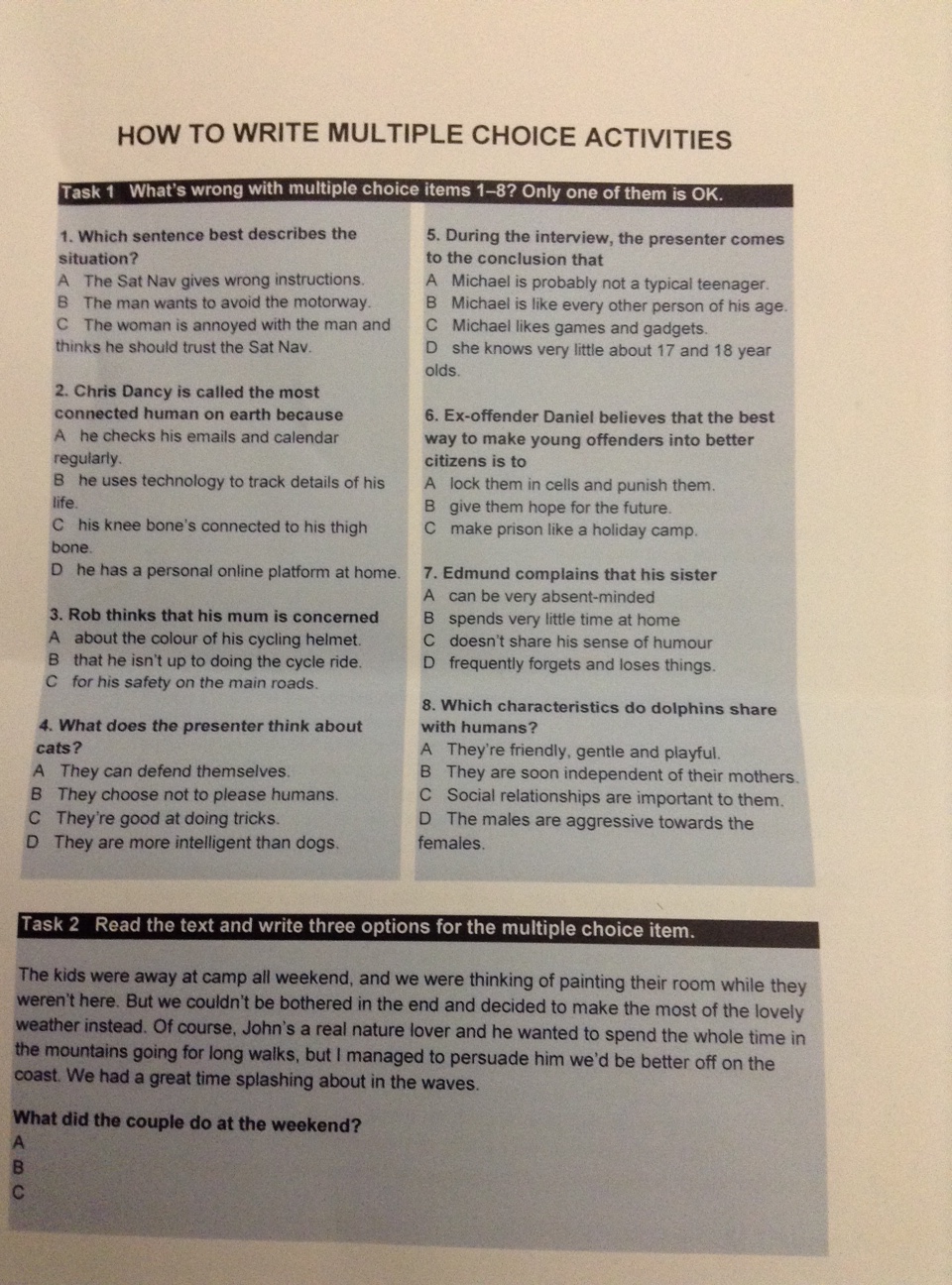
Task 1 

We looked at these multiple choice items:
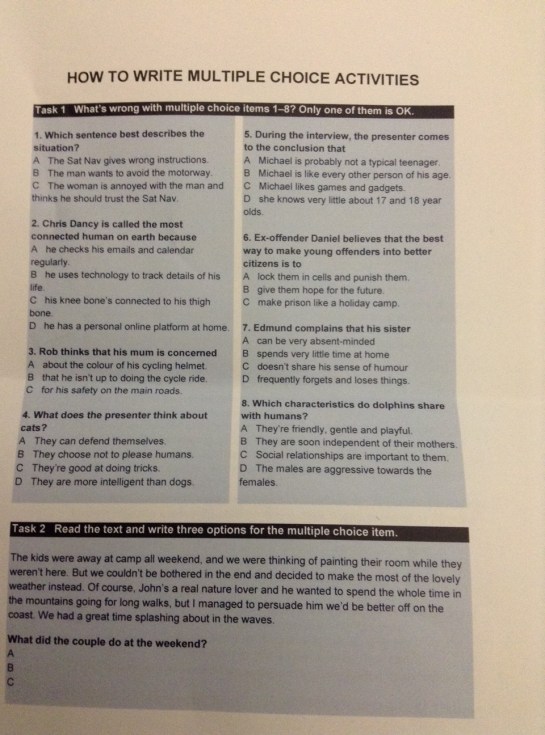
 

Multiple Choice Quiz

Multiple Choice Quiz

And had to identify a) which one was a good example? b) what was wrong with all the rest of them!

  1. C stands out as correct as much longer than A or B (should be short/roughly equally in length; avoid using linkers)
  2. Option C is obviously a distractor, very silly (all options must be plausible or you give ‘one for free’ : suppress the urge to inject humour into MCIs!)
  3. End the stem at a logical point e.g. after the verb AND preposition. E.g. concerned about plus the options rather multiple structures
  4. Correct! (Options same length, consistent style, no linkers or complex structures, all plausible)
  5. Option D stands out as the only one not starting with ‘Michael’ (consistency)
  6. The information on the page is enough to guess the correct answer, without reference to the text. B is obviously the right one. (Too obvious right answers, too obviously wrong distractors, shouldn’t be answerable through common sense)
  7. Options A and D have the same meaning = a double key (mustn’t cancel one another out by saying the opposite either…)
  8. Too easy to answer without listening to the interview. (A and B easy to reject, D too obviously wrong. World knowledge shouldn’t come into play…)

The process as a whole

 You need to write the text and the activity at the same time. Sue used to write the text first but this isn-t a good idea… you end up shoe-horning distractors in. The text becomes unnatural and lacking in coherence.

  • Plan the ideas you want to include in the text
  • Before you write it, draft some stems and keys
  • Brain storm different attitudes feelings emotions angles to include in the script so that you can test not only specific info but opinion and intention too.
  • Paraphrase the language in the text in your key – if you use the same language it’s too obviously the right answer
  • But you can use the same language in the distractors to tempt them away from the right answer. But generally speaking better to paraphrase across the board. Sometimes can be a good temptation though.
  • Use students’ common mistakes when adding distraction. Things that students always confuse.

Adding distraction

  • Time phrases can be used to set up distraction. E.g. saying what happened in the past and then testing what is happening now.

We used to….then… so now…

Distractor: (We used to) live on the edge of a city (outskirts) as something that is happening ‘now’

 At first I thought… but then I saw through…

If testing what is happening now, content following at first I thought acts as a distractor.

We were thinking of….but…

He wanted to….but…

So, what did the couple do at the weekend? (Task 2)

Wanted to, hoped to, intended to, planned on, thought about, was/were going to, tried to, would to have, was/were supposed to etc. are useful to seed into the text.

  • Unreal past

Past tenses in conditionals or after wish.

“I’d probably stay if the boss said he’d pay me more”

Distractor: Her manager has offered her a salary increase


If you’d done what it says on the label, it wouldn’t have shrunk”

Distractor: He followed the washing instructions


I wish we’d brought the compass with us

Distractor: They were well equipped for the walk.


  • Negatives

It-s not as if we’re desperate for a new car park

Distractor: She thinks the town needs better parking facilities

 Here are the guidelines on which the talk draws:
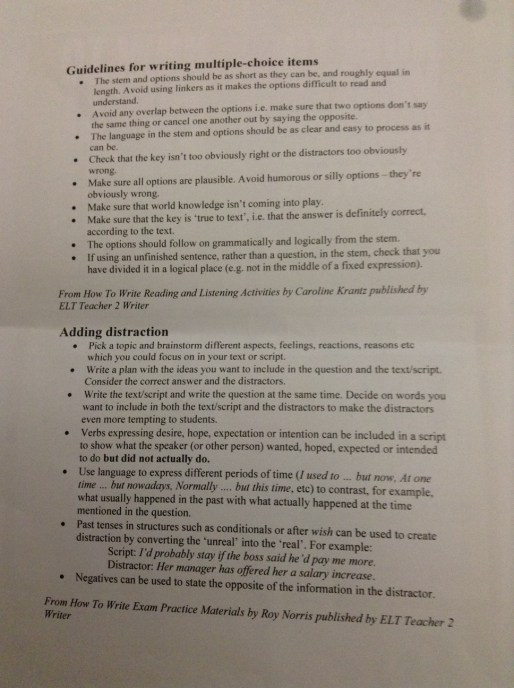
Remember!!

Remember!!

Useful resources:

How to write Reading and Listening Activities  by Caroline Krantz

How to write Exam practice materials  by Roy Norris

Teacher2Writer  website


Reflecting on what we looked at today, Sue says “These are techniques for adding challenge…”

Comments arising from the post-talk Q and A

  •  Making the options challenging but the language as easy to process as possible, so that the students are processing the text rather than the options.
  •  Try your questions out on colleagues first…
  •  With listening texts, more important to spread the items out vs. reading texts where students have control over processing time.
  • Digital – templates may have character limits; can be set up for exam type (i.e. can listen only twice) or to learn (can listen as many times as they want, with more challenging questions? Or if supporting lower level students then they have more time to get it right; higher levels may choose not to slow it down, listen again etc.)

End of session 1 – happy to report that enthusiasm/excitement/motivation are fully present and accounted for again! 🙂

 Session 2: Maximising the image in materials design – Ben Goldstein and Ceri Jones

The role of images in ELT

How has it changed over the last 15-20 years?

When they started, it was purely decorative or a visual aid. This has changed a lot in the last 5 -10 years. Opening pages of units in CBs, there is often a big image, more central to the writing and learning process. Careful: These big images still involve rather conservative use of image. More prominent but yet still traditional exploitation. E.g. decorative.

How can we subvert?

In our roles as writers, how can we make sure that the images are working for us, inc. the decorative ones? Focus on print. Digital is slightly different.

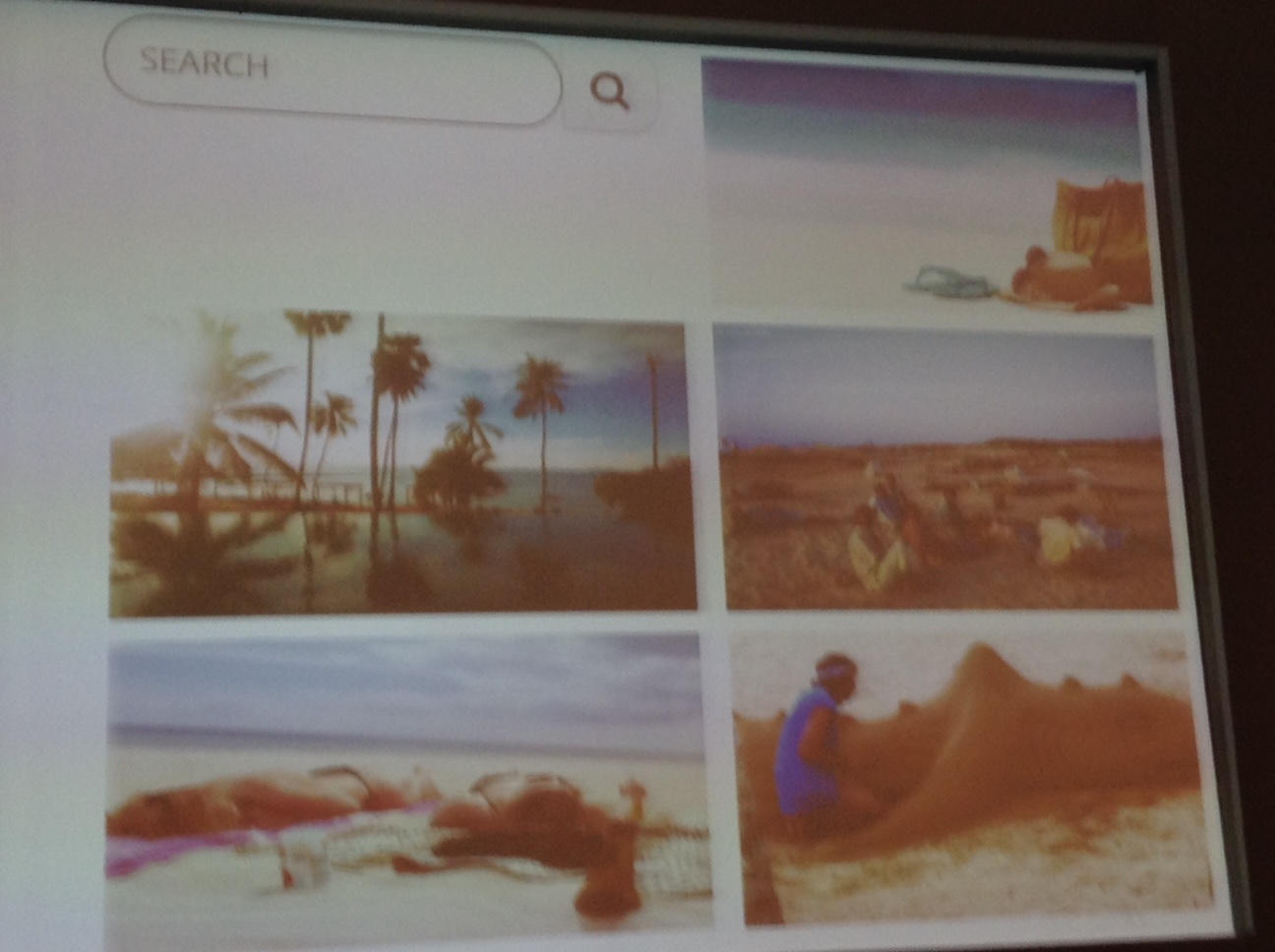
Ben and Ceri showed us a sample search. We had to guess the search term…
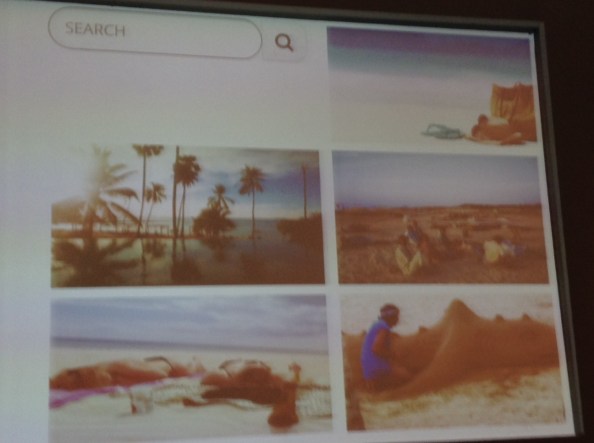
Image search results

Image search results

What was the search term? “Beach”

Image banks: some publishers have them (affiliations) and prefer only to use those banks. Some give you more freedom to search outside them. Some receptive, some less so. There are also budgets to be aware of. Certain images need to be cheap. You may be able to squeeze in the odd expensive one.

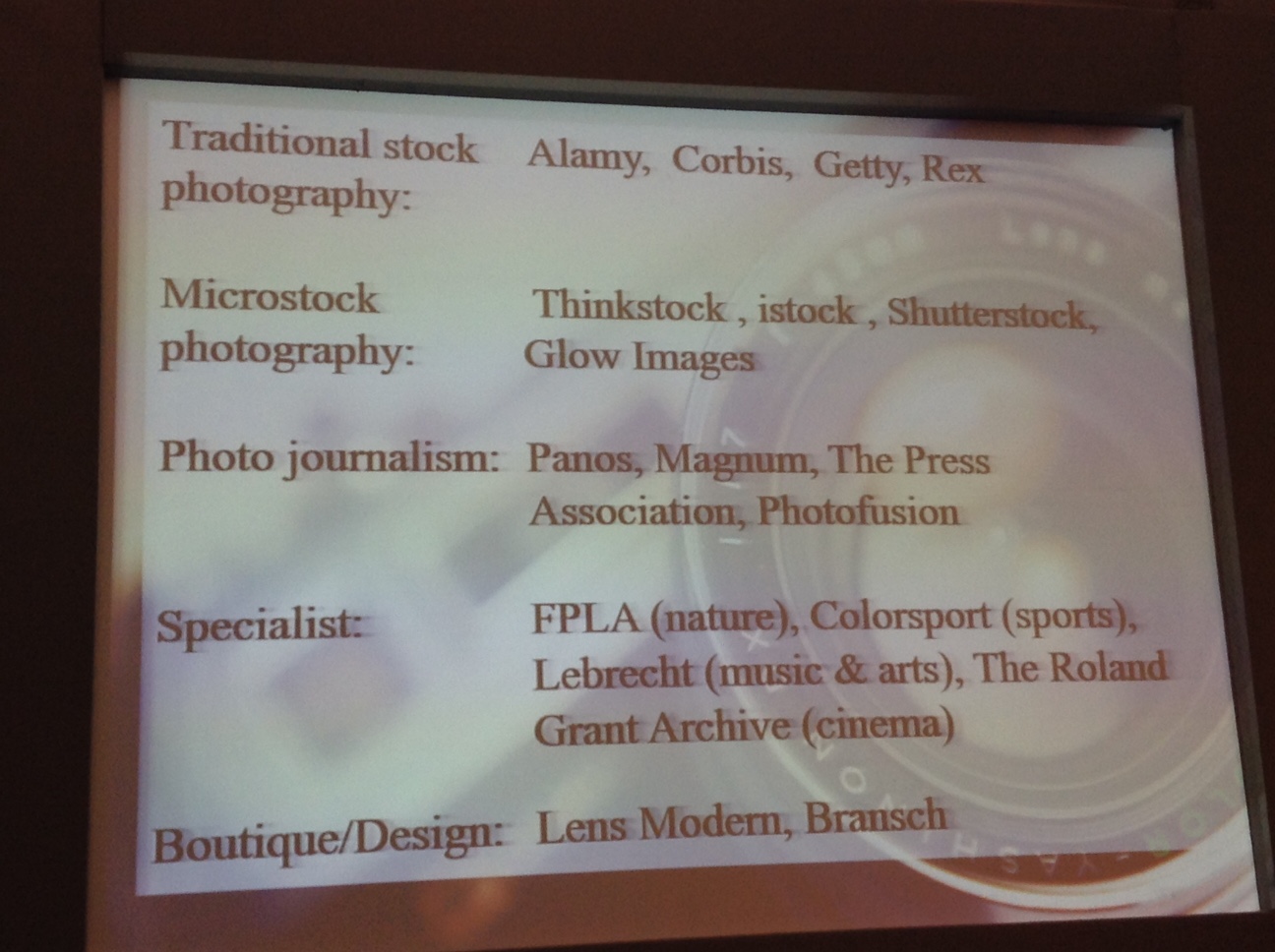
Types: 

  • Stock images (clip art etc.)
  • Creative commons
  • Photo journalism
  • Design/boutique

Flip flops – stock image (thinkstock; used by BA in an advert. Used often for corporate materials)

Palm trees – design/boutique (lens modern) (aesthetically pleasing, airbrushed, but not full of ideas, so very decorative quality)

People on beach – photo journalism (Panos – image and text; often very generative. Can be too strong/controversial)

People on the beach – creative commons (unsplash – the social media front for a design company; like a teaser)

Sand shark – creative commons (ELT pics – by teachers for teachers, creative commons on Flickr; Blog – Take a photo and…)
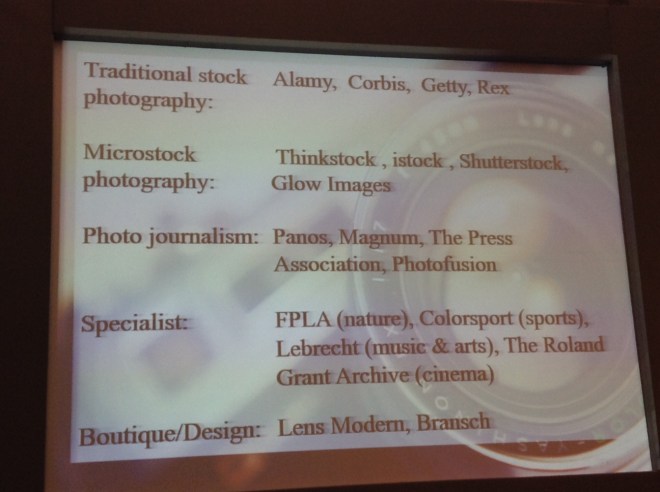
image4-1

Sources for different image types

 These are different kinds of image banks. How do we search for images?

The bigger the bank, the more difficult it is to find what you are looking for i.e. using suitable search terms. Specificity of search is important…

 Some more good sources:

  • The whole picture – Guardian;
  • The wider image – Reuters
  • Getty works with Flickr.

Using Alamy

 Search term “beach”

Parameters – “square” [influenced by instagram, may be more creative]; (vs portrait or square-) “Creative” rather than “relevant” filter.

When writing artwork briefs, specify what parameters you don’t want as well e.g. “not Landscape”

Using Panos – the image can give an idea for a whole activity/topic. Another role of the image in the writing process – inspiration even if it doesn’t make it on to the page…

Image types revisited… this time with focus on fashion!

Are they new? trending? on the way out?

Here are some of the ones we considered:

  • Selfie
  • Selfie on stick
  • Mosaic
  • Drony (Dronie?) (Yes, really. Selfies with drones)
  • Infographic
  • Word cloud
  • Fish eye
  • Panodash (iphone trick, same person appearing in photograph multiple times);
  • Draw my life
  • Angry cat.
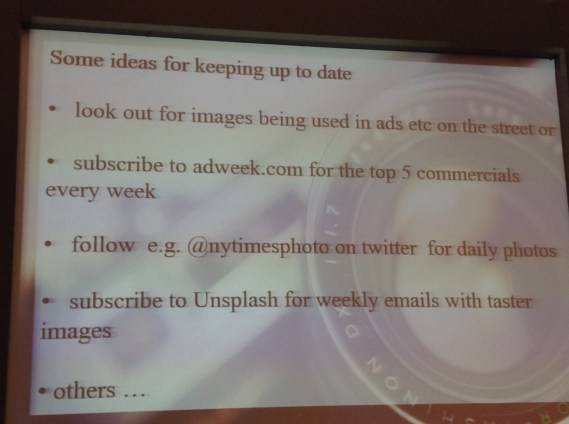
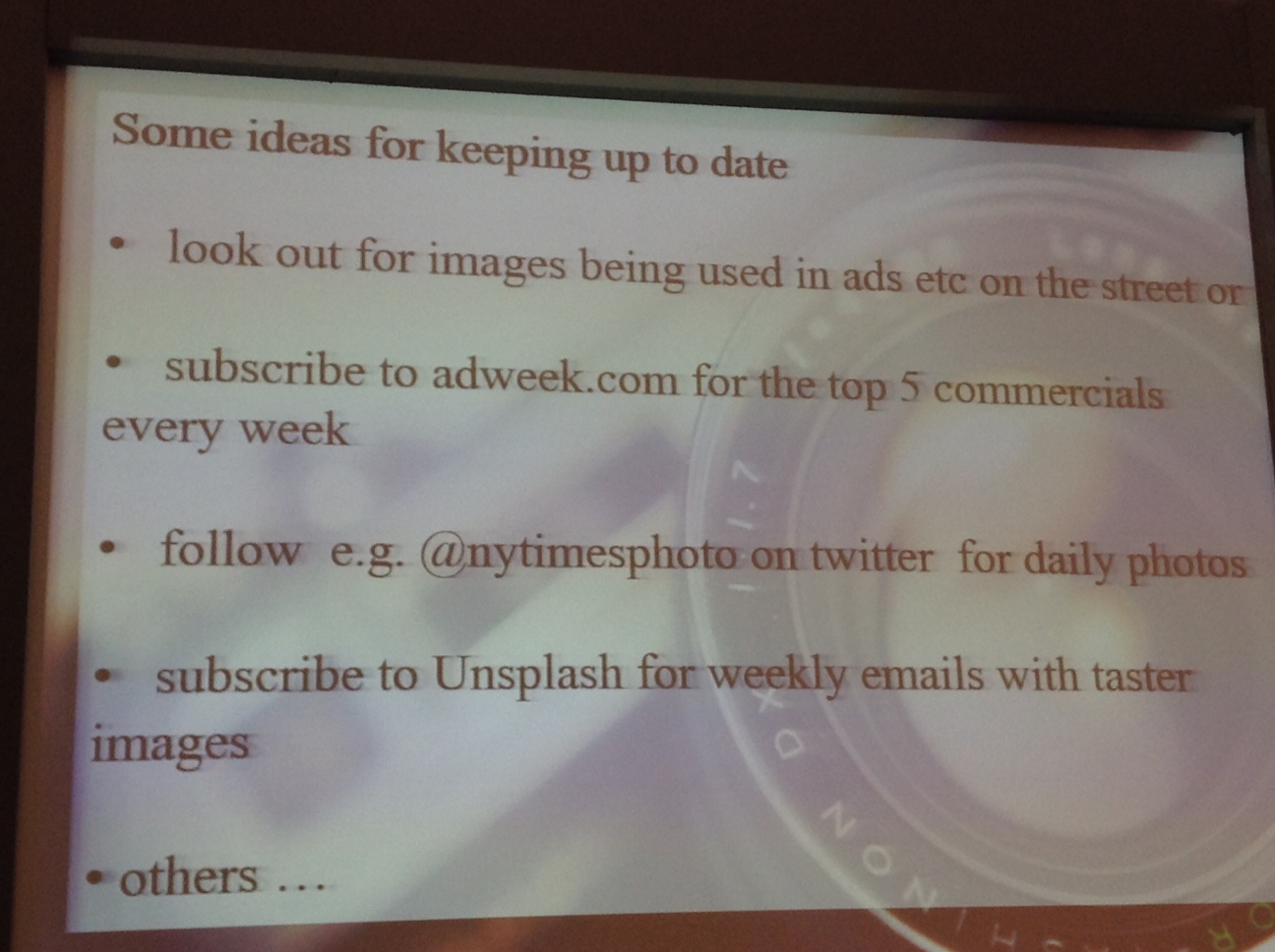
Keeping up to date is important - here's how...

Keeping up to date is important – here’s how…

 More useful sources and ideas:

  •  The Map of the Urban Linguistic Landscape Facebook Group
  •  Use your own images also!
  • You can use image banks to inform your artwork briefs.

Writing an artwork brief

 Be very specific. Explain how the image is supposed to work not just what it looks like. Be clear about what you don’t want. (E.g. NOT a lifestyle magazine type of shot)
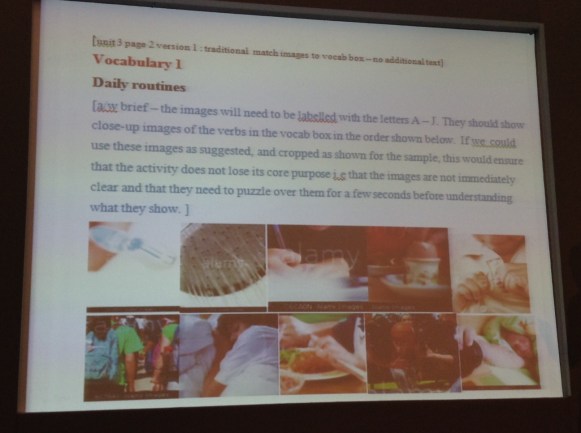
An artwork brief

An artwork brief

Image roles

  • Scene-setting (for a topic or context)
  • Illustrative
  • Decorative
  • Driving force (opening spread, man and nature – positive, negative, conjures up different feelings)

Coming back to the process again, a good idea is to go to images first, see what is out there, let the images inspire. Start with a topic and brainstorm images, see what hits you. It can kick-start the creative process. It can rejuvenate you when you are on Unit 10 of level 4 of a course!

For more information see Ben’s website and Ceri’s website

My thoughts:

Much like with MCI’s, my general thought is, “who knew there was so much to know!” With both talks, within half an hour I went from knowing very little to at least knowing how little I know! Lots of useful content. From the practical aspects such as how to find the images, sources etc. to the process, where I am particularly struck by the idea of doing an image search around a topic and letting inspiration flow that way. It’s a new way of brainstorming that hadn’t occurred to me before. Not having written an artwork brief before, it was also interesting seeing some examples and then actually doing a task in which we worked in small groups to create a brief for a given image.

Has to be said, a great start to a great day. 🙂 Worth giving up being on holiday for… 😉